

CodePush Deprecated · Migration Guide · 2026

Microsoft CodePush
Is Dead
Here's What's Next

AppCenter CodePush was retired on March 31, 2025. If you're still shipping React Native OTA updates through CodePush, your pipeline is broken or about to be. This guide covers every alternative, ranked by production-readiness, New Architecture support, and real-world scale.

Instant OTA
Signed Bundles
Quick Rollback
New Arch Ready
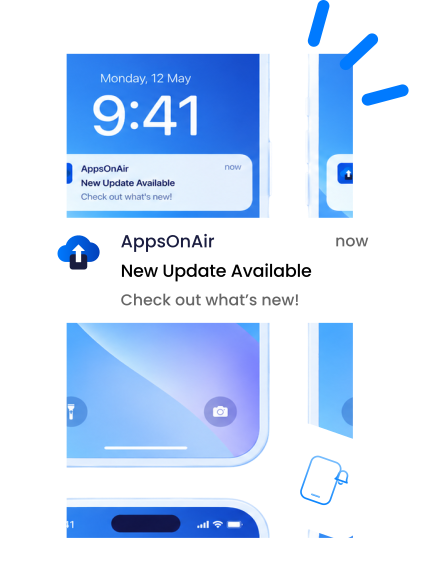
OTA Update Deployed
v2.4.1 → v2.4.2 · just now
LIVE
2.1s
Deploy Time
99.99%
Success Rate
No
Store Reviews
The Problem

Why Teams Are Abandoning CodePush

Microsoft handed CodePush to AppCenter. AppCenter shut down. Now your OTA pipeline is a liability, and the issues go deeper than just the sunset date.

Service Shutdown

AppCenter CodePush was officially retired on March 31, 2025. Any app still relying on CodePush servers is running on borrowed time or is already broken.

New Architecture Broken

React Native 0.76+ enables Bridgeless mode by default. CodePush's reload mechanism depends on the old JS bridge, and it silently fails in Bridgeless mode, leaving users on stale bundles.

No Hermes Optimisation

Hermes is now the default JS engine in React Native. CodePush predates Hermes-specific bundle optimisations, meaning you're shipping larger, slower bundles than necessary.

No Bundle Signing

CodePush does not cryptographically sign update bundles. A compromised CDN or MITM attack can push malicious code to every device running your app with no integrity check.

No CI/CD Native Integration

The CodePush CLI was bolted onto AppCenter's ecosystem. Teams using GitHub Actions, GitLab CI, or Bitrise had to maintain fragile shell-script glue to connect deployments.

Zero Analytics

CodePush provided basic install counts but no adoption rate tracking, crash correlation, rollback telemetry, or update funnel visibility, which are critical data points for production deployments.

Evaluation Criteria

What to Look For in a
CodePush Replacement

Not all OTA solutions are equal. Here are the non-negotiable criteria before you commit to a new pipeline.

React Native New Architecture Support

Must handle OTA reloads in Bridgeless mode (RN 0.76+). Solutions that depend on the old JS bridge will silently fail without warning on modern React Native.

Cryptographic Bundle Signing

Every update bundle should be signed and verified on-device before execution. Without this, any compromised CDN node can push arbitrary JavaScript to your entire user base.

Instant Rollback

When a bad update ships, you need a one-command CLI rollback that reaches 100% of devices in seconds, not minutes. Check whether rollback is atomic and whether it requires another OTA cycle.

Native CI/CD Integration

First-class GitHub Actions, GitLab CI, and Bitrise plugins, not shell scripts. Deployment should be a single workflow step with proper secrets management and audit logs.

Bundle Download & Rollback Analytics

Track update adoption rates by version, device type, and region. Correlate crashes with specific update versions so you know whether to roll back before your support queue spikes.

Global CDN with Low Latency

Update delivery speed directly impacts user experience. A global CDN with edge nodes in Asia, Europe, and the Americas ensures consistent sub-second download times regardless of user location.

2.1s
Avg Deploy Time
99.9%
Update Success Rate
300+
CDN Edge Nodes
<30 mins
Migration Time
The Solution

Meet AppsOnAir CodePush

Purpose-built for modern React Native. AppsOnAir CodePush is a drop-in replacement that works with React Native version 0.70 and above, supports Bridgeless mode natively, and ships with the enterprise security and observability features that CodePush never had.

checked
Built-in Bridgeless restart module, with no custom native code required
checked
Ed25519 bundle signing verified on-device before execution
checked
Real-time adoption dashboard with crash correlation
checked
GitHub Actions, GitLab CI, and Bitrise plugins with zero shell-script glue
checked
Atomic rollback to all devices with a single CLI command
Start Free Migration
Arrow
Update Flow
1. Push to main branch
GitHub / GitLab / Bitbucket
2. CI builds + signs bundle
Ed25519 signature attached
3. AppsOnAir CDN distributes
300+ edge nodes globally
4. App verifies + applies update
Bridgeless-aware restart
Features

Everything CodePush Never Had

AppsOnAir CodePush was designed from the ground up for how production React Native apps are actually built and shipped in 2026.

New Architecture Native Support

Ships a TurboModule-compatible restart bridge that works in both bridgeless and legacy bridge modes. Supports RN 0.70 through 0.81 with zero configuration changes as you upgrade.

Ed25519 Bundle Signing

Every bundle is signed with your private key and verified on-device before a single line of JS runs. MITM attacks, CDN compromises, and replay attacks are cryptographically blocked.

Atomic Rollback

One CLI command in the terminal rolls back all devices to any previous version. No second OTA cycle is needed, the previous bundle is already cached on-device and activated immediately.

Real-Time Adoption Analytics

Live dashboard showing update adoption by version, device model, OS, and region. Set automated rollback thresholds. If the crash rate exceeds X%, roll back without human intervention.

Native CI/CD Plugins

First-class GitHub Actions, GitLab CI, and Bitrise plugins. Deploy OTA updates as a single workflow step with no shell scripts, no AppCenter CLI, and no undocumented API calls.

Staged Rollouts

Roll out to 1%, 10%, or 50% of users before full release. Target by user segment, device type, or app version. Pause, expand, or retract a rollout at any point without a store update.

Features

All CodePush Alternatives Compared

AppsOnAir CodePush vs AppCenter CodePush vs Expo Updates vs Self-Hosted, across every dimension that matters in production.

Feature
AppsOnAir CodePush
AppCenter CodePush
Expo Updates
Self-Hosted
Service Status
Active & Maintained
Discontinued Mar 2025
Active
Depends on you
RN New Architecture (Bridgeless)
Full Support
Broken
Supported
Manual — requires custom native module
Bundle Signing
Ed25519
None
Partial
DIY — you build it
Instant Rollback
Single CLI Command, atomic
Promote previous
Channel-based
Custom implementation
CI/CD Integration
Native plugins
Discontinued CLI
EAS CLI
Shell scripts only
Staged Rollouts
% + segment targeting
% only
% only
Custom implementation
Analytics Dashboard
Full adoption + crashes
None
Basic stats
DIY with third-party
Hermes Bundle Support
Optimised
Basic
Supported
Manual configuration
React Native Only
RN + Expo bare
RN only
Expo ecosystem
Any
Global CDN
300+ edge nodes
Discontinued
AWS CloudFront
Your infrastructure
Pricing
Free tier + usage-based
No longer available
Free + EAS plan
Infrastructure cost only
Migration Effort
Drop-in, <30 mins
N/A — Discontinued
Medium — SDK swap + config
High — weeks of DevOps
Migration Guide

Migrate from CodePush to AppsOnAir

Most teams complete the migration in under a day. Replace your old AppCenter CodePush setup with AppsOnAir and continue shipping OTA updates with minimal code changes.

Before You Start
AppCenter CodePush servers were discontinued on March 31, 2025. If your application still points to old AppCenter CodePush endpoints, OTA updates may no longer work correctly.
01
Create Your AppsOnAir App

Create your application in AppsOnAir and copy your deployment keys from the CodePush section.

Native Configuration
# Android Configuration
# File: android/app/src/main/res/values/strings.xml

<string moduleConfig="true" name="CodePushDeploymentKey">YOUR_ANDROID_DEPLOYMENT_KEY</string>
<string moduleConfig="true" name="CodePushServerUrl">https://codepush.appsonair.com</string>

# iOS Configuration
# File: ios/[ProjectName]/Info.plist

<key>CodePushDeploymentKey</key>
<string>YOUR_IOS_DEPLOYMENT_KEY</string>

<key>CodePushServerURL</key>
<string>https://codepush.appsonair.com</string>

# --- NEW ARCHITECTURE UPDATES ---
# If you are on the new architecture, apply these changes:

# File: android/app/build.gradle
// FROM:
apply from: "../../node_modules/react-native-code-push/android/codepush.gradle"

// TO:
apply from: "../../node_modules/@code-push-next/react-native-code-push/android/codepush.gradle"

# File: android/settings.gradle
// REMOVE the following lines:
include ':app', ':react-native-code-push'
project(':react-native-code-push').projectDir = new File(rootProject.projectDir, '../node_modules/react-native-code-push/android/app')
02
Install AppsOnAir Compatible SDK

Install the compatible React Native CodePush package and link native dependencies.

Terminal
# Install package
npm install react-native-code-push

# Install iOS pods
cd ios && pod install && cd ..
03
Update Your App Entry Point

Continue using your existing CodePush integration and update your deployment configuration if required.

App.tsx
import CodePush from "react-native-code-push";

useEffect(() => {
  CodePush.sync({
    installMode: CodePush.InstallMode.IMMEDIATE,
    updateDialog: true,
  });
}, []);
04
Update CI/CD Pipeline

Replace your existing AppCenter OTA deployment command with the AppsOnAir CodePush CLI command.

Before & After
# Old AppCenter command
appcenter codepush release-react

# Install AppsOnAir CLI
npm install -g @appsonair/codepush-cli

# New AppsOnAir command
appsonair-codepush release-react workspace-app-ios --target-version 1.0.0
05
Deploy Your First OTA Update

Log in using the AppsOnAir CodePush CLI and deploy your first OTA update.

Terminal
# Login
appsonair-codepush login

# Release update
appsonair-codepush release-react workspace-app-ios --target-version 1.0.0
Migration complete. Your OTA update pipeline is now running on AppsOnAir.
Scaling Scenarios

How It Holds Up At Scale

OTA at 10k users is a different problem from OTA at 10M. These are the scenarios where architecture decisions actually matter.

Scenario 01 · Large User Base

Pushing to 2M Devices in a Single Deploy

When a critical bug fix needs to reach every user fast, your OTA infrastructure faces its hardest test: millions of devices checking simultaneously and all downloading the same bundle from a standing start.

AppsOnAir: CDN edge servers deliver from 300+ PoPs with no origin surge. Staged rollouts let you ramp from 1% → 10% → 100% with real crash data at each threshold before expanding.

Self-hosted S3: Origin servers face the full thundering herd unless CloudFront cache headers are preconfigured perfectly, which is easy to get wrong under pressure at 2 AM.

Staged Rollout Timeline — 2M Users
T+0min
Deploy to 1% · 20k devices · Monitor crash rate
T+30min
Expand to 10% · 200k devices · Check adoption
T+2hr
Expand to 50% · Auto-check crash threshold
T+4hr
Full rollout — 2M devices updated ✓
Scenario 02 · Emergency Rollback

A bad OTA reaches 500k users, roll it back

Crash rate spikes to 8% within 15 minutes of a full deploy. You need every affected device on the previous version instantly. How each solution handles this defines whether it is production-ready.

AppsOnAir: One CLI command in the terminal. The previous bundle is already cached on-device, so no new download cycle is needed. 500k devices revert on the next app foreground.

Expo Updates: Rollback requires promoting a previous release to the active channel, which triggers a new download push that must propagate to all devices. Slower by design.

Self-hosted: Update the manifest pointer, flush the CDN cache, and verify the rollback bundle is still in storage. Zero automation and high MTTR.

Rollback Time to Full Resolution
AppsOnAir — Atomic <30 sec
Expo Updates 5–15 min
Self-hosted — Manual 30–120 min
Scenario 03 · Enterprise / Compliance

Enterprise Audit & Compliance Requirements

Financial services, healthcare, and enterprise B2B teams face audit requirements that most OTA solutions were not built for. Every deployment needs a full trail: who deployed, when, what changed, and which devices received it.

SOC 2 Type II and ISO 27001:2022 certified infrastructure

Role-based access control with separate deploy permissions per environment

Bundle signing keys stay in your vault. AppsOnAir never holds your private key

SOC 2
Type II certified
(In Progress)
ISO 27001
:2022 certified
RBAC
Per-environment
FAQ

Got Questions? We've Got Answers

The most common questions from teams migrating off CodePush and evaluating OTA alternatives.

Is Microsoft CodePush completely dead?

What is the best CodePush alternative for React Native in 2026?

Does AppsOnAir CodePush support React Native New Architecture (Bridgeless)?

Can I self-host a CodePush replacement?

How long does migration from CodePush to AppsOnAir take?

Does OTA update violate App Store or Play Store guidelines?

What happens if an OTA update fails or crashes on device?

Does AppsOnAir CodePush work with Expo?

How does AppsOnAir handle Hermes bytecode bundles?

Free tier · No credit card · Migration in <30 mins

Stop Running on
Dead Infrastructure

AppCenter CodePush is gone. AppsOnAir CodePush is actively maintained, new architecture-ready, and production-proven. Your migration takes less than 30 minutes, and your users get faster, safer OTA updates from day one.

ISO 27001:2022 · React Native 0.70+




