


.svg)




.png)
Real-World Context (Why This Suddenly Matters)
If you’re maintaining a native Android app (Java/Kotlin + NDK) and targeting Android 14+, the 16 KB memory page size change is no longer optional or theoretical.
This is already happening on:
- New Pixel devices
- Android 14+ system images
- OEM devices shipping with ARM64 + 16 KB pages enabled by default
What Is 16 KB Page Size (Native Android Perspective)
Traditionally, Android used 4 KB memory pages. Modern ARM64 devices now support (and prefer):
- 16 KB memory pages
- Better memory efficiency
- Lower TLB pressure
- Improved overall system performance
The Catch (Critical)
Native binaries must be explicitly compatible with the page size used by the OS
If your app includes:
- JNI libraries (libxyz.so)
- Prebuilt vendor SDKs
- C/C++ code compiled with an old NDK
Android’s dynamic linker will refuse to load them.
CANNOT LINK EXECUTABLE: unsupported page size
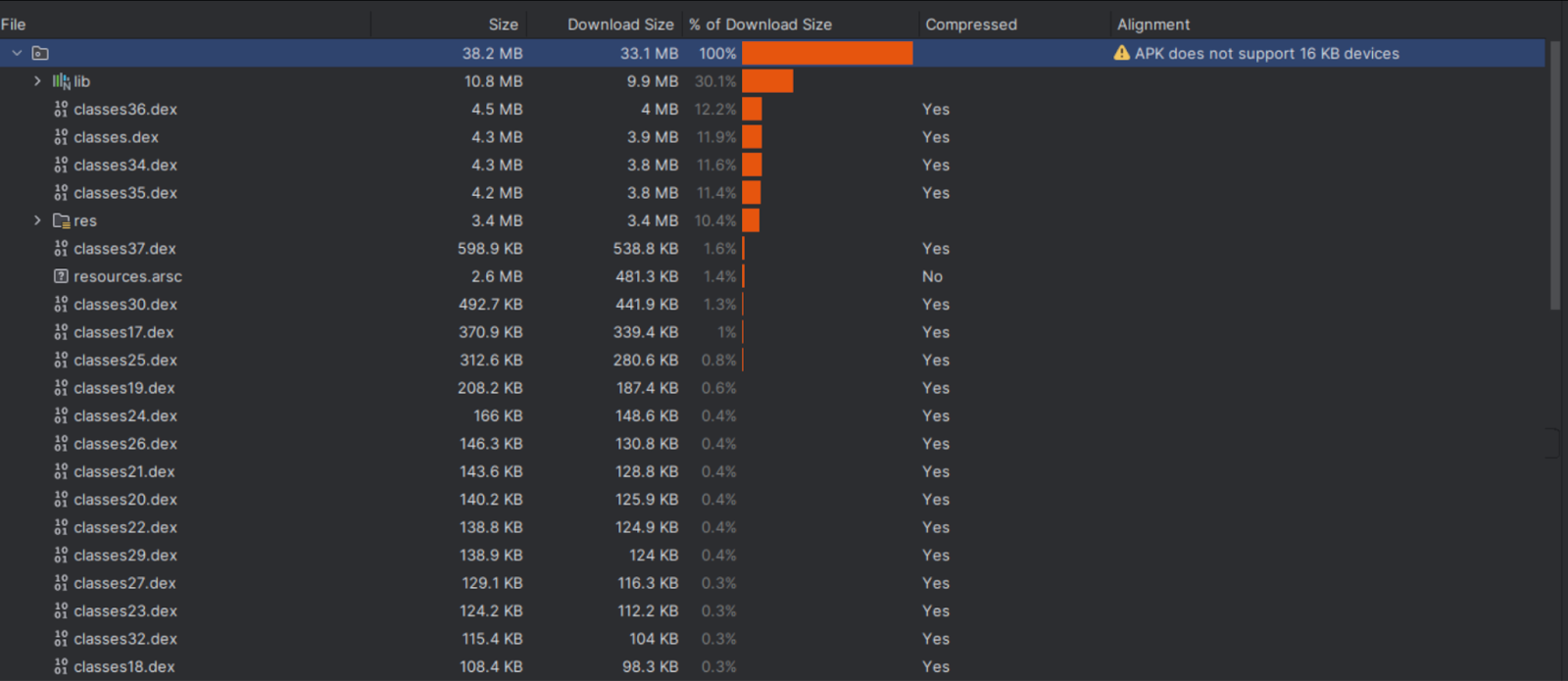
Here are the steps to find identify 16KB support in your Android application.
Step 1: Identify If Your App Uses Native Code (Non-Negotiable)
Check if your project has any of these:
- src/main/jni/
- src/main/jniLibs/
- CMakeLists.txt
- Android.mk
- Prebuilt .so files from SDKs
Also check dependencies:
/gradlew app:dependencies
Step 2: Inspect Existing APK/AAB for Native Binaries
- Build a release artifact:
./gradlew assembleRelease
# or
./gradlew bundleRelease
- Unzip it:
unzip app-release.apk
- Navigate to
lib/
 └── arm64-v8a/
      ├── libyourlib.so
      ├── libvendor_sdk.so
- Now inspect a binary:
readelf -l lib/arm64-v8a/libyourlib.so |
grep LOAD
Step 3: Update Android Toolchain (This Fixes 80% of Issues)
- Minimum Safe Baseline (Production-Ready)
distributionUrl=https\://services.gradle.org/distributions/gradle-8.13-all.zip
- Android Gradle Plugin
plugins {
    id "com.android.application" version "8.12.2" apply false
    id "org.jetbrains.kotlin.android" version "2.2.10" apply false
}
- Compile SDK
android {
    compileSdk 34
}
- NDK (Critical)
android {
    ndkVersion "29.0.13113456 rc1"
}
Old NDKs cannot generate binaries aligned for 16 KB pages, even if your code is correct.
Step 4: Rebuild All Native Libraries (Do Not Reuse Old .so Files)
- Remove the build folder and rebuild the project.
./gradlew clean
./gradlew assembleRelease
Step 5: Audit Third-Party SDKs (Most Common Crash Source)
Your code is usually fine. Vendor SDKs are not.
High-risk SDK categories:
- Camera & media processing
- Video conferencing
- ML / face detection
- DRM / encryption
- Security / anti-tampering SDKs
- Ad networks with native components
What to Do
- Check vendor release notes for “16 KB page size support”
- Update to the latest version
- If closed-source and outdated → contact vendor
- If abandoned → replace SDK
One outdated SDK = app dead on launch.
Step 4: Test on 16 KB Devices
Option 1: Android Emulator (Recommended)
Create an emulator with:
- Android 14
- ARM64
- 16 KB page size system image
Option 2: Physical Device (Best)
Some Pixel & OEM devices already ship with 16 KB enabled.
Run:
adb logcat | grep linker
Typical failure log:
CANNOT LINK EXECUTABLE: unsupported page size
Step 5: Clean Build Process.
# Clean previous builds
./gradlew clean
# Rebuild with new configuration
./gradlew assembleRelease
Rebuild the app and confirm that all warnings are gone. Your app now supports the 16 KB page size. I followed this approach to migrate an app—starting early helped avoid issues caused by partial package support.
References








