


.svg)

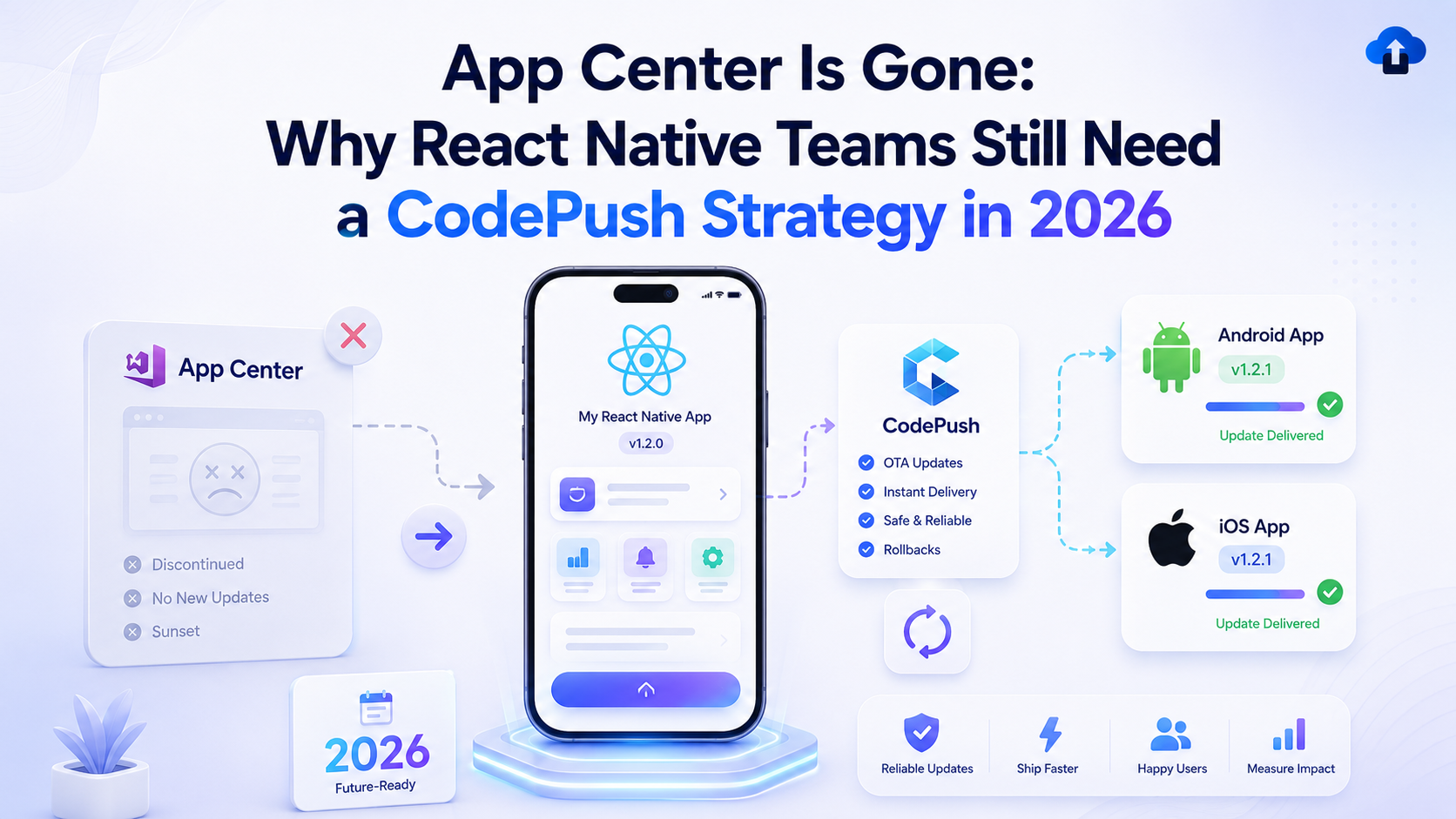
For years, Microsoft App Center was part of the mobile release workflow for many React Native teams. It helped developers distribute builds, track app health, manage diagnostics, and ship over-the-air updates through CodePush.
But that era is over.
Microsoft officially retired Visual Studio App Center on March 31, 2025. After that date, users could no longer sign in to App Center or make API calls to most App Center services. Microsoft’s App Center page also notes that only Analytics and Diagnostics continue for a limited support period, ending on March 31, 2027.
For React Native teams, the biggest impact is CodePush. Microsoft’s React Native CodePush repository says CodePush was retired with other App Center features on March 31, 2025, and the repository has been archived.
This does not mean React Native teams no longer need CodePush. It means they need a new strategy.
In 2026, mobile users still expect fast fixes, stable app experiences, and smooth updates. Product teams still need flexibility after launch. Developers still need a way to deliver eligible JavaScript bundle and asset updates without waiting for a full App Store or Google Play release.
App Center is gone, but the need for React Native OTA updates is not.
App Center’s Shutdown Changed the React Native Release Workflow
App Center was not just another developer tool. For many teams, it sat inside the release process.
It helped teams distribute test builds, monitor app behavior, and deliver CodePush updates when a small React Native issue needed a faster fix. When that workflow disappeared, many teams had to rethink how they handle mobile delivery.
Why CodePush Was So Valuable
React Native apps often keep a large part of the app experience in JavaScript. That made CodePush useful because certain updates could be pushed over the air without creating a full native app release.
If a screen had a small UI bug, a text update was needed, or a JavaScript issue affected part of the app, CodePush gave teams a faster path to users.
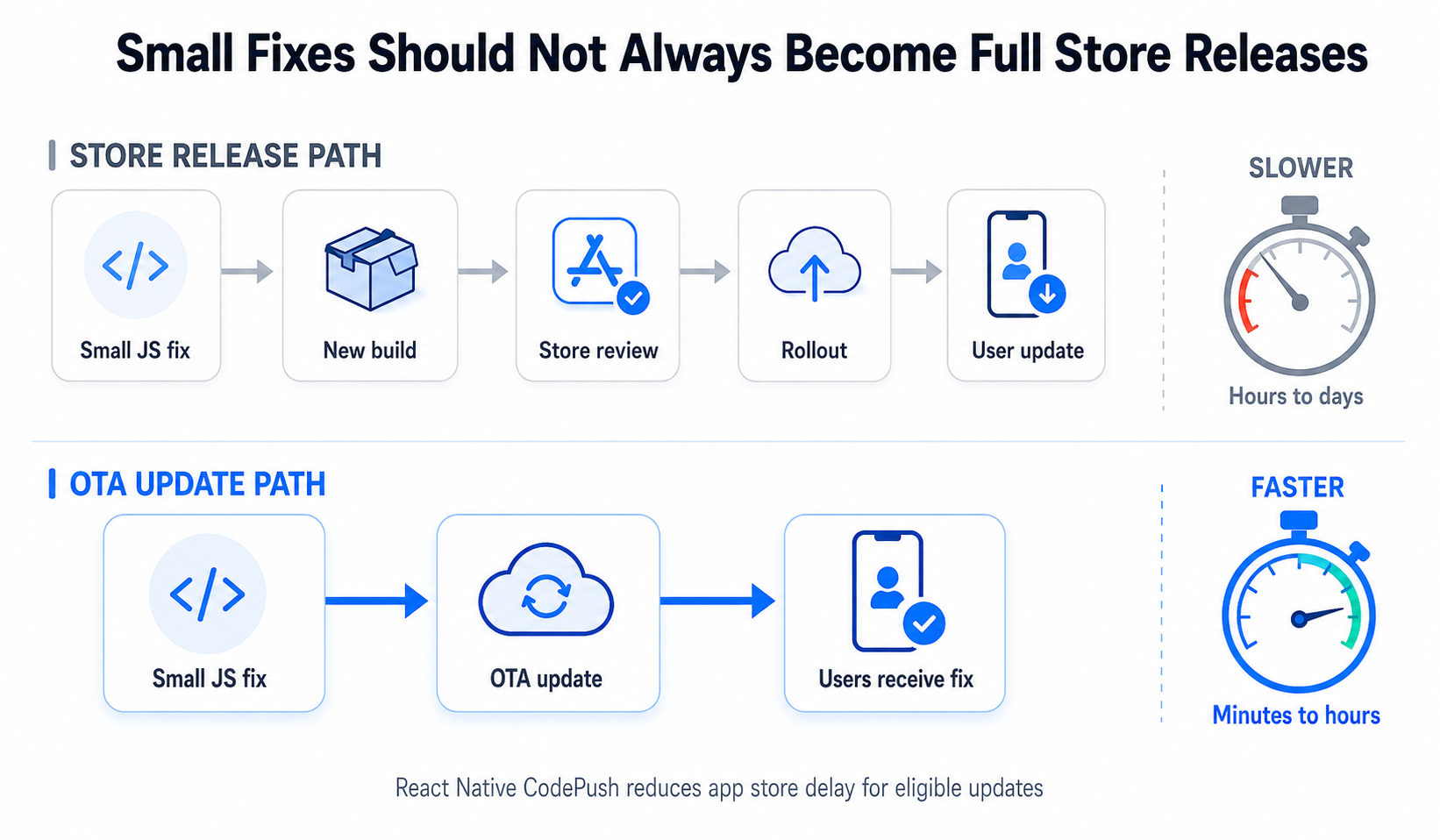
Without CodePush, even a small eligible fix may require a new build, store submission, review, approval, rollout, and user update.
That is a lot of friction for a small change.
The Real Change Is Not Just Tooling
The retirement of App Center is not only about finding a replacement service. It is about rebuilding release confidence.
Teams now need to answer bigger questions.
How will OTA updates be handled? Who can publish them? How will staging and production releases work? What happens if an OTA update causes a problem? How will teams target updates by app version?
These questions matter because CodePush is not just a developer convenience. It is part of a release strategy.
Why CodePush Is Still a Hot Topic in 2026
App Center retired in 2025, but the migration conversation is still active in 2026 because many React Native teams are still adjusting their workflows.
Some teams moved quickly. Others delayed the decision. Some are still comparing alternatives. Some removed CodePush entirely and now feel the slowdown in their release process.
React Native Teams Still Need OTA Speed
React Native became popular partly because it helps teams move faster across platforms. But if every small change must go through a full app store release, that speed advantage becomes weaker.
A small UI fix may wait for review. A campaign screen update may be delayed. A post-release bug may stay live longer than necessary.
CodePush-style OTA updates help teams respond faster when the change is eligible for over-the-air delivery.
The Replacement Landscape Is Changing
Several replacement paths now exist.
Expo has positioned EAS Build and EAS Update as a replacement path for App Center and CodePush, especially for teams already using Expo or willing to adopt Expo services.
Expo’s migration documentation also explains how teams can transition from CodePush to EAS Update and notes that CodePush should be removed to avoid conflicts when using EAS Update.
For teams that do not want to move into the Expo ecosystem, self-hosted CodePush servers and hosted CodePush alternatives are also part of the conversation. Microsoft’s standalone CodePush server repository exists, but it also says CodePush was retired with App Center and the repository has been archived.
AppsOnAir positions its CodePush product as a React Native CodePush alternative for teams moving beyond App Center.
That is why this topic is still important: React Native teams are not only replacing a retired tool. They are deciding how fast their mobile release process should be in the future.
Why React Native Teams Feel the Impact Most
App Center retirement affected different mobile teams in different ways, but React Native teams felt the CodePush gap especially clearly.
Developers Lost a Familiar Update Path
For developers, CodePush was a practical way to ship eligible JavaScript and asset updates quickly.
After App Center retirement, developers need a new workflow that supports the same level of control, safety, and speed.
Product Teams Lost Release Flexibility
Product teams may not care about the technical details of CodePush, but they care about how quickly a fix reaches users.
If a post-release issue affects onboarding, checkout, subscriptions, bookings, navigation, or account access, waiting for a full store release can slow down recovery.
QA Teams Need a New Validation Process
OTA updates still need testing.
A CodePush update can reach users quickly, which means QA teams need a clear process for staging, validation, rollback, and production approval.
A fast update workflow without QA structure can create new risks.
Agencies Need a Clear Client Answer
Agencies maintaining React Native apps for clients need to explain what changed and what comes next.
Clients may not understand App Center retirement, but they will notice if release speed slows down. Agencies need a replacement strategy that protects delivery timelines and client confidence.
The Release Risks Teams Need to Solve Now
Removing App Center CodePush without a replacement can create hidden release problems.
Small Fixes Become Full Releases
Without CodePush, small eligible changes may become full app store releases.
This adds more work for developers, more testing for QA, more coordination for release managers, and more waiting for users.
Production Bugs Stay Live Longer
Every mobile team eventually ships something that needs a quick correction.
If the issue is eligible for an OTA update but the team has no CodePush strategy, users may experience the problem longer than necessary.
That can affect reviews, retention, support tickets, and revenue.
Teams May Rush Store Releases
When there is no OTA option, teams may rush a full build to fix a small issue.
Rushed releases can create new problems, especially when native builds, dependencies, signing, QA, and store submissions are involved.
Version Compatibility Can Get Messy
A good CodePush strategy needs version targeting.
An OTA update that works for one app version may not work for another. Without proper planning, teams can accidentally push updates to app versions that cannot support them.
This is why CodePush should be managed as a controlled release process, not as a quick patch button.
How to Build a Post-App Center CodePush Strategy
React Native teams should treat this moment as a chance to create a cleaner OTA update process.
Review How Your Team Used App Center
Before choosing a replacement, teams should review their old workflow.
Which apps used CodePush? Which deployment environments existed? Who could release updates? Were updates tested in staging? Did the team use version targeting? Was there a rollback process?
This review helps teams avoid copying an old workflow without improving it.
Choose the Right Replacement Path
There is no single answer for every team.
Teams using Expo may consider EAS Update. Teams with strong infrastructure capacity may explore self-hosting. Teams that want to reduce operational overhead may prefer a hosted CodePush alternative.
The right choice depends on app architecture, team size, release frequency, compliance needs, and how much infrastructure the team wants to manage.
Define What Can Be Updated Over the Air
A strong CodePush strategy should clearly define which updates are eligible for OTA delivery.
JavaScript bundle changes, UI fixes, copy updates, asset changes, and small logic updates may be suitable when they do not require native changes.
Native module changes, SDK upgrades, permission changes, AndroidManifest changes, Info.plist updates, app capabilities, and platform-level behavior should still go through a full store release.
This boundary keeps the release process safer and more compliant.
Test OTA Updates Before Production
Speed should not remove discipline.
Teams should test OTA updates in staging or internal environments before they reach production users. QA should confirm that the update works on supported app versions and devices.
Prepare a Rollback Plan
A CodePush strategy should include rollback planning.
If an OTA update causes a problem, the team should know how to stop the rollout, replace the update, or revert to a safer version.
Fast delivery is useful only when teams can also recover quickly.
Where AppsOnAir CodePush Fits Into the New Workflow
AppsOnAir CodePush gives React Native teams a way to continue OTA update workflows after App Center.
It is designed for teams that still need to deliver eligible JavaScript bundle and asset updates without waiting for full app store releases.
A CodePush Alternative for React Native Teams
AppsOnAir’s platform includes CodePush as part of its mobile lifecycle offering, alongside AppLink, AppRemark, AppSync, and OTA Distribution.
For React Native teams moving away from App Center, this matters because the need is bigger than just pushing updates. Teams also need to manage testing, distribution, feedback, app links, and version control.
More Than a Standalone Update Tool
React Native delivery does not stop at OTA updates.
Teams need to distribute builds to QA, collect feedback, manage app versions, and route users correctly through app links.
AppsOnAir supports this broader workflow with OTA Distribution for build sharing, AppSync for update and maintenance control, AppLink for deep linking, and AppRemark for feedback collection.
This makes AppsOnAir useful for teams that want a more connected mobile delivery process instead of several disconnected tools.
Why This Helps After App Center
App Center retirement forced teams to rethink mobile delivery.
AppsOnAir helps teams keep the speed of OTA updates while also supporting the wider release process around testing, feedback, and update management.
That is the real value for React Native teams in 2026: not just replacing CodePush, but building a better release workflow around it.
The Real Lesson From App Center’s Shutdown
The biggest lesson from App Center’s retirement is that mobile teams should not depend on a single tool without a long-term release strategy.
Tools change. Platforms retire. Store rules evolve. User expectations keep rising.
React Native teams need workflows that can adapt.
A strong CodePush strategy gives teams controlled speed. It helps them ship eligible updates faster, reduce store-release pressure, and respond to production issues with more confidence.
But the strategy must be intentional. Teams need clear rules, proper testing, version targeting, rollback planning, and the right platform support.
Final Thoughts
App Center is gone, but React Native teams still need CodePush.
Microsoft retired Visual Studio App Center on March 31, 2025, and the React Native CodePush repository confirms that CodePush was retired and archived along with other App Center features.
For React Native teams, this is not the end of OTA updates. It is the moment to build a better update strategy.
The teams that prepare now will be able to ship eligible fixes faster, protect user experience, reduce release pressure, and modernize their mobile delivery workflows.
AppsOnAir CodePush gives teams a practical path forward after App Center, while AppsOnAir’s broader platform supports build distribution, update management, app links, and feedback.
In 2026, the question is not whether App Center is coming back. It is whether your React Native team is ready to keep shipping fast without losing control.








