


.png)


.png)
Screen sharing just became your app's biggest privacy risk. Learn how Flutter's native SensitiveContent widget lets you black out sensitive UI during media projection — with zero boilerplate.
Screen sharing is everywhere — Google Meet, Zoom, Teams. When a user accidentally shares their screen while your app shows a password, CVV number, or medical record, that data is gone. For years, Flutter developers had no clean solution for this.
Android 15 (API 35) introduced native content sensitivity APIs, and Flutter shipped the SensitiveContent widget to wrap it — available from Flutter 3.32+.
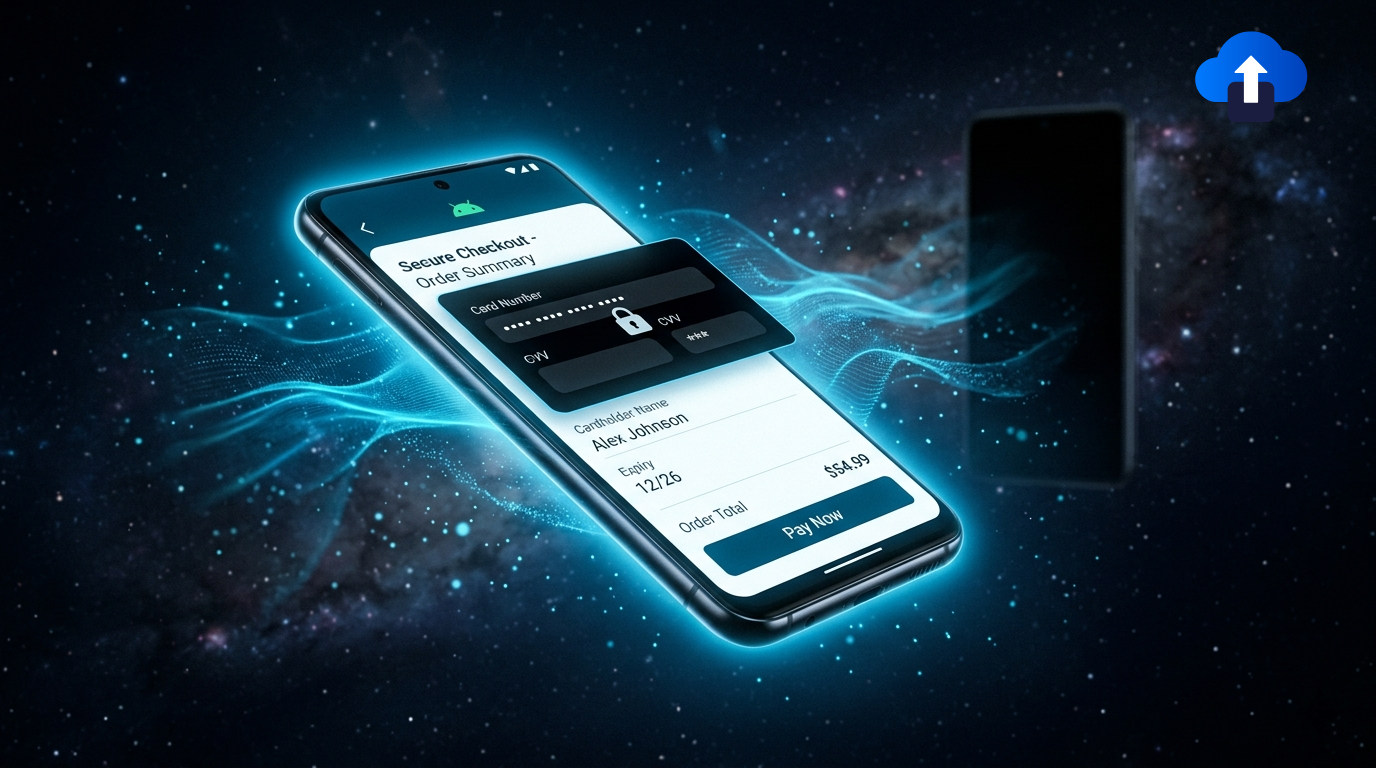
The protection process is described as follows:
- OS detects sensitive widget (Android API 35)
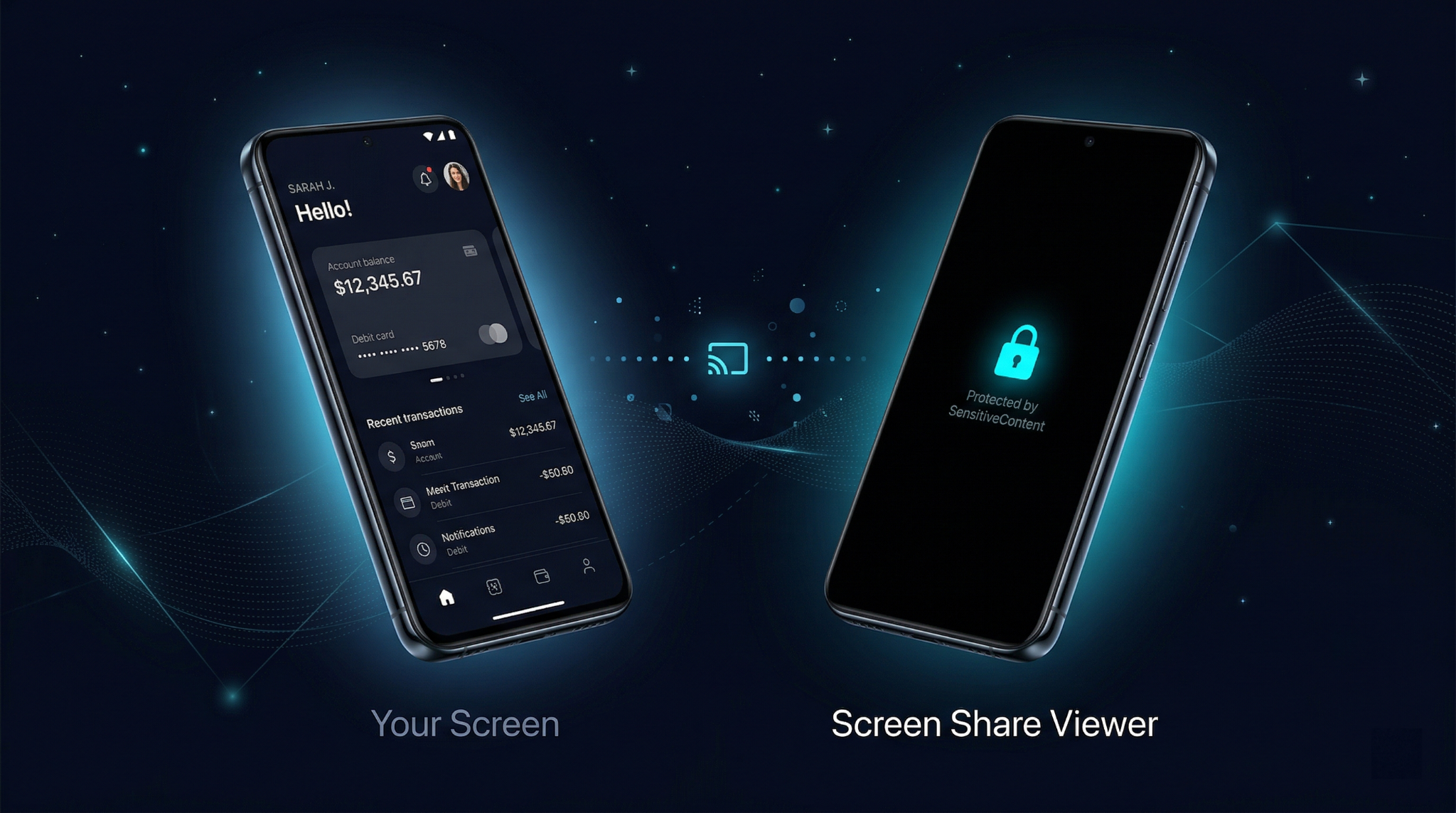
- Screen is blacked out (For remote viewers)
- Local user unaffected (Still sees everything)
- User screen shares (Google Meet / Zoom)
The Three Sensitivity Levels
The ContentSensitivity enum has three values. Only the most severe level in the entire widget tree wins — so a single .sensitive widget anywhere will black out the whole screen.
⚠ Important Note: autoSensitive is listed in the API but behaves like notSensitive as of Flutter 3.35. Don't rely on it for real protection — always use ContentSensitivity.sensitive explicitly Basic Usage
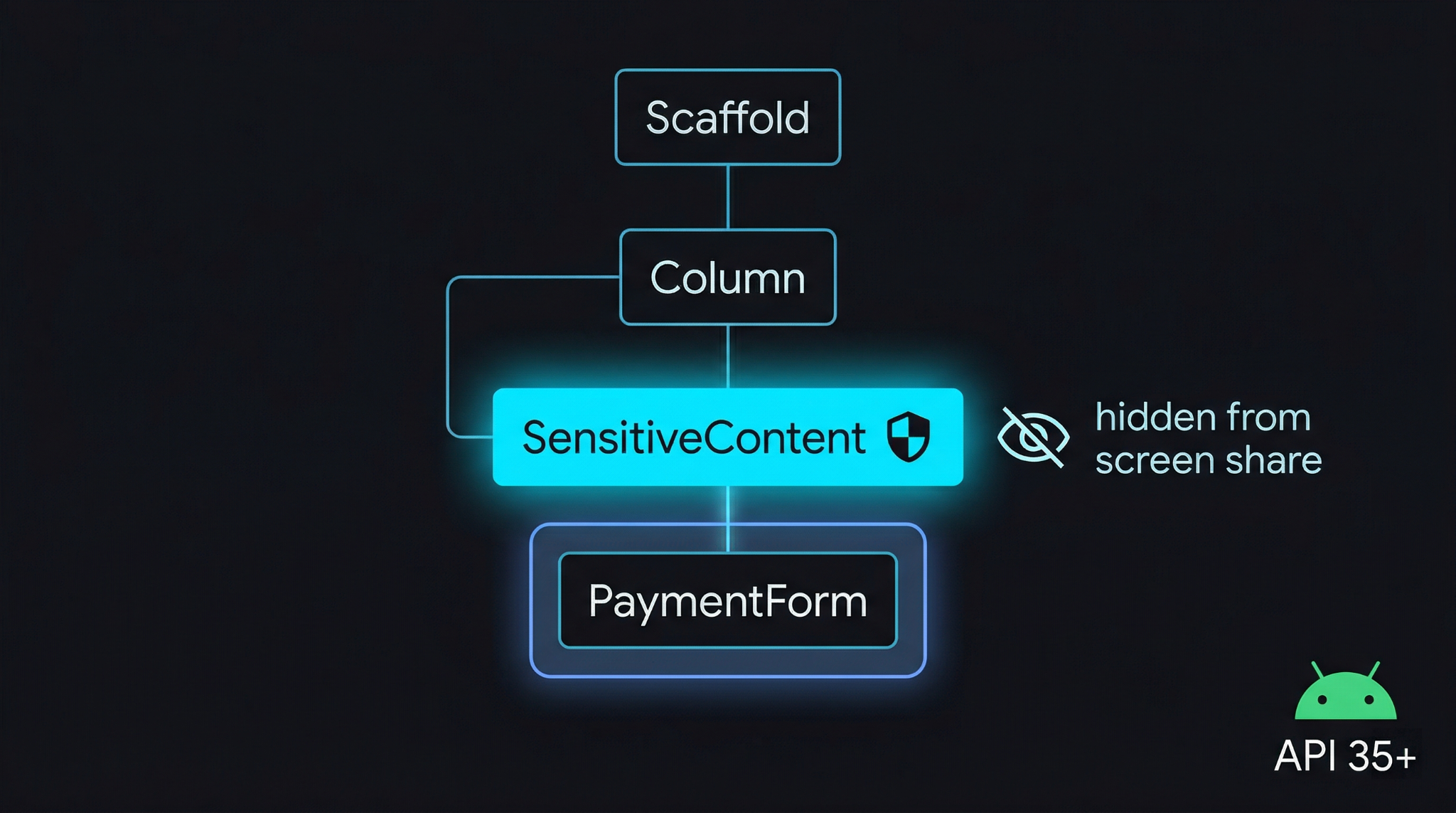
Wrapping any widget is all you need. Import from package:flutter/material.dart — no extra dependencies required.
// dartbasic_usage.dart
import 'package:flutter/material.dart';

class SecureWidget extends StatelessWidget {
  const SecureWidget({super.key});

  @override
  Widget build(BuildContext context) {
    return SensitiveContent(
      sensitivity: ContentSensitivity.sensitive, // 🔒 black out on screen share
      child: MySensitiveContent(),
    );
  }
}
What You See vs What Others See
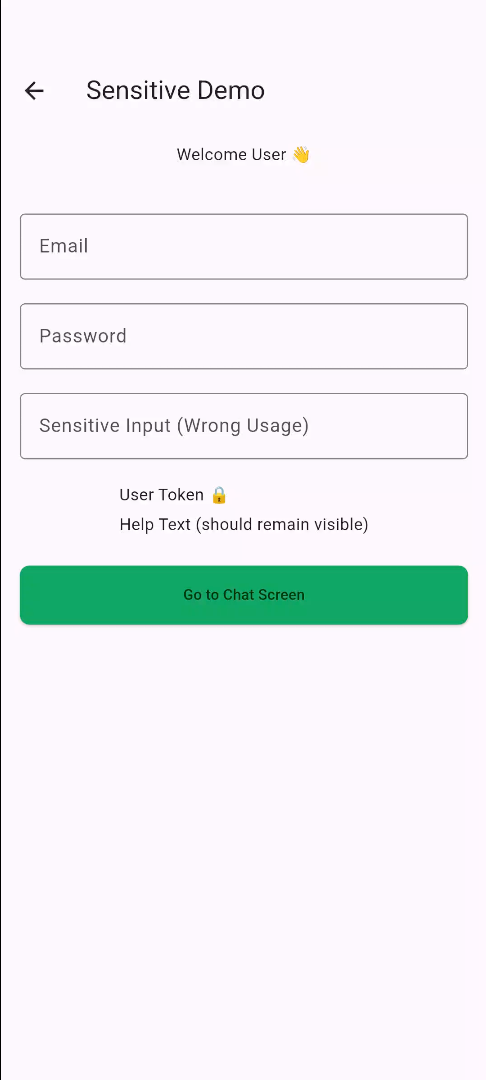
- the phone (Local View) :
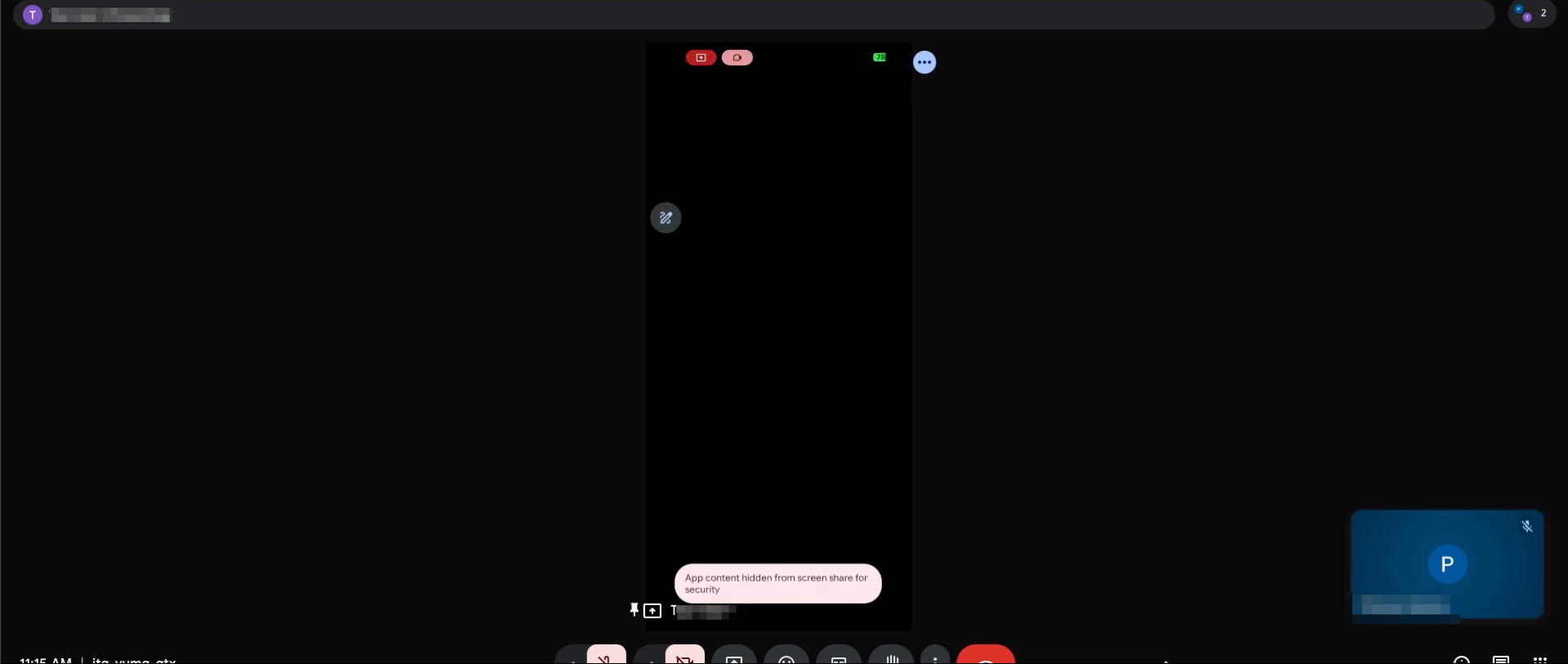
- the remote view (Meet on laptop) :
Real-World Example — Payment Screen
Here's a full checkout screen that protects the payment details. The card number, CVV, and pay button are wrapped inside a single SensitiveContent.
// dartcheckout_screen.dart
class CheckoutScreen extends StatelessWidget {
  const CheckoutScreen({super.key});

  @override
  Widget build(BuildContext context) {
    return Scaffold(
      appBar: AppBar(title: const Text('Checkout')),
      body: Padding(
        padding: const EdgeInsets.all(16),
        child: SensitiveContent(
          sensitivity: ContentSensitivity.sensitive, // ← entire block protected
          child: Column(
            crossAxisAlignment: CrossAxisAlignment.start,
            children: [
              const Text(
                'Payment Details',
                style: TextStyle(fontSize: 20, fontWeight: FontWeight.bold),
              ),
              const SizedBox(height: 20),
              const TextField(
                decoration: InputDecoration(
                  labelText: 'Card Number',
                  border: OutlineInputBorder(),
                ),
                keyboardType: TextInputType.number,
              ),
              const SizedBox(height: 16),
              const TextField(
                decoration: InputDecoration(
                  labelText: 'CVV',
                  border: OutlineInputBorder(),
                ),
                obscureText: true, // hides input + projection
              ),
              const SizedBox(height: 16),
              ElevatedButton(
                onPressed: () {},
                child: const Text('Pay Now'),
              ),
            ],
          ),
        ),
      ),
    );
  }
}
How to check device support programmatically?
Before showing any UI that depends on this feature, you can check if the current device supports it using SensitiveContentService.isSupported.
// dartsupport_check.dart
Future<void> checkSensitiveSupport() async {
  final bool isSupported =
      await SensitiveContentService.isSupported;

  if (isSupported) {
    // Running on Android API 35+ -- full protection available
    debugPrint('SensitiveContent is active on this device');
  } else {
    // Android < 35, iOS, Web -- widget exists but has no effect
    debugPrint('SensitiveContent not supported -- consider fallback');
  }
}
Safe to Use Everywhere
You don't need to conditionally remove SensitiveContent on older devices. On Android API 34 and below, iOS, or Web — the widget simply exists in the tree and does nothing. There are no crashes or errors.Understanding Tree-Level Behavior
Sensitivity works at the entire screen level, not just the wrapped widget. If any SensitiveContent widget in the entire tree is marked .sensitive, the whole screen is blacked out.
Common Mistake
- Don't add multiple SensitiveContent widgets thinking each will independently protect its own section.
- Even invisible or off-screen SensitiveContent widgets still affect the sensitivity of the entire view.
// darttree_behavior.dart
// ✅ CORRECT -- one widget is enough for the whole screen
SensitiveContent(
  sensitivity: ContentSensitivity.sensitive,
  child: PasswordField(),
);

// ⚠️ REDUNDANT -- extra widgets add no benefit,
//    but off-screen ones may still trigger blackout
Column(children: [
  SensitiveContent(
    sensitivity: ContentSensitivity.sensitive,
    child: PasswordField(),
  ),
  SensitiveContent(           // ← no added benefit
    sensitivity: ContentSensitivity.sensitive,
    child: CardNumber(),
  ),
]);
Where to Use It — Ideal Candidates
Platform Support Matrix
Race Condition Warning
There is a small window where a frame may be projected before the OS registers the widget's sensitivity level, which can briefly expose sensitive content. For very high-security scenarios, consider delaying rendering using a FutureBuilder until the widget is confirmed registered.
// dartsafe_delay.dart
// Delay rendering until sensitivity is confirmed registered
FutureBuilder<bool>(
  future: SensitiveContentService.isSupported,
  builder: (context, snapshot) {
    if (!snapshot.hasData) {
      return const SizedBox.shrink(); // render nothing yet
    }
    return SensitiveContent(
      sensitivity: ContentSensitivity.sensitive,
      child: PaymentForm(),
    );
  },
)
Quick API Reference
⚠️ SensitiveContent behaviour (Android 15 / API 35+)
- If you wrap any widget with
SensitiveContent(sensitivity: ContentSensitivity.sensitive)
→ The entire screen is blacked out during screen sharing/projection. - Tree-level behaviour:
Even one .sensitive widget anywhere in the widget tree will trigger a full-screen blackout (not just that widget). - No partial protection:
This is not per-widget masking — it’s a screen-level protection signal. - Local user unaffected:
The device user still sees everything normally; only remote viewers see the blackout. - Platform support:
Works only on Android 15+ (API 35+). On lower versions, it has no effect.
🔗 Docs: https://docs.flutter.dev/platform-integration/android/sensitive-content
The Conclusion
The SensitiveContent widget is a rare addition that is both trivial to use and genuinely impactful for user privacy. It requires one widget wrapper and zero extra packages. Android 15 handles the rest. If your app touches payments, health data, identity, or private messages — this should be on your checklist before the next release. Future improvements like autoSensitive support and iOS equivalents are expected as the ecosystem matures.








