


.png)


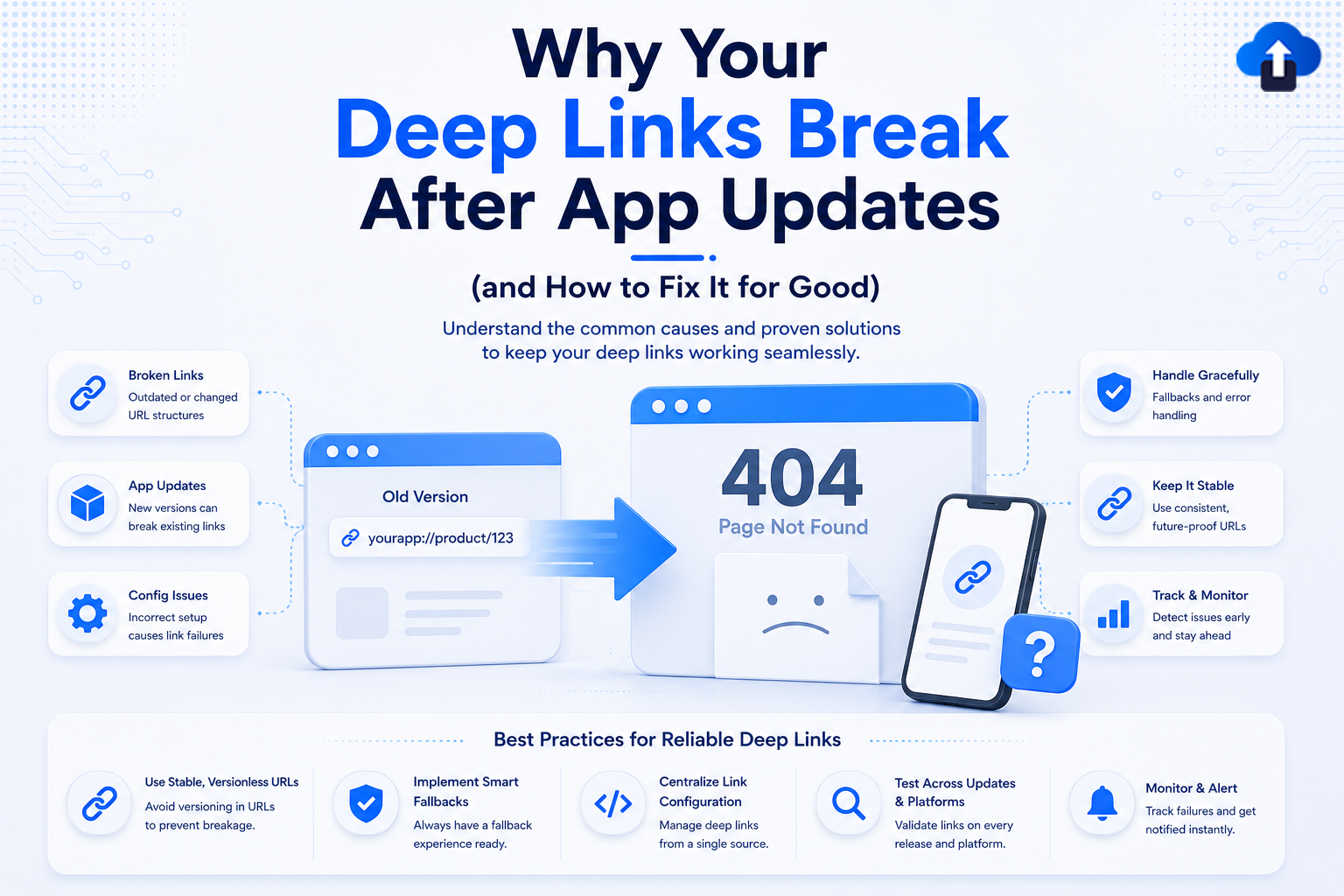
Deep links are one of the most important components of a modern mobile app experience. They help users move directly to specific content inside an app instead of manually navigating through multiple screens.
Whether you're running marketing campaigns, onboarding new users, sharing referral links, or re-engaging inactive customers, deep links play a critical role in the user journey.
However, many development teams encounter a frustrating problem. Everything works perfectly until a new app update is released. Suddenly, links stop opening the correct screen, routing fails, or users are redirected to unexpected destinations.
Broken deep links can negatively impact user experience, campaign performance, retention, and conversions. The good news is that most deep linking issues are preventable. Understanding why deep links break after app updates is the first step toward building a more reliable deep linking strategy.
What Are Deep Links?
Deep links are URLs that direct users to specific locations within a mobile application.
Instead of opening the app's home screen, deep links can take users directly to a product page, user profile, payment screen, article, promotion, or any other in-app destination.
Why Deep Links Matter
Deep links improve the user experience by reducing unnecessary navigation.
They help businesses:
- Improve app engagement
- Increase conversions
- Support marketing campaigns
- Improve user retention
- Simplify onboarding flows
When deep links stop working, these benefits quickly disappear.
Types of Deep Links
Most mobile apps use one or more deep linking methods.
Common examples include:
- Universal Links (iOS)
- App Links (Android)
- Deferred Deep Links
- Custom URL Schemes
Each method requires proper configuration and ongoing maintenance.
Why Deep Links Often Break After App Updates
App updates frequently introduce changes that affect deep linking behavior.
Even small modifications can unintentionally disrupt existing link structures.
Navigation Routes Change
One of the most common causes of broken deep links is changes to application navigation.
Developers may rename screens, modify route structures, or reorganize navigation hierarchies.
For example, a route that previously pointed to:
app://products/item/123
might become:
app://catalog/product/123
If old links are not properly redirected, users encounter errors or blank screens.
Deep Link Configurations Are Not Updated
Deep linking systems rely on configuration files that map URLs to application destinations.
When developers add new routes or modify existing ones, these configurations must be updated accordingly.
Failing to synchronize configurations often results in broken routing behavior.
Universal Links and App Links Verification Issues
iOS Universal Links and Android App Links depend on domain verification.
App updates may introduce changes to:
- Package names
- App identifiers
- Signing certificates
- Associated domains
If verification files are not updated correctly, links may stop opening within the app altogether.
New Features Create Routing Conflicts
As applications evolve, developers often introduce new features and navigation patterns.
Without proper planning, new routes can conflict with existing deep links.
This creates unpredictable behavior and inconsistent user experiences.
Legacy Links Are Forgotten
Many organizations focus only on supporting current links.
However, users may still access links from:
- Old email campaigns
- SMS campaigns
- Social media posts
- Referral programs
- Marketing advertisements
Removing support for older routes can cause thousands of previously shared links to fail.
The Business Impact of Broken Deep Links
Broken deep links are more than a technical inconvenience.
They can directly affect business performance.
Lower Conversion Rates
When users fail to reach the intended destination, many abandon the process entirely.
This can reduce:
- Purchases
- Registrations
- Subscriptions
- Referral completions
Every additional step creates an opportunity for user drop-off.
Poor User Experience
Users expect links to work.
When links open the wrong page or fail completely, frustration increases quickly.
Negative experiences often lead to lower engagement and decreased app usage.
Lost Marketing ROI
Marketing teams invest significant resources in campaigns that rely on deep linking.
Broken links can dramatically reduce campaign effectiveness and waste advertising budgets.
Reduced User Trust
Repeated failures can damage confidence in both the application and the brand.
Users are less likely to engage with future campaigns if previous experiences were unreliable.
How to Prevent Deep Links From Breaking
The most successful mobile teams treat deep linking as a long-term system rather than a one-time implementation.
Maintain Stable URL Structures
Avoid changing URL formats whenever possible.
Consistent URL structures help preserve compatibility across app versions and reduce maintenance complexity.
If changes are necessary, implement redirects for older routes.
Create a Deep Link Migration Strategy
Before every major release, review existing deep links.
Identify routes that may be affected by navigation changes and ensure backward compatibility.
A migration strategy helps prevent accidental disruptions.
Test Deep Links Before Every Release
Deep link testing should be part of every deployment process.
Verify:
- Existing links
- New links
- Referral links
- Marketing links
- Deferred deep links
Automated testing can help identify issues before updates reach users.
Support Legacy Routes
Older links should continue functioning whenever possible.
Many users access links that were shared weeks, months, or even years ago.
Supporting legacy routes protects both user experience and marketing investments.
Monitor Deep Link Performance
Monitoring provides visibility into link behavior after releases.
Important metrics include:
- Link open rates
- Failed launches
- Routing errors
- Conversion rates
- User engagement
Tracking these metrics helps teams detect issues quickly.
Best Practices for Deep Link Management in 2026
As apps become more complex, deep linking requires a more structured approach.
Centralize Link Management
Managing links across multiple systems can create inconsistencies.
A centralized deep linking platform improves visibility and simplifies maintenance.
Separate Routing Logic From App Navigation
Decoupling routing from navigation structures makes future updates easier.
This approach reduces the likelihood of breaking existing links when app architecture changes.
Use Version-Aware Routing
Different app versions may support different routes.
Version-aware routing ensures users are directed to compatible destinations based on the app version they are using.
Document Every Deep Link
Maintaining documentation helps development teams understand how links are used throughout the application.
This reduces the risk of accidentally removing critical routes during updates.
How AppsOnAir Helps Prevent Deep Link Failures
Managing deep links across app updates can become challenging, especially for growing applications with multiple user journeys.
AppsOnAir helps teams create, manage, and monitor deep links from a centralized platform. By simplifying routing management and providing greater visibility into link performance, AppsOnAir helps organizations reduce deep link failures and maintain consistent user experiences.
This allows development and marketing teams to work more efficiently while ensuring users always reach the intended destination.
Common Mistakes That Lead to Broken Deep Links
One of the biggest mistakes is treating deep links as a secondary feature. Deep links often power critical user journeys and should be included in every release planning process.
Another common issue is failing to test older links after navigation changes. Teams frequently verify new functionality while overlooking existing links.
Some organizations also lack monitoring systems, making it difficult to detect problems after deployment.
Finally, many teams underestimate the importance of backward compatibility. Removing support for legacy routes can break years of accumulated marketing and referral traffic.
Frequently Asked Questions
Why do deep links stop working after app updates?
Deep links often break due to navigation changes, routing modifications, configuration errors, domain verification issues, or unsupported legacy routes.
Can app updates affect Universal Links and App Links?
Yes. Changes to app identifiers, certificates, domains, or verification files can prevent Universal Links and App Links from functioning correctly.
How often should deep links be tested?
Deep links should be tested before every app release, especially when navigation structures or routing logic are modified.
What is the best way to support older deep links?
Implementing redirects and maintaining backward compatibility helps ensure older links continue working after updates.
Can deep link monitoring help prevent issues?
Yes. Monitoring link performance allows teams to identify routing problems quickly and resolve issues before they affect a large number of users.
Final Thoughts
Deep links are essential for delivering seamless mobile experiences, but they are often vulnerable to breaking during app updates. Navigation changes, routing modifications, verification issues, and poor migration planning can all lead to failed user journeys.
The most effective solution is to treat deep linking as an ongoing part of your mobile infrastructure. By maintaining stable URL structures, supporting legacy routes, testing before every release, and monitoring performance continuously, teams can significantly reduce deep link failures.
As mobile applications continue to evolve in 2026, organizations that invest in reliable deep link management will be better positioned to improve engagement, increase conversions, and provide a consistent user experience across every app update.








