


.png)


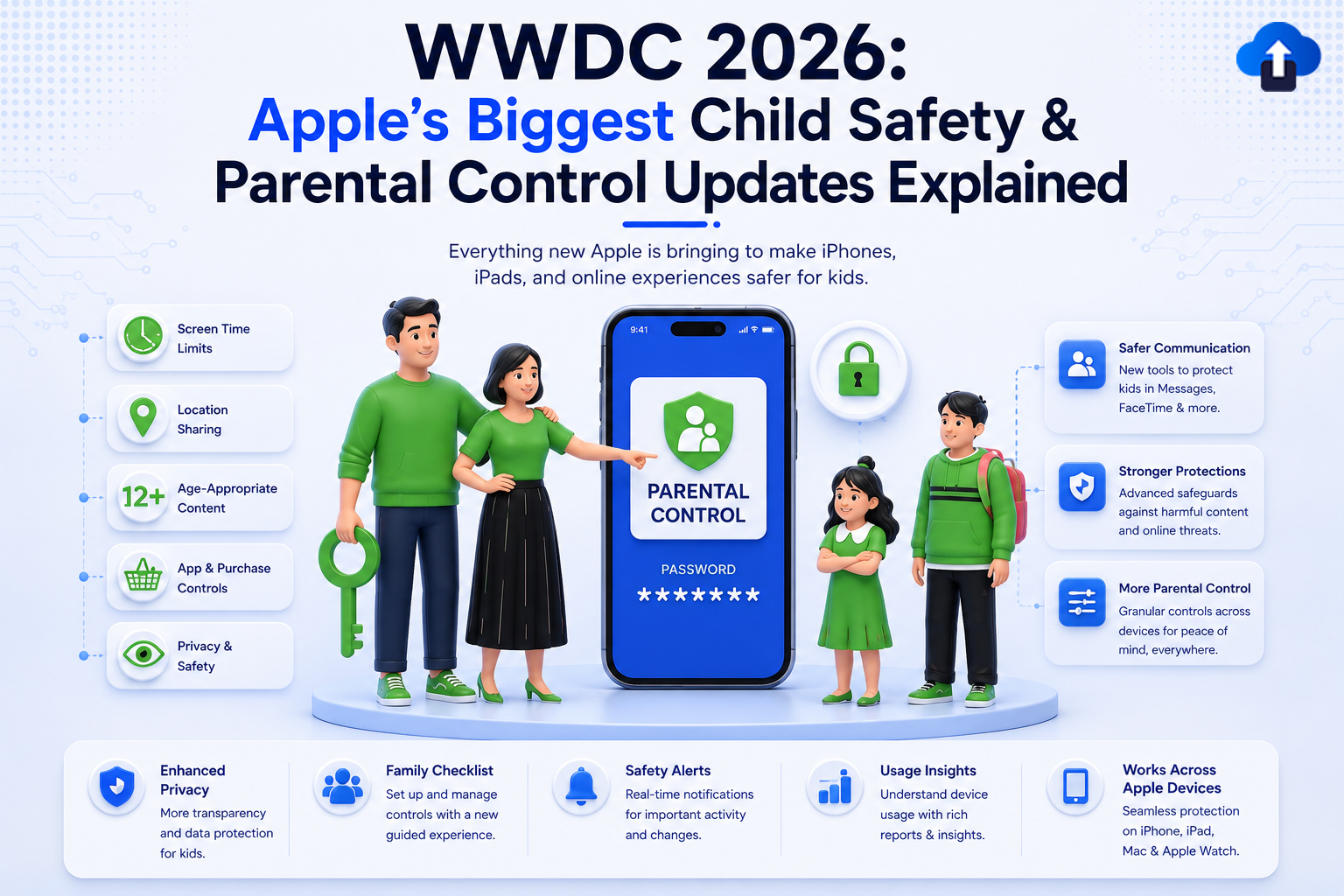
“A parent hands their child an iPhone for the first time. Within six months, the family has had three arguments about screen time, two accidental purchases, and one very uncomfortable conversation about content the app store ‘shouldn’t have’ recommended.” “At WWDC 2026, Apple announced the most comprehensive child safety and parental control overhaul in the company’s history.” “If you build apps used by families or children, these changes affect your app starting today.”
Introduction
Apple has long positioned itself as the platform of choice for families. From Screen Time controls introduced in iOS 12 to Communication Safety in iOS 15.2, each major iOS release has added layers of protection for younger users.
WWDC 2026 broke new ground. Apple announced a Child Safety Platform Initiative, a coordinated set of APIs, App Store policy changes, and hardware-level safeguards that work together as an integrated system rather than isolated features.
For developers, these announcements carry a dual message: Apple is raising the baseline for how apps must handle child users, and it is simultaneously opening richer APIs for third-party parental control apps to build better, more nuanced experiences.
This blog explains every relevant update and tells you exactly what to implement, what to declare, and what to avoid.
The WWDC 2026 Child Safety Landscape: What Apple Announced
Overview of Announcements
Screen Time API 3.0 For Third-Party Parental Control Apps
What Changed
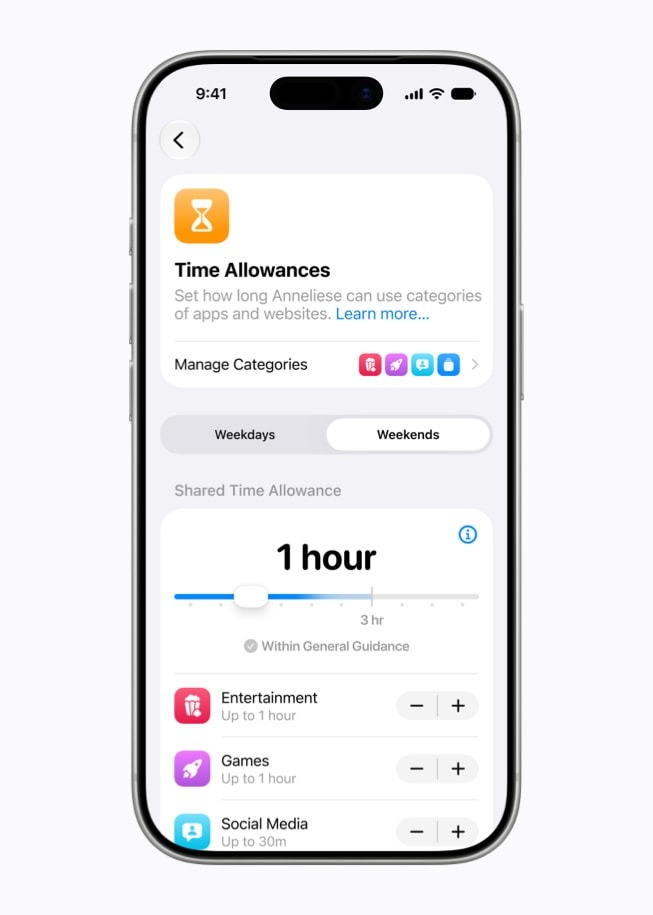
The Screen Time API (introduced as ManagedSettings and FamilyControls in iOS 15) has been substantially expanded in iOS 26. Apple now allows third-party parental control apps to set granular per-app time limits, content filters, and location-based rules that were previously restricted to Apple’s own Screen Time UI.
Important: Building a parental control app using the Screen Time API requires the Family Controls entitlement, which must be applied for through the Apple Developer portal. It is not enabled by default for any App ID.
Key New Capabilities
Checklist
- Family Controls entitlement applied for via Apple Developer portal
- Authorization request implemented with a clear explanation to parents
- Per-app time limits using DeviceActivityCenter
- Location-based rules implemented using LocationActivityMonitor (iOS 26)
- Activity report read using the new DeviceActivityReport API
- UI communicates clearly what data is collected and where it stays
Sensitive Content Analysis 2.0 Expanded Media Types
What Changed
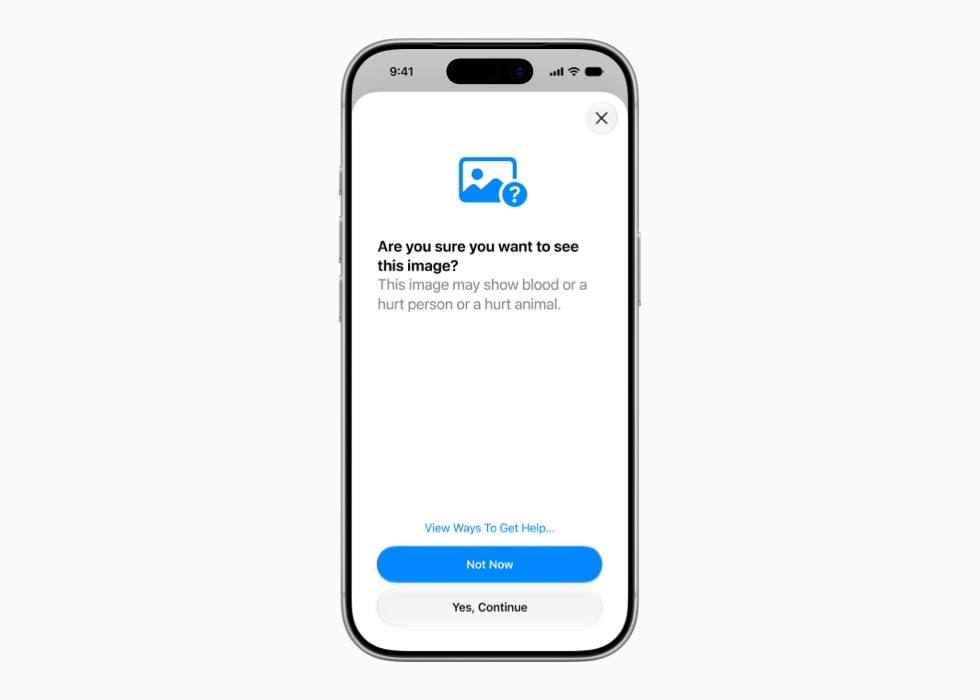
SensitiveContentAnalysis (introduced in iOS 17) originally analyzed only images. In iOS 26, it now supports video, audio, and documents, enabling your app to detect sensitive content in any media type the user receives or uploads.
What It Does (And Doesn’t Do)
Important: Sensitive Content Analysis runs entirely on-device. No media is ever sent to Apple servers. The API returns a Boolean Indicating whether the content is sensitive, without describing what was detected. Your app never sees the reason.
Checklist
- SCSensitivityAnalyzer is integrated for all incoming image content
- Video analysis integrated (new iOS 26 API) for video messages/uploads
- NSSensitiveContentAnalysisUsageDescription added to Info.plist
- UX follows Apple guidelines: blur + user-initiated reveal (not auto-delete)
- Analysis policy .disabled state handled gracefully
- Feature communicated transparently in the app’s privacy settings
Child Account API Declarative Restrictions
What Changed
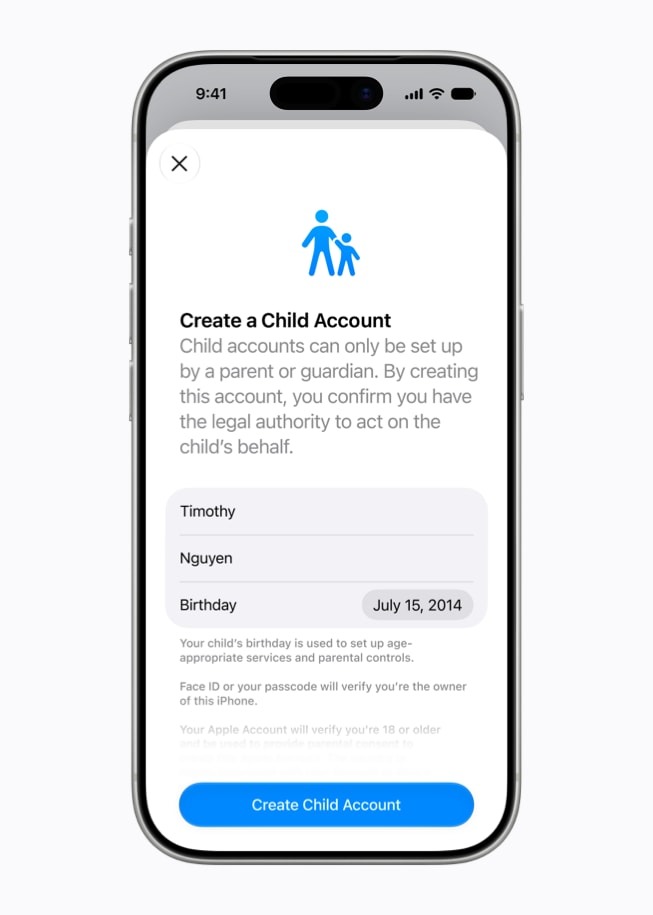
iOS 26 introduces the Child Account API, a new framework that lets your app declaratively respond to the signed-in user’s age tier and parental restriction settings. Previously, apps had no way to know if the current iCloud account was a child account or what restrictions were active.
Parental Gate API System-Enforced
iOS 26 replaces third-party “parental gate” implementations (math questions, PIN pads) with a system-enforced Parental Gate that the parent must unlock with Face ID or device passcode.
Checklist
- ChildAccountManager is integrated to detect the account age status
- App experience adapts for .child, .teen, and .adult account tiers
- In-app purchases are hidden or gated for child accounts
- User-generated content and social features are restricted for child accounts
- System Parental Gate (ParentalGate.shared.requestApproval) used no custom math/PIN gate
- ChildAccount framework added to the target in Xcode
Communication Safety 2.0 Video & Audio
What Changed
Communication Safety was introduced in iOS 15.2 to detect nudity in images sent via Messages. iOS 26 expands it to video calls and audio messages, detecting potential grooming behavior patterns in FaceTime, iMessage, and third-party apps that adopt the framework.
Critical Privacy Note: Communication Safety analysis runs entirely on-device using a dedicated neural network. Apple receives no content, no metadata, and no reports. If a warning is triggered, only the child’s device shows the warning — nothing is sent to parents or Apple automatically.
Checklist
- Communication Safety framework linked in messaging features
- Incoming image analysis integrated via CSImageAnalyzer
- Video frame analysis integrated via CSVideoFrameAnalyzer (iOS 26 — new)
- System intervention UI used no custom replacement
- The feature is only active when isAvailable (child account context) returns true.
- No content, metadata, or analysis results were sent to your servers.
App Store Age Declarations: New Requirements
What Changed
Apple has updated the App Store Content Rating system for 2026 with a mandatory, more granular content declaration form that every app must complete by November 2026. Apps that don’t update their declarations will be automatically assigned the most restrictive rating.
New Declaration Categories
Warning: If your app includes user-generated content (comments, posts, messages, images), you MUST declare this in App Store Connect. Failure to do so is grounds for App Store removal, not just a rating change.
Age-Gating in Your App
Checklist
- App Store Connect content declaration form updated to the 2026 version
- User-generated content is declared if applicable
- AI-generated content is declared if your app uses it
- Age gate implemented for 17+ content sections
- Age verification result stored in Keychain (not UserDefaults)
- Content rating reviewed, especially if the app has added social features since the last submission
Family Sharing API v2 New Role Checks
What’s New
iOS 26 introduces Family Sharing API v2 with structured family role access. Your app can now verify if the current user is an organizer, parent, guardian, teen, or child within their Family Sharing group, enabling role-appropriate features.
Checklist
- Family role checked using FamilyMember.current() where relevant
- Parental dashboard feature available for organizer, parent, and guardian roles
- .pending state handled in all StoreKit 2 purchase flows
- No circumvention of Ask to Buy (alternative payment not offered during the pending state)
- In-app purchases are disabled or gated for child accounts per ChildRestrictions
Privacy & Data: Child-Specific Rules
COPPA Compliance Checklist
If your app is directed at children under 13 OR if you have actual knowledge that a user is under 13 (via Child Account API), the following rules apply under COPPA (Children’s Online Privacy Protection Act) in the US and equivalent laws internationally.
Disabling Analytics for Child Accounts
Checklist
- COPPA applicability assessed for your app category
- Behavioral advertising disabled for child account users
- Third-party analytics disabled for child account users
- Social login (Google, Facebook, etc.) is blocked for child accounts
- Privacy policy updated to include a child data handling section
- Data retention policy: child data must not persist after account deletion
Developer Compliance Summary
Use this table as your final gate before submitting an app that targets or may be used by children or families.
Key Takeaways
- Screen Time API 3.0 opens the door for better third-party parental apps: per-app time limits, location-based rules, and activity reports are now accessible with the right entitlement.
- Sensitive Content Analysis now covers video: if your app handles video messages or uploads, integrate the new CSVideoFrameAnalyzer in iOS 26.
- Child Account API removes the guesswork: you no longer have to build custom age verification; Apple’s ChildAccountManager tells you exactly what restrictions apply.
- The System Parental Gate replaces all custom gates: remove your math-question or PIN-code gates and use ParentalGate.shared.requestApproval.
- App Store content declarations are mandatory by November 2026: update your App Store Connect form now, especially if you have user-generated content or AI features.
- COPPA is not optional: disable analytics, advertising, and social logins for child account users the moment you can detect them via the Child Account API.
Conclusion
WWDC 2026’s child safety and parental control updates represent Apple’s most ambitious effort yet to make its platforms genuinely safer for younger users without compromising the developer ecosystem.
For developers, the message is clear: Apple is giving you the tools (Child Account API, Parental Gate, Screen Time API 3.0, Sensitive Content Analysis 2.0), and it expects you to use them. Apps that fail to implement appropriate safeguards for child users will face stricter App Store review, potential rating escalations, and, ultimately, loss of user trust.
Start with the compliance checklist in Section 10. Prioritize the Child Account API integration it is the foundation that everything else builds on. Then work through Sensitive Content Analysis and the App Store declaration update before your next submission.
Building safe, trustworthy experiences for families is not just a compliance checkbox. It’s what earns long-term user loyalty in the most devoted segment of the Apple ecosystem.
References
- WWDC 2026 Child Safety Sessions
- Screen Time API / Family Controls
- DeviceActivity Framework
- Sensitive Content Analysis
- StoreKit 2 Ask to Buy
- App Store Review Guidelines Kids Category
- COPPA Compliance Guide FTC
- Apple Human Interface Guidelines Parental Controls
- Family Sharing API v2








