


.png)


“It’s the week after WWDC and your design lead drops a message: ‘We need to support Liquid Glass and the new App Intent APIs before the iOS 26 launch.’Your backlog just doubled overnight.” “Every WWDC brings surprises. But WWDC 2026 brought an entirely new design language, a rebuilt developer toolchain, and Apple Intelligence features that change how users expect apps to behave.” “This guide cuts through the keynote highlights and tells you exactly what your mobile team needs to plan, prioritize, and ship.”
Introduction
WWDC 2026 was held June 9–13 at Apple Park in Cupertino. In true Apple fashion, the week opened with a 2.5-hour keynote that announced iOS 26, iPadOS 26, macOS 26 (Tahoe), watchOS 13, tvOS 26, and visionOS 3.
For mobile developers, WWDC 2026 was notable not just for the volume of announcements but for their interconnectedness. This year’s changes are not isolated API additions. The Liquid Glass design system, Apple Intelligence expansions, and Swift 6.1 form a cohesive platform shift that rewards teams who plan across all three axes: design, APIs, and developer toolchain.
This blog is your mobile team’s WWDC 2026 briefing organized by what matters most, not by keynote order.
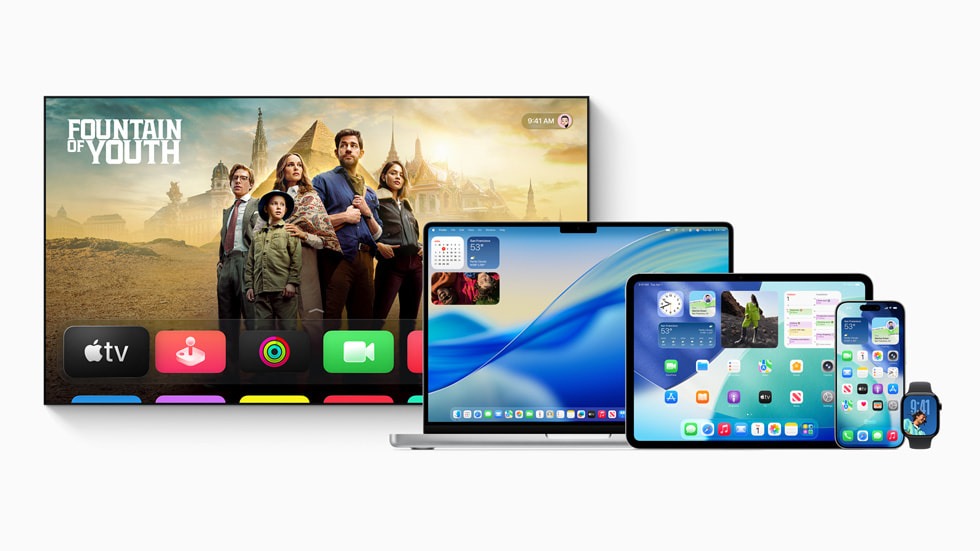
The Big Picture: Platform Versions at a Glance
Important: iOS 26 requires apps to adopt the Liquid Glass design language for new App Store submissions by Q4 2026. Existing apps can continue using UIKit / SwiftUI components but will look visually inconsistent on iOS 26 devices without updates.
Liquid Glass Apple’s New Design Language
What Is Liquid Glass?
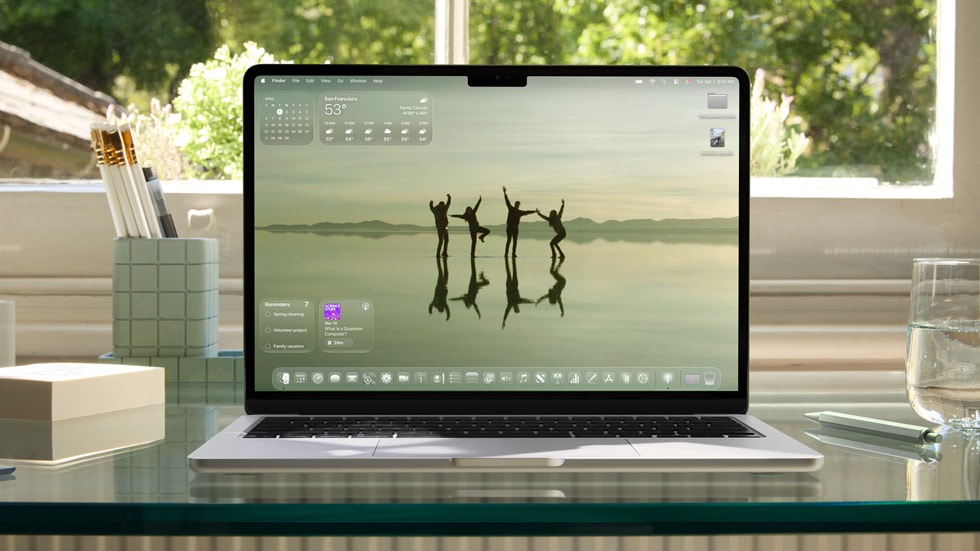
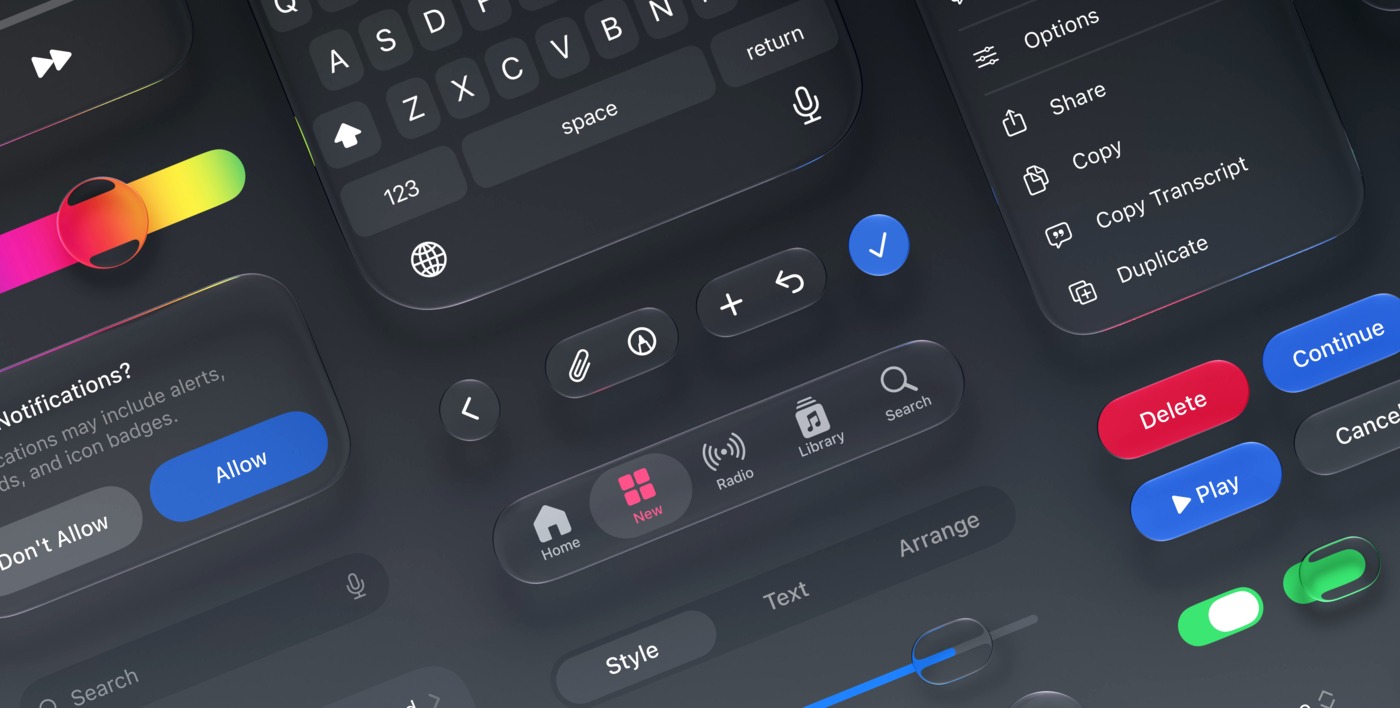
Liquid Glass is the most significant visual redesign of iOS since iOS 7’s flat design overhaul in 2013. It introduces translucent, depth-aware UI elements that respond dynamically to wallpapers, ambient light, and content behind them.
Key visual characteristics:
- Tab bars, navigation bars, and toolbars are now translucent glass with real-time blur
- System controls have a soft, three-dimensional quality with specular highlights
- Modal sheets and alerts use layered glass depth
- Dynamic tinting adapts to the user’s wallpaper accent color
What This Means for Your App
Checklist
- App audited for hardcoded UIColor / Color values in bars
- All bars using UINavigationBarAppearance / UITabBarAppearance reviewed
- .ultraThinMaterial / .thickMaterial used for custom glass surfaces
- App tested on iOS 26 Simulator with multiple wallpapers
- Dark Mode + Liquid Glass combination tested
- App icon reviewed against iOS 26 Liquid Glass icon grid
Swift 6.1 and Xcode 26
Swift 6.1 What Changed
Swift 6.1 (shipping with Xcode 26) is an evolution of Swift 6.0’s strict concurrency model. The headline changes:
Xcode 26 Highlights
Checklist
- Xcode 26 installed
- Swift 6 concurrency mode enabled and all warnings resolved
- New test targets using Swift Testing 1.0 (@Test, #expect)
- Privacy Manifest (PrivacyInfo.xcprivacy) up to date Xcode 26 validates inline
- Typed throws adopted in the new code where applicable
Apple Intelligence 2.0 Developer APIs
What’s New
Apple Intelligence 2.0 expands the on-device AI system introduced in iOS 18.1 with new developer-facing APIs available in iOS 26.
Important: All Apple Intelligence APIs require user opt-in, process data on-device by default, and are gated by com.apple.developer.apple-intelligenceentitlement. Apply for access via the Apple Developer portal.
Image Playground Integration
Checklist
- Apple Intelligence entitlement applied for in the Developer portal
- writingToolsBehavior set appropriately on all UITextView / NSTextView instances
- Image Playground is integrated, where image creation adds user value
- Summarization API explored for long-form content features
- Privacy usage descriptions added for Personal Context API
App Intents & Siri What’s New
App Intents Improvements in iOS 26
App Intents received a major upgrade in iOS 26. Siri can now execute multi-step App Intents in sequence, maintain context across steps, and surface your app’s actions in Spotlight, Lock Screen widgets, and the new Action Button on iPhone 17.
Checklist
- All major app actions defined as AppIntent structs
- AppShortcutsProvider is implemented with natural-language phrases
- Intent parameter summary configured for Siri confirmation
- Intents tested via the Shortcuts app and Siri voice
- Live Activity Intents explored for real-time update scenarios
- Spotlight entity indexing updated for iOS 26 search results
New SwiftUI Components in iOS 26
Checklist
- @ObservableObject / @StateObject migrated to @Observable in new code
- MeshGradient explored for hero sections and onboarding screens
- Scroll tracking refactored to use onScrollGeometryChange
- containerRelativeFrame is used instead of GeometryReader where applicable
- SF Symbol animations added to interactive elements
- TipKit is used for feature discovery instead of custom tooltip overlays
Live Activities 2.0
What’s New
Live Activities 2.0 in iOS 26 expands the Dynamic Island and Lock Screen integration with:
- Live Activity Intents: users can take actions directly from the Dynamic Island
- Multiple concurrent Live Activities: up to 5 per app (up from 2)
- Richer animations: keyframe animations in ActivityKit widgets
- iPadOS Live Activities: Live Activities are now supported on the iPad Lock Screen
Checklist
- Live Activity push token registered and sent to your backend
- ActivityKit entitlement is present in the .entitlements file
- Dynamic Island compact, minimal, and expanded views, all designed
- iPadOS Live Activity Lock Screen layout created
- Live Activity Intents added for in-activity user actions
- Activity stale date set appropriately to avoid outdated UI
Priority Action Plan for Mobile Teams
Use this table to prioritize your WWDC 2026 response sprint:
Key Takeaways
- Liquid Glass is the biggest visual change since iOS 7: audit all bars, backgrounds, and tint colors before your first iOS 26 submission.
- Xcode 26 and Swift 6.1 are required: install now; don’t wait until beta 3 to discover Swift 6 concurrency issues.
- Apple Intelligence 2.0 is a product differentiator: Writing Tools and Image Playground integrations put your app ahead of competitors who wait.
- App Intents are now core UX: Siri, Spotlight, and the Action Button all surface your intents; not implementing them is a discoverability gap.
- @Observable is the future: @ObservableObject is legacy; start migrating ViewModels now.
- Live Activities on iPad are new: if you have a Live Activity, add the iPad Lock Screen layout before iOS 26 ships.
Conclusion
WWDC 2026 was a developer-first conference. Apple delivered tools, APIs, and design guidance that genuinely improve the craft of building iOS apps from the aesthetic elevation of Liquid Glass to the productivity boost of Xcode 26’s AI-assisted completion.
The teams that move fast on Liquid Glass visual compliance, Swift 6.1 concurrency, and App Intents integration will ship iOS 26-optimized experiences on day one of the OS launch. The teams that wait will spend their fall in reactive catch-up mode.
Use the priority action plan above to scope your sprints now. The iOS 26 developer beta is available today for registered Apple developers.
References
- WWDC 2026 Session Videos developer.apple.com
- iOS 26 Release Notes
- Liquid Glass Design Guidelines Human Interface Guidelines
- Apple Intelligence APIs
- App Intents Framework
- Swift 6.1 Changelog
- Xcode 26 Release Notes
- ActivityKit Live Activities
- SwiftUI What’s New in iOS 26
- Image Playground API








