

AI-powered features are becoming common in mobile applications. Developers are integrating summarization, intelligent search, text generation, recommendations, and conversational assistants into their products.
However, many implementations depend on remote AI services.
This introduces several engineering challenges:
- Network connectivity is required.
- Requests can increase response latency.
- Sending user content to remote services introduces additional privacy considerations.
- API usage can increase operational costs.
- Applications need to handle rate limits and provider failures.
Consider a notes application.
A user writes several paragraphs and wants the application to generate a short summary.
A traditional implementation sends the note content to a remote AI API, waits for a response, and displays the generated summary.
But what if the application could perform supported language tasks directly on the device?
This is where Apple's Foundation Models framework becomes useful.
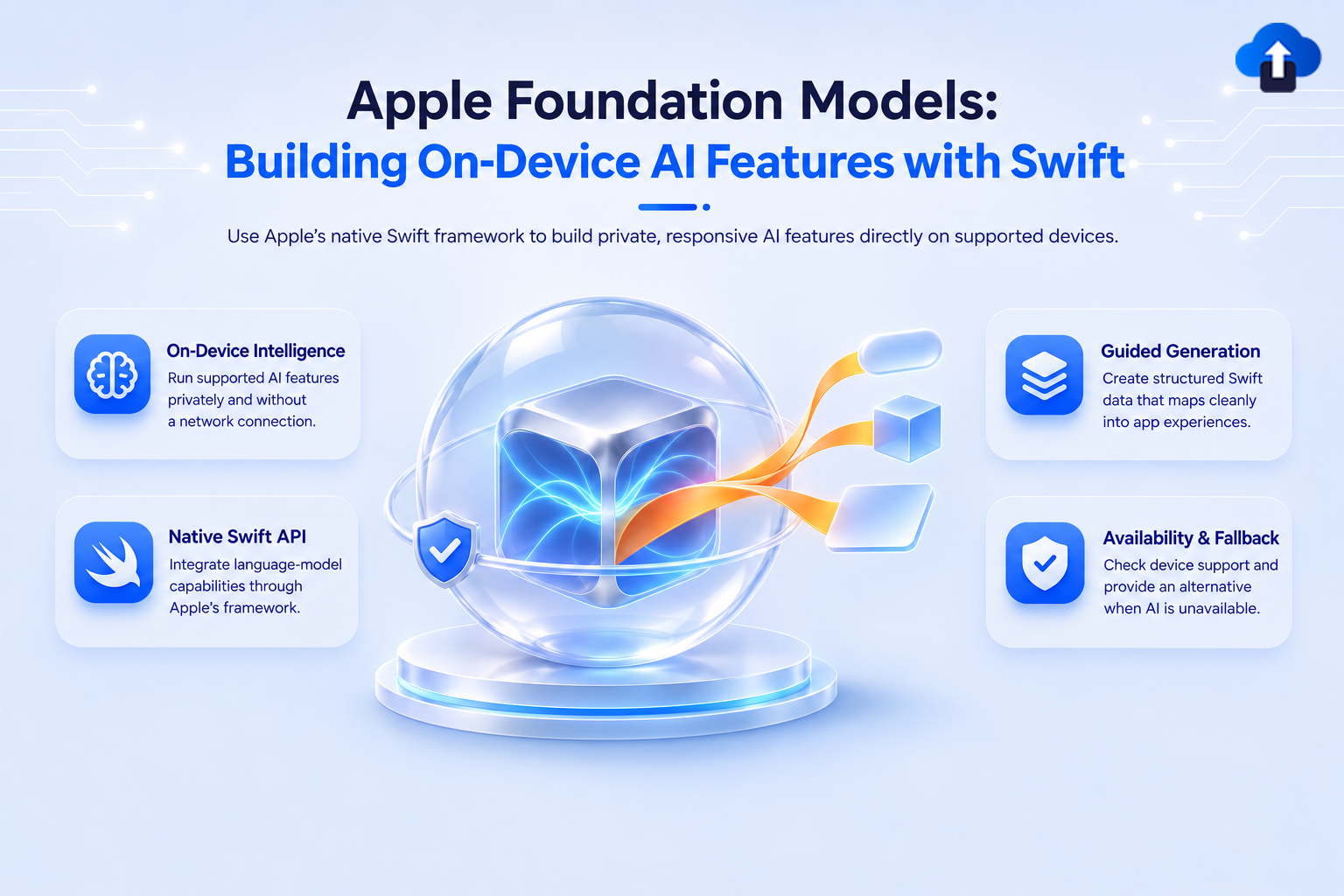
Apple provides developers with a native Swift framework for integrating its Apple Intelligence language models into applications.
Instead of building every AI interaction around an external API, developers can use supported on-device model capabilities for tasks such as summarization, extraction, structured generation, and text refinement.
Solution
1. What Is the Apple Foundation Models Framework?
The Foundation Models framework provides native APIs for working with Apple's language models.
It allows developers to integrate model-powered functionality directly into Swift applications.
The framework supports capabilities including:
- Text generation.
- Text summarization.
- Entity extraction.
- Structured output.
- Tool calling.
- Image understanding.
- Agent-oriented workflows.
One important architectural distinction is that the framework provides access to Apple's on-device Foundation Models as well as supported model configurations that can use Private Cloud Compute or other model providers.
The on-device model is particularly useful when an application needs to process supported user content locally.
For example, a notes application can use the framework to summarize content without automatically sending the note to your own backend.
2. Understand the Foundation Models Architecture
Before implementation, understand the main components.
SystemLanguageModel
SystemLanguageModel represents Apple's system-provided language model.
It allows the application to inspect model availability and access the supported model configuration.
LanguageModelSession
LanguageModelSession manages interactions with a language model.
It maintains conversation context and provides APIs for sending prompts and receiving generated responses.
Prompt
A prompt contains the instructions and information that the model needs to perform a task.
Guided Generation
Guided generation allows developers to describe the expected output using Swift types.
This is especially useful when the application needs structured data instead of free-form text.
Tool Calling
Tool calling allows a model to interact with application-defined functionality through controlled tools.
For example, an AI assistant could request a weather lookup or search an application's local database through an explicitly defined tool.
The application remains responsible for executing and validating those operations.
3. Configure the iOS Project
Foundation Models requires an Apple platform version that supports the framework.
The framework was introduced with Apple's iOS 26 generation.
For applications targeting iOS 26 or later:
- Open the project in Xcode.
- Set the appropriate deployment target.
- Import the FoundationModels framework in your Swift source file.
- Add availability checks where your application supports older operating systems.
- Test on compatible Apple Intelligence-enabled hardware.
Add the framework:
import FoundationModelsYou do not need to integrate a separate third-party SDK just to access Apple's built-in Foundation Models APIs.
However, framework availability does not mean every device can run the on-device model. The application must check the model's availability at runtime.
4. Check On-Device Model Availability
One of the first things an application should do is determine whether the on-device model is available.
Do not assume that every iPhone supports Apple Intelligence or that the model is ready to use.
A basic implementation:
import FoundationModels
func checkModelAvailability() {
    let model = SystemLanguageModel.default
    switch model.availability {
    case .available:
        print("On-device model is available")
    case .unavailable(let reason):
        print("Model unavailable: \(reason)")
    }
}
This check helps the application decide which AI experience to offer.
For example:
- Use on-device AI when available.
- Offer a traditional application workflow when unavailable.
- Use an explicitly configured server-based alternative when appropriate.
Avoid treating model availability as a permanent condition. It can change with device configuration and system state.
5. Create Your First AI-Powered Feature
Let's implement a practical example: summarizing notes.
Imagine a notes application where users write meeting notes, project updates, or personal reminders.
Instead of displaying the entire content, the application can generate a concise summary.
Create a LanguageModelSession
The session is responsible for interacting with the model.
import FoundationModels
@available(iOS 26.0, *)
func summarizeNotes(_ notes: String) async throws -> String {
    let session = LanguageModelSession()
    let response = try await session.respond(
        to: """
        Summarize the following notes.
        Keep the summary concise and highlight
        the most important information.
        Notes:
        \(notes)
        """
    )
    return response.content
}
The application passes the note content to the session and receives a generated response.
Call the Function from SwiftUI
The following example demonstrates how to connect the summarization function to a SwiftUI screen.
import SwiftUI
import FoundationModels
@available(iOS 26.0, *)
struct NotesSummaryView: View {
    @State private var notes = ""
    @State private var summary = ""
    @State private var isLoading = false
    @State private var errorMessage: String?
    var body: some View {
        VStack(spacing: 16) {
            TextEditor(text: $notes)
                .frame(height: 200)
            Button("Generate Summary") {
                Task {
                    await generateSummary()
                }
            }
            .disabled(
                notes.isEmpty || isLoading
            )
            if isLoading {
                ProgressView()
            }
            if !summary.isEmpty {
                Text(summary)
                    .padding()
            }
            if let errorMessage {
                Text(errorMessage)
                    .foregroundStyle(.red)
            }
        }
        .padding()
    }
    private func generateSummary() async {
        isLoading = true
        errorMessage = nil
        defer {
            isLoading = false
        }
        do {
            summary = try await summarizeNotes(notes)
        } catch {
            errorMessage = error.localizedDescription
        }
    }
}
This example demonstrates the core integration pattern.
For a production application, add model availability checks, input limits, cancellation handling, and appropriate error messages.
6. Generate Structured Data Using @Generable
Free-form text is useful for summaries and conversations.
However, many mobile application features require predictable output.
Consider a task management application.
A user enters:
"Prepare the app release by Friday. Ask QA to verify login and payment flows."
The application needs structured information such as:
- Task title.
- Description.
- Due date.
- Priority.
Parsing this information manually from generated text can be unreliable.
Foundation Models provides guided generation using Swift data types.
Define the expected output:
import FoundationModels
@Generable
struct GeneratedTask {
    var title: String
    var description: String
    var priority: String
}
Now request a structured response:
@available(iOS 26.0, *)
func generateTask(
    from input: String
) async throws -> GeneratedTask {
    let session = LanguageModelSession()
    let response = try await session.respond(
        to: """
        Convert the following request
        into a task.
        Request:
        \(input)
        """,
        generating: GeneratedTask.self
    )
    return response.content
}
The framework generates an instance of the requested Swift type rather than requiring the application to parse arbitrary JSON from a text response.
This makes it easier to integrate generated information with existing application models.
Important: Structured generation constrains the output format. It does not guarantee that every generated value is factually correct. Validate business-critical fields before saving or executing them.
7. Add Tool Calling for Application Actions
A language model becomes more useful when it can work with application functionality.
Consider a productivity application that allows users to manage tasks.
A user asks:
"Show my pending tasks and help me prioritize them."
The model can reason about the request, while application-defined tools provide controlled access to task information.
The architecture should look like:
User Request → Language Model → Application Tool → Validated Result → Language Model → User Response
Tool calling is useful for:
- Searching local records.
- Looking up application data.
- Retrieving user-approved information.
- Performing controlled operations.
- Connecting AI experiences to existing business workflows.
For operations that modify data, require explicit user confirmation where appropriate.
For example, generating a task and actually creating that task should be treated as separate operations.
The model should not independently receive unrestricted access to sensitive application functionality.
8. Explore Image Understanding
Foundation Models also supports multimodal interactions, including image understanding.
This can enable use cases such as:
- Extracting information from an image.
- Understanding the contents of a photograph.
- Describing visual content.
- Combining text and image context.
Apple also integrates Vision capabilities for specialized tasks such as OCR and barcode recognition.
For applications requiring precise text extraction, use the appropriate Vision APIs rather than relying exclusively on a general-purpose language model.
This separation is important because different AI tasks require different levels of precision
9. Understand On-Device AI Limitations
On-device AI provides useful capabilities, but developers should understand its limitations.
Hardware Compatibility
Not every Apple device supports Apple Intelligence. The application must handle unavailable models gracefully.
Model Capabilities
An on-device model may have different reasoning capabilities and context limits from larger server-hosted models. Avoid designing workflows that assume unlimited context or perfect reasoning.
Response Time
On-device inference still consumes CPU, GPU, and memory resources. Performance depends on the device and workload.
Output Reliability
Generated responses are probabilistic. Always validate important output before using it in financial, medical, legal, or other critical workflows.
Language Support
Available languages and model capabilities can vary. Test the languages your application supports instead of assuming uniform behavior.
10. Design a Hybrid AI Architecture
For many production applications, a hybrid architecture is more practical than depending exclusively on on-device AI.
For example:
The application can select an appropriate model configuration based on task requirements, availability, privacy, and performance.
Apple's Foundation Models framework also provides evolving APIs for working with different model configurations.
Best Practices
Check Availability Before Every AI Workflow: Use the framework's availability information rather than assuming that the model can always be used.
Keep Prompts Focused: Short and specific prompts are easier to maintain and can reduce unnecessary inference work.
Prefer Structured Generation: Use @Generable for application workflows that require typed results.
Validate Generated Content: Never treat model-generated content as trusted business data.
Respect User Privacy: Explain how user data is processed. On-device processing can reduce the need to send certain content to external services, but it does not automatically make the entire application private.
Design Fallback Experiences: Provide alternative workflows when the model is unavailable.
Monitor Performance: Measure response latency, memory consumption, and failure rates on supported devices.
Common Pitfalls to Avoid
- Assuming every iPhone supports Apple Intelligence.
- Skipping runtime model availability checks.
- Treating generated content as guaranteed correct.
- Using free-form text when structured output is required.
- Depending on on-device AI for complex reasoning without testing.
- Ignoring model context limitations.
- Blocking the main thread during AI operations.
- Failing to provide fallback functionality.
- Allowing AI tools to execute sensitive operations without validation.
Conclusion
Apple Foundation Models provides iOS developers with a native approach to building AI-powered application experiences.
Instead of depending entirely on external AI services, developers can use supported on-device language model capabilities for tasks such as summarization, extraction, structured generation, and intelligent application interactions.
The most important advantage is not simply adding AI to an application. It is choosing the right processing architecture for each task.
For production applications, combining on-device intelligence with controlled server-side capabilities can provide a practical balance between privacy, performance, reliability, and functionality.
As Apple continues evolving its Foundation Models APIs, iOS developers should explore these capabilities while designing their applications around model availability, validated outputs, and graceful fallback behavior.
References
- Apple Foundation Models Framework
- Foundation Models Framework Overview
- Foundation Models API Updates
- Apple Intelligence Developer Resources
- Apple Vision Framework
- WWDC Developer Videos