


.png)


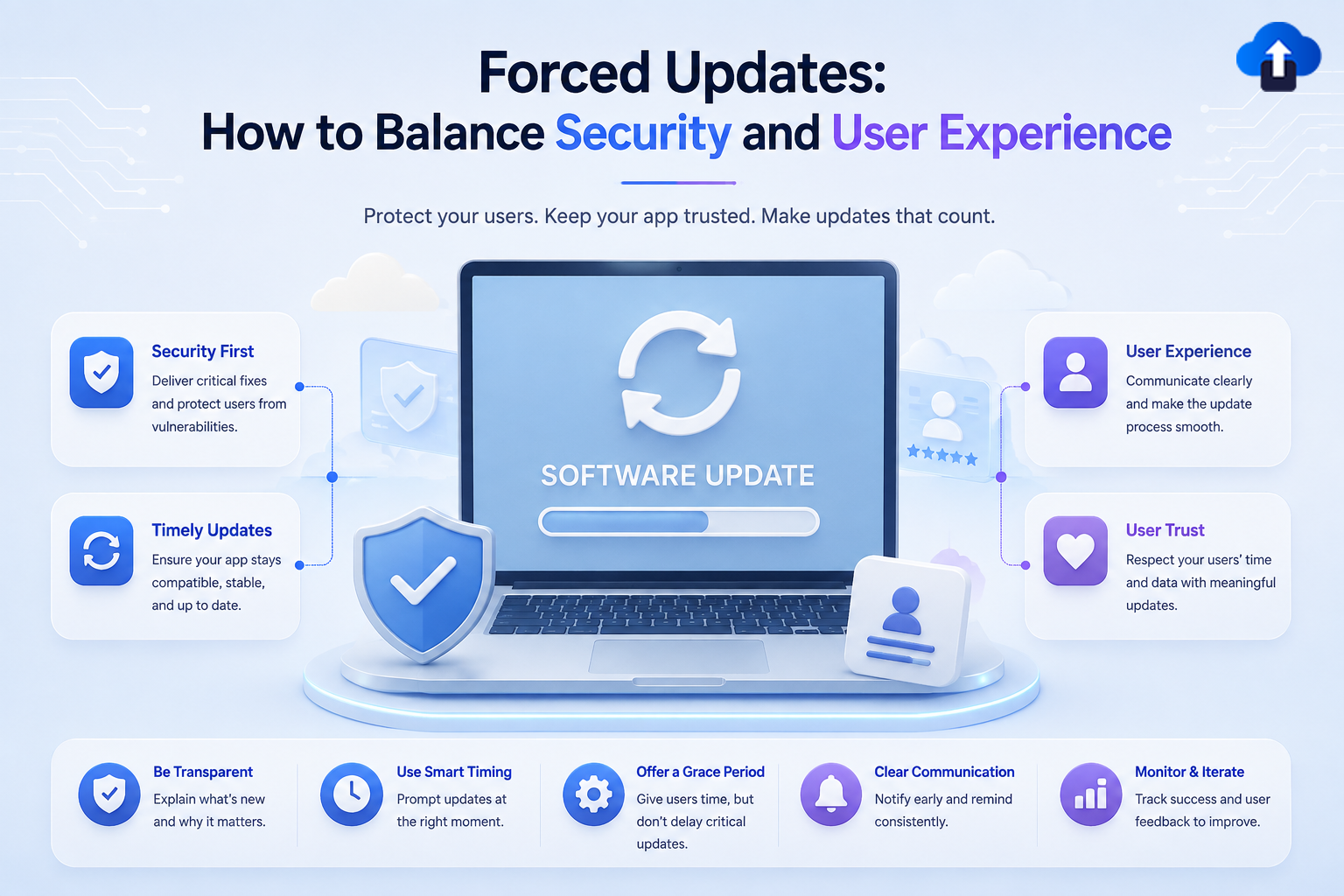
Mobile applications need regular updates to fix bugs, improve performance, add features, and address security vulnerabilities. However, getting users to install every new version is not always easy.
Some users ignore update notifications for weeks or even months. For certain security-critical releases, allowing users to continue running an outdated version can create serious risks. This is where forced updates become useful.
A forced update requires users to install a newer version of an app before continuing to use it. While this approach can protect users from known vulnerabilities and outdated functionality, using it too aggressively can also frustrate users.
The challenge for mobile development teams is finding the right balance between security and user experience. In this guide, we'll explain what forced updates are, when to use them, and how to implement a safer and less disruptive update strategy in 2026.
What Is a Forced Update?
A forced update is an app update mechanism that prevents users from continuing to use an outdated version until they install a required update.
Unlike a normal update notification, a forced update makes the new version mandatory.
How Forced Updates Work
A typical forced update workflow looks like this:
- The app checks its current version against the minimum supported version.
- The backend or update service determines whether the installed version is still supported.
- If the version is below the required minimum, the user receives an update message.
- The app directs the user to the appropriate update process.
- Normal app functionality resumes after the required version is installed.
This approach gives development teams control over which app versions remain active.
Forced Updates vs Optional Updates
Optional updates allow users to continue using the existing version while recommending that they upgrade.
Forced updates take a stricter approach. Users must update before continuing.
Optional updates are usually better for regular feature releases, while forced updates are more appropriate for serious security issues, broken functionality, or major compatibility changes.
Why Are Forced Updates Important?
Keeping users on outdated versions can create technical and security problems.
Protect Against Security Vulnerabilities
Security vulnerabilities can expose user accounts, personal information, APIs, or application data.
If a critical vulnerability is discovered in an older version, allowing that version to remain active indefinitely increases the potential risk.
A forced update can help move users to a patched version quickly.
Maintain Backend Compatibility
Mobile applications often communicate with APIs and backend services.
Over time, backend systems may change. Older application versions may not understand new API responses or authentication requirements.
Minimum-version enforcement helps development teams retire incompatible builds in a controlled way.
Reduce Fragmentation
Supporting too many application versions increases development and testing costs.
Developers may need to maintain compatibility with old navigation systems, APIs, libraries, and operating system behavior.
Encouraging users to update reduces version fragmentation and makes the application easier to maintain.
When Should You Force an App Update?
Not every update should be mandatory.
Using forced updates too often can negatively affect the user experience.
Critical Security Fixes
A forced update makes sense when an older version contains a serious security vulnerability that cannot safely remain in production.
In these cases, protecting user data should take priority over convenience.
Major Backend Changes
If an older version can no longer communicate correctly with your backend, continuing to support it may create broken user journeys.
A minimum supported version can ensure users move to a compatible release.
Critical Bugs
Some bugs can affect payments, authentication, data integrity, or core application functionality.
If a bug cannot be safely handled on the existing version, requiring an update may be appropriate.
Regulatory or Platform Requirements
Certain applications may need to update because of changes in platform requirements, security policies, or regulatory obligations.
A controlled update strategy helps ensure users remain on supported versions.
When Should You Avoid Forced Updates?
Forced updates should not become the default release strategy.
Minor Feature Releases
Users generally should not be blocked from using an app simply because a small feature has been added.
Optional updates provide a less disruptive experience.
UI Improvements
Visual changes rarely justify forcing users to update immediately.
Allow users to continue using the current version while gradually adopting the new release.
Small Bug Fixes
Minor bugs that do not affect security or core functionality can usually be handled through normal update notifications.
The goal should be to reserve forced updates for situations where they are genuinely necessary.
How to Balance Security and User Experience
A successful update strategy considers both technical risk and user convenience.
Use a Minimum Supported Version
Instead of forcing every user to install every release, define a minimum supported version.
For example, if versions 5.1, 5.2, and 5.3 are currently available, you might allow users on 5.1 to continue using the application while requiring anything older than 5.1 to update.
This provides a better balance between compatibility and control.
Use Different Update Levels
A useful strategy is to classify updates into different levels.
Recommended update: Show a message but allow users to continue.
Important update: Encourage users to update and provide a clear reason.
Critical update: Block access until the required version is installed.
This approach avoids treating every release as an emergency.
Give Users a Clear Reason
A forced update screen should explain why the update is required.
Instead of simply displaying "Update Required," provide useful information such as:
"Please update to the latest version to continue using secure payments."
Clear messaging reduces confusion and helps users understand the reason behind the interruption.
Avoid Unexpected Timing
If possible, avoid forcing updates during important user activities.
A user who is completing a payment, filling out a form, or working offline should not suddenly lose access because of an update requirement.
Update checks should be designed around the application's critical user journeys.
Forced Updates and OTA Updates
OTA (Over-the-Air) updates can help teams respond quickly to certain application issues, but they do not replace every type of app store release.
What OTA Updates Can Solve
Depending on the technology and application architecture, OTA updates can deliver changes to JavaScript code and other supported assets without requiring users to download a completely new native application binary.
This can be useful for quickly addressing certain bugs or content changes.
When a Store Update Is Still Required
Changes to native code, native dependencies, permissions, or other platform-level components generally require a new application binary and the appropriate App Store or Google Play release process.
This distinction is important when designing an update strategy.
Best Practices for Forced Updates in 2026
Modern mobile teams should treat forced updates as part of a broader release management strategy.
Monitor App Versions
Track which versions users are running.
Version adoption data helps teams understand whether a mandatory update is necessary and how quickly users are moving to newer releases.
Use Gradual Enforcement
Instead of immediately blocking every outdated user, teams can first notify users and monitor adoption.
A gradual approach gives users time to update while allowing developers to increase enforcement when necessary.
Maintain a Reliable Fallback
Update systems should handle situations where users have limited connectivity or temporary service interruptions.
Avoid creating a permanent dead end if the update service cannot be reached.
Test the Update Flow
The forced update experience should be tested across supported devices and operating systems.
Test scenarios should include:
- Supported app versions
- Outdated versions
- Latest versions
- Poor network conditions
- Update failures
- Interrupted downloads
- App restart behavior
A broken update mechanism can prevent users from accessing the application entirely.
How AppsOnAir AppSync Helps Manage App Updates
Managing app versions becomes increasingly important as mobile applications grow and release cycles become faster.
AppsOnAir AppSync helps teams manage forced and optional updates without hardcoding version rules into the app. Teams can control minimum supported versions and update prompts from the dashboard. AppSync also includes a maintenance mode that lets teams temporarily restrict app access during backend downtime and display a customized maintenance screen.
This gives teams greater control over when users need to update while helping avoid unnecessary interruptions.
Patch Smaller Issues with AppsOnAir CodePush
For React Native apps, AppsOnAir CodePush can deliver supported JavaScript and asset fixes over the air without waiting for a new app store release. This can help teams patch smaller issues faster, while changes involving native code still require a traditional store update.
Common Mistakes With Forced Updates
One of the biggest mistakes is forcing every update. This creates unnecessary interruptions and can frustrate users who are happy with their current version.
Another problem is providing poor messaging. Users should understand why the update is required and what they need to do next.
Teams should also avoid relying on a single version check without considering network failures. If the update service is temporarily unavailable, users should not automatically lose access to the app.
Finally, forced updates should be tested carefully. An incorrectly configured minimum version can accidentally block large numbers of users.
Frequently Asked Questions
What is a forced app update?
A forced app update requires users to install a newer version before they can continue using the application. It is generally used for critical security fixes, compatibility issues, or serious bugs.
Should every app update be forced?
No. Most feature releases and minor bug fixes can use optional update notifications. Forced updates should generally be reserved for situations where continuing to use the older version creates a meaningful security or functionality risk.
Can forced updates improve app security?
Yes. They can help move users away from versions containing known security vulnerabilities and ensure that more users run supported versions.
Can forced updates hurt user experience?
Yes. Frequent or poorly designed forced updates can frustrate users, interrupt important tasks, and potentially cause users to abandon the application.
Can OTA updates replace forced app updates?
Not completely. OTA updates can address certain supported code and asset changes, but native changes and other platform-level modifications may still require a new app store build.
Final Thoughts
Forced updates are a powerful tool, but they should be used carefully. Requiring every user to update after every release may simplify version management, but it can create unnecessary friction and damage the user experience.
The better approach is to use forced updates when there is a clear reason, such as a critical security vulnerability, serious bug, or backend compatibility issue. For regular feature releases, optional or gradual update strategies are usually more user-friendly.
By combining minimum-version controls, clear communication, version monitoring, reliable update workflows, and careful testing, mobile teams can protect users without making updates feel like an obstacle.
In 2026, the best mobile update strategy is not simply about getting users onto the newest version. It is about keeping users secure, maintaining application reliability, and making the update experience as seamless as possible.








