


.png)


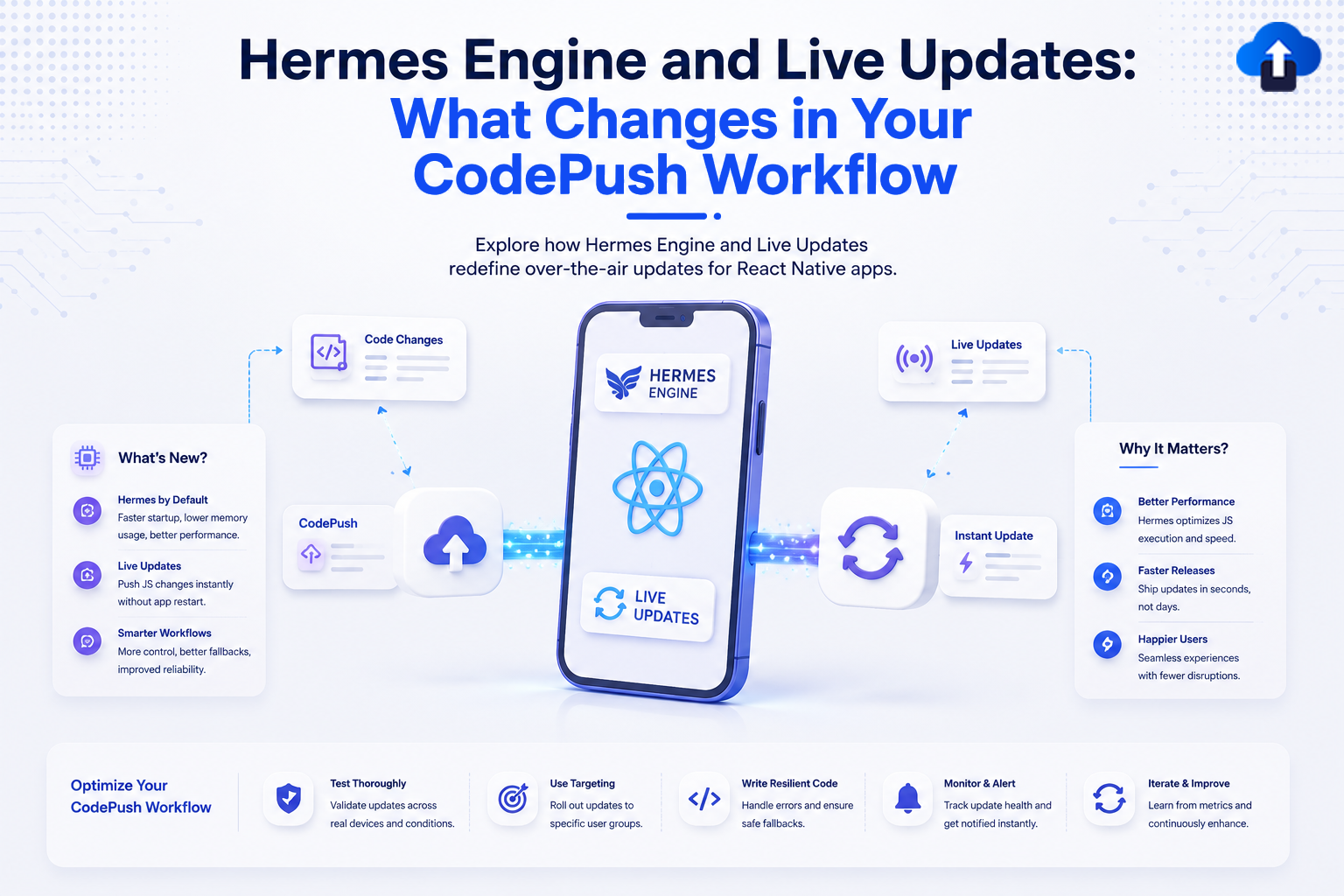
The Hermes JavaScript engine has become the default choice for many React Native applications. It improves startup time, reduces memory usage, and delivers better overall performance on both Android and iOS.
At the same time, many React Native teams rely on live updates to ship bug fixes and small improvements without waiting for App Store or Google Play review. Traditionally, CodePush was a popular way to deliver these over-the-air (OTA) updates. However, with changes in the React Native ecosystem and the retirement of Microsoft's CodePush service, developers are rethinking how they manage live updates.
If your app uses Hermes, you may wonder whether your existing CodePush workflow still works the same way. The answer is yes in many cases—but there are important differences and best practices to understand.
In this guide, we'll explain how the Hermes engine affects live updates, what changes in your deployment workflow, and how to prepare your React Native app for reliable OTA updates in 2026.
What Is the Hermes Engine?
Hermes is an open-source JavaScript engine designed specifically for React Native. Instead of relying on the JavaScript engines provided by the operating system, Hermes is optimized for mobile applications.
Its primary goal is to improve app performance while reducing resource consumption.
Why React Native Uses Hermes
Hermes has become the preferred JavaScript engine because it offers several performance improvements.
Some of its key advantages include:
- Faster app startup
- Lower memory usage
- Reduced application size
- Better runtime performance
- Improved responsiveness on lower-end devices
These benefits make Hermes a strong choice for production React Native applications.
How Hermes Differs From Other JavaScript Engines
Unlike traditional JavaScript engines, Hermes compiles JavaScript into optimized bytecode before the application runs.
This reduces the amount of work required when users launch the app and helps improve performance across different devices.
How Live Updates Work in React Native
Live updates, also known as OTA updates, allow developers to distribute JavaScript bundles and assets without publishing a new version through the app stores.
Instead of downloading a completely new application, users receive only the updated code needed to fix bugs or improve functionality.
What Can Be Updated?
Live updates typically support:
- JavaScript logic
- User interface changes
- Images and assets
- Text updates
- Performance improvements
- Minor feature enhancements
Changes to native Android or iOS code still require a traditional app store release.
Why Teams Use Live Updates
OTA updates reduce deployment time and help developers respond quickly to production issues.
Rather than waiting for app review, teams can resolve problems within minutes and provide a better experience for users.
What Changes When You Use Hermes?
While the overall concept of live updates remains the same, Hermes introduces several workflow considerations.
JavaScript Bundles Become Hermes Bytecode
With Hermes enabled, your JavaScript is compiled into Hermes bytecode instead of being interpreted at runtime.
This means OTA update packages must be built correctly for the Hermes engine.
Developers should ensure their build process generates Hermes-compatible bundles before publishing updates.
Binary and Bundle Compatibility Matters More
Hermes bytecode is tied to the version of React Native and the Hermes engine included in the app binary.
If you deploy an update built for a different Hermes version, users may experience crashes or failed updates.
For this reason, every OTA release should target the correct binary version.
Build Pipelines Need Additional Validation
Teams should verify that:
- Hermes is enabled consistently across environments.
- Release builds generate the correct bundle format.
- OTA packages match the installed app version.
- Testing covers both Android and iOS before deployment.
Adding these checks to your CI/CD pipeline helps prevent compatibility issues.
Best Practices for Hermes and OTA Updates
Using Hermes does not make live updates more difficult, but it does require a disciplined release process.
Target Specific App Versions
Avoid publishing one update for every app version.
Instead, map OTA releases to the binary versions they support.
Version targeting helps prevent incompatible updates from reaching users.
Test Every Release With Hermes Enabled
Some issues only appear when Hermes is active.
Always test production builds rather than relying solely on development environments.
This ensures your OTA packages behave correctly in real-world conditions.
Use Staged Rollouts
Even after testing, unexpected issues can occur.
Release updates gradually to:
- 5% of users
- 20% of users
- 50% of users
- 100% of users
Phased deployments reduce risk and provide time to identify problems before a full rollout.
Keep Rollback Ready
Every OTA deployment should have a rollback strategy.
If an update causes crashes or unexpected behavior, developers should be able to restore the previous stable version immediately.
Rollback support is one of the most valuable features of a modern OTA workflow.
Moving Beyond the Traditional CodePush Workflow
Many React Native teams originally built their release process around CodePush.
As projects grow and deployment needs become more advanced, teams often look for solutions that provide more than update delivery.
Modern OTA platforms typically include:
- Deployment management
- Version targeting
- Phased rollouts
- Release analytics
- Rollback controls
- Team collaboration
- Update monitoring
These capabilities help development teams manage live updates with greater confidence.
Common Challenges When Using Hermes With Live Updates
Hermes improves performance, but it also introduces areas that require careful attention.
Version Mismatches
Publishing an update built for the wrong React Native or Hermes version can prevent the update from loading correctly.
Maintaining accurate version mapping is essential.
Incomplete Testing
Testing only debug builds may hide issues that appear in production.
Production release testing should always be part of the deployment process.
Ignoring Rollout Controls
Deploying every update to all users immediately increases deployment risk.
Controlled rollouts provide a safer path for introducing new releases.
Assuming All OTA Workflows Are the Same
Not every live update platform handles deployment, monitoring, and version management in the same way.
Evaluating the complete workflow—not just update delivery—helps teams choose the right solution.
How AppsOnAir Simplifies Hermes-Based OTA Updates
As React Native applications evolve, managing live updates requires more than simply uploading a JavaScript bundle.
AppsOnAir helps development teams deliver OTA updates with greater control by supporting version-aware deployments, staged rollouts, rollout monitoring, and quick rollback capabilities. This makes it easier to distribute Hermes-compatible updates while reducing deployment risks.
Whether you're migrating from a traditional CodePush workflow or building a new release pipeline, AppsOnAir provides the tools needed to ship updates faster while maintaining a stable user experience.
Frequently Asked Questions
Does Hermes work with OTA updates?
Yes. Hermes fully supports OTA updates, provided the update package is compatible with the app's React Native and Hermes versions.
Does Hermes replace CodePush?
No. Hermes is a JavaScript engine, while CodePush is an OTA update technology. They serve different purposes and can work together in a compatible workflow.
Why is version targeting important with Hermes?
Hermes bytecode is closely tied to the app binary. Delivering an update built for an incompatible version can lead to crashes or failed updates.
Can I still deliver bug fixes without app store review?
Yes. JavaScript and asset updates can still be delivered through OTA updates. Native code changes continue to require App Store or Google Play submissions.
What is the best OTA update strategy for Hermes apps?
The most reliable strategy includes version targeting, staged rollouts, thorough production testing, deployment monitoring, and instant rollback capabilities.
Final Thoughts
The Hermes engine has improved the performance of React Native applications, but it also places greater emphasis on compatibility and release discipline. Live updates remain one of the fastest ways to deliver bug fixes and improvements, yet successful deployments depend on matching update packages to the correct app versions and validating them thoroughly.
As CodePush workflows continue to evolve in 2026, development teams should focus on building a reliable OTA release process rather than simply replacing one tool with another. By combining Hermes with version-aware deployments, phased rollouts, continuous monitoring, and rapid rollback capabilities, teams can deliver faster updates while maintaining the stability and performance users expect.








