


.png)


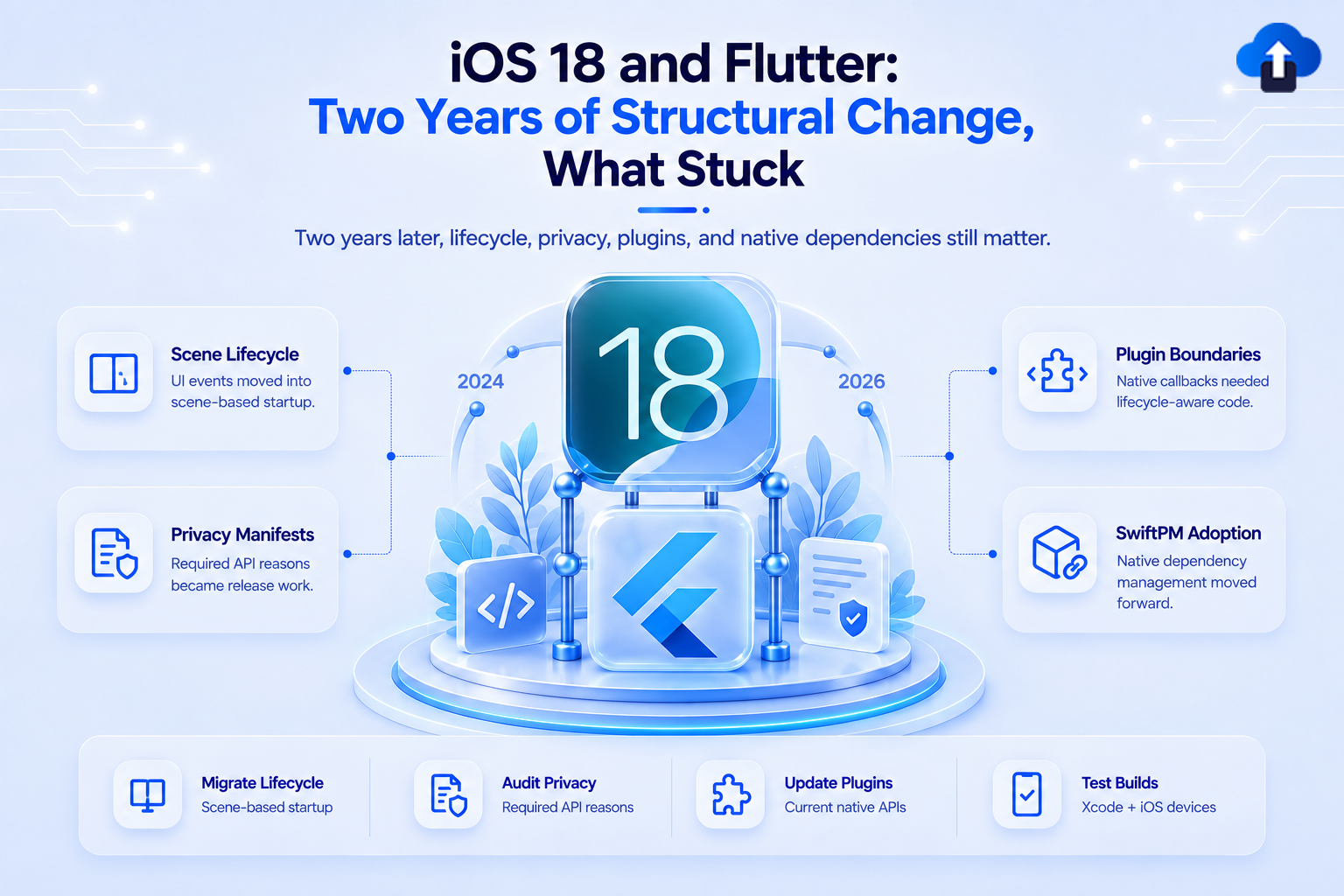
A technical retrospective on how iOS 18 reshaped the Flutter plugin ecosystem - privacy manifests, Impeller promotion, and the CocoaPods-to-SPM transition. What changed, what stabilized, and what teams still need to finish.
Why iOS 18 Was Different
Every September, Apple ships a new iOS and Flutter teams run the same checklist: update Xcode, bump the minimum deployment target, test on new hardware, update plugins. iOS 18 looked the same from the outside. Inside Flutter projects, it triggered the most structurally significant changes in years - not from any single API change, but from three mandates that compounded across 2024 and 2025.
Privacy Manifests: forced every plugin maintainer to document exactly which Apple APIs they called and why. The Flutter plugin ecosystem spent the second half of 2024 catching up.
Impeller - Flutter's Metal-backed renderer - became the default, ending the era of optional performance investment. And Swift Package Manager (SPM) emerged as a viable plugin system, starting the slow displacement of CocoaPods that has now been formalized into a published end-of-life schedule.
Two years on, these changes are normalized. But "normalized" does not mean "finished." There are still teams running outdated plugins with missing manifests, running Skia out of habit, and deferring CocoaPods migration until the deadline forces urgency. This post is the technical record of what changed and what remains.
1. Privacy Manifests (PrivacyInfo.xcprivacy)
Background
Apple introduced privacy manifests at WWDC 2023 and began enforcing them for App Store submissions starting May 1, 2024. The requirement applies to every app and every third-party SDK that accesses a defined set of "required reason APIs" - APIs Apple considers privacy-sensitive enough to require explicit justification.
The manifest is a property list (`PrivacyInfo.xcprivacy`) that declares:
- Which privacy-sensitive APIs the code accesses
- The reason code(s) justifying each access
- Whether the code tracks users across apps or websites
- What data types are collected and how they are used
Incomplete or missing manifests produce a warning in Xcode's archive validation, and - since iOS 27 - result in App Store review rejection rather than a warning.
APIs That Require a Declared Reason
Apple publishes the full list of required-reason API categories. The most commonly triggered in Flutter apps and plugins:
Flutter Plugins That Now Ship Manifests
Major plugins on pub.dev updated during 2024–2025:
firebase_core and all FlutterFire plugins (google-mlkit, firebase-auth, firestore, etc.)
url_launcher, image_picker, path_provider, shared_preferences, flutter_secure_storage, google_maps_flutter, camera, record, contacts_service / flutter_contacts
Plugins to audit first: Any plugin whose last pub.dev release was before May 2024. Those predate mandatory enforcement and likely have no manifest.
Auditing Your Project
# List every PrivacyInfo.xcprivacy across the project and all CocoaPods
find . -name "PrivacyInfo.xcprivacy" | sort
# Compare against all plugins with native iOS code
flutter pub deps | grep -A1 "ios"
Then cross-reference: every plugin that appears in Pods/ and touches device APIs should have a manifest visible in find output. Any that don't need to be updated or replaced.
In Xcode: Product → Archive → Validate App runs a privacy manifest check. Any missing required-reason declarations surface here before submission - this is the last safe checkpoint.
What the Manifest File Looks Like
<?xml version="1.0" encoding="UTF-8"?>
<!DOCTYPE plist PUBLIC "-//Apple//DTD PLIST 1.0//EN"
  "http://www.apple.com/DTDs/PropertyList-1.0.dtd">
<plist version="1.0">
<dict>
  <!-- APIs accessed and the reasons for each -->
  <key>NSPrivacyAccessedAPITypes</key>
  <array>
    <dict>
      <key>NSPrivacyAccessedAPIType</key>
      <string>NSPrivacyAccessedAPICategoryUserDefaults</string>
      <key>NSPrivacyAccessedAPITypeReasons</key>
      <array>
        <string>CA92.1</string> <!-- App itself reads/writes preferences -->
      </array>
    </dict>
    <dict>
      <key>NSPrivacyAccessedAPIType</key>
      <string>NSPrivacyAccessedAPICategoryFileTimestamp</string>
      <key>NSPrivacyAccessedAPITypeReasons</key>
      <array>
        <string>C617.1</string> <!-- Files created by the app -->
      </array>
    </dict>
  </array>
  <!-- Data types collected by this SDK/app -->
  <key>NSPrivacyCollectedDataTypes</key>
  <array/>
  <!-- Tracking domains (leave empty if not tracking across apps) -->
  <key>NSPrivacyTrackingDomains</key>
  <array/>
  <!-- Whether this SDK/app performs tracking -->
  <key>NSPrivacyTracking</key>
  <false/>
</dict>
</plist>
Place at ios/Runner/PrivacyInfo.xcprivacy for your app target. Each plugin maintains its own - your app manifest does not cover plugin API usage.
What Happens Without One
- Pre-iOS 27: Xcode archive validation produces a warning; submission was allowed.
- iOS 27+: App Store Review actively rejects builds with missing or inconsistent manifests. The rejection cites the specific API category that lacks a declared reason.
Official sources:
- Privacy manifest files - Apple Developer Documentation
- WWDC 2023 Session 10060: Get started with privacy manifests
- Describing use of required reason API
2. Impeller: Flutter's New Default iOS Renderer
What Impeller Is and Why It Exists
Flutter's original renderer on iOS used Skia, which compiled Metal shaders at runtime — the first time a widget painted with a new visual effect, the GPU paused to compile the shader. Users saw this as a brief freeze or dropped frames. The problem was inherent to Skia's design and could not be patched away.
Impeller solves this by moving shader compilation to build time. A fixed, known set of Metal shaders is compiled into the app binary. At runtime, the GPU executes pre-compiled shaders with no compilation stalls.
Rollout Timeline
What iOS 18 / Metal 3 Brought to Impeller
iOS 18 ships with Metal 3 improvements that Impeller benefits from directly:
Edge Cases Resolved Since Flutter 3.22
Several rendering issues surfaced when Impeller became default and were fixed across subsequent releases:
- Backdrop filter rendering artifacts on notched displays - fixed in 3.24
- ClipPath with complex bezier curves producing visual tearing on specific draw call sequences — fixed in 3.27
- Wide gamut (Display P3) color accuracy on iOS 18 - landed in Flutter 3.44
- Platform views (Hybrid Composition) flickering on certain scroll velocities - fixed in 3.29
- ImageFilter.blur producing incorrect bounds on rotated widgets - fixed in 3.32
Verifying Impeller Is Active
# Force Impeller (debug/profile builds)
flutter run --enable-impeller
# Force Skia fallback (for comparison testing)
flutter run --no-enable-impeller
```
In device logs, Impeller confirms itself:
```
flutter: [Impeller] Runtime Stage... (Metal)
At runtime in Dart:
import 'package:flutter/foundation.dart';
import 'package:flutter/services.dart';
final info = await const MethodChannel('flutter/system')
    .invokeMethod<Map>('getSystemInfo');
final renderer = info?['renderer']; // 'impeller' or 'skia'
When to File Bugs
If you observe visual regressions on Impeller that were clean on Skia, file against github.com/flutter/flutter with the impeller label. Include: device model, iOS version, Flutter version, and a minimal reproduction. The team actively triages these. The Skia fallback --no-enable-impeller remains available but is not a supported long-term path — it will be removed in a future release.
Official sources:
- Flutter Impeller — GitHub Wiki
3. CocoaPods to Swift Package Manager
Why CocoaPods Is Being Replaced
CocoaPods served the iOS ecosystem well for over a decade, but it was never a first-party Apple tool. As Xcode matured, Apple invested in Swift Package Manager as the native dependency system. Xcode 16 shipped with reduced CocoaPods integration. Xcode 27 removed first-class CocoaPods support entirely. The Flutter team's decision to follow Apple's direction was inevitable — maintaining a dependency system that is losing Xcode support is not sustainable.
Complete Timeline
What Maintenance Mode Means in Practice
After Q1 2027, CocoaPods in Flutter will receive no updates. This means:
- No fixes for new Xcode build system behaviors
- No support for new iOS SDK pod integration patterns
- No updates for Apple Silicon or simulator architecture changes
- PRs to re-enable broken CocoaPods functionality will be closed as out-of-scope
Teams still on CocoaPods after mid-2027 will have a Flutter toolchain that cannot build their iOS app.
Migrating a Flutter App
# Flutter 3.44+ -- SPM is on by default for new projects
# To enable for an existing project:
flutter config --enable-swift-package-manager
# Verify SPM is active
cat ios/Flutter/FlutterPluginRegistrant/Package.swift
# Build and watch for CocoaPods-specific errors
flutter build ios --release
Migrating a Flutter Plugin to SPM
A Flutter plugin can support both CocoaPods and SPM simultaneously during the migration period. SPM support requires a Package.swift added alongside the existing .podspec:
// swift-tools-version: 5.9
import PackageDescription
let package = Package(
    name: "my_plugin",
    platforms: [
        .iOS(.v16)
    ],
    products: [
        .library(name: "my-plugin", targets: ["my_plugin"])
    ],
    targets: [
        .target(
            name: "my_plugin",
            path: "Sources/my_plugin",
            publicHeadersPath: "include",
            cSettings: [
                .headerSearchPath("include/my_plugin")
            ]
        )
    ]
)
The directory structure must match SPM conventions (`Sources/my_plugin/`) rather than the CocoaPods convention (usually `ios/Classes/`). Most migrations require reorganizing source files. For more details please check this full guide: Flutter SPM — for plugin authors
Hardest Migration Scenarios
Official sources:
- Flutter SPM — for plugin authors
- Flutter SPM — for app developers
- CocoaPods deprecation tracking — Flutter
4. What Flutter 3.47 Delivers Now
Flutter 3.47 is the current stable release. The features below affect iOS projects directly.
Widget Previewer — Now Stable: The Widget Previewer tool graduated from experimental to stable in Flutter 3.47. It includes local build caching for faster startup times and real-time preview search and filtering. No experimental flag required — available to all Flutter developers via flutter upgrade.
Swift Package Manager — Add-to-App Support: Prior to Flutter 3.47, SwiftPM integration was available only for standalone Flutter apps. Flutter 3.47 extends SPM support to Add-to-app workflows — teams embedding Flutter in existing native iOS apps can now use SPM for dependency resolution instead of CocoaPods. The Flutter team has added setup instructions for Add-to-app SPM in the official documentation.
Built-in Kotlin Gradle Plugins: Flutter 3.47 introduces built-in support for Kotlin Gradle plugins, replacing the need for custom Kotlin plugin configurations in android/build.gradle. A published migration guide covers the transition from custom setups to the built-in plugin approach.
WebAssembly Build Improvements: The --source-maps flag is now supported for Wasm web builds, enabling source-level debugging of Flutter web apps compiled to WebAssembly. Extended troubleshooting documentation for Wasm compilation errors was also added.
Platform-Specific Assets: Assets can now be declared per-target platform in pubspec.yaml, allowing iOS, Android, and web builds to bundle different assets without manual build script filtering.
iOS 27 day-0 support: Flutter 3.47.x patch releases ship alongside iOS 27 to ensure Xcode 27 and iOS 27 SDK compatibility. Run flutter upgrade to reach the latest stable patch before submitting any iOS 27-targeted build.
Official sources:
- Flutter: What's new
- Migrate to built-in Kotlin — Flutter breaking changes
- Flutter breaking changes 3.47
- Flutter supported platforms
Dart 3.13
Exhaustive switch expression tightening in sealed class hierarchies.Dart 3.13 introduces stricter static analysis for switch expressions and switch statements over sealed types. In Dart 3.12, a switch over a sealed class that did not cover all subtypes would compile with a warning. In Dart 3.13, the same pattern produces a compile-time error — the analyzer rejects the code rather than allowing it to proceed.
What this means in practice: Code that compiled cleanly on Dart 3.12 may produce new errors after upgrading to Dart 3.13 if sealed class switch expressions do not explicitly cover all declared subtypes
// Sealed class hierarchy
sealed class PaymentResult {}
class PaymentSuccess extends PaymentResult { final String transactionId; PaymentSuccess(this.transactionId); }
class PaymentFailure extends PaymentResult { final String reason; PaymentFailure(this.reason); }
class PaymentPending extends PaymentResult {} // Added in a recent iteration
// Dart 3.12: this compiled with a warning
// Dart 3.13: this is a COMPILE-TIME ERROR -- PaymentPending is not handled
String describe(PaymentResult result) => switch (result) {
  PaymentSuccess s => 'Success: ${s.transactionId}',
  PaymentFailure f => 'Failed: ${f.reason}',
  // PaymentPending is missing -- Dart 3.13 rejects this
};
// Fix: add the missing arm
String describe(PaymentResult result) => switch (result) {
  PaymentSuccess s => 'Success: ${s.transactionId}',
  PaymentFailure f => 'Failed: ${f.reason}',
  PaymentPending _  => 'Pending',
};
// Alternative fix: use a wildcard if the unmatched case is intentional dead code
String describe(PaymentResult result) => switch (result) {
  PaymentSuccess s => 'Success: ${s.transactionId}',
  PaymentFailure f => 'Failed: ${f.reason}',
  _ => throw UnimplementedError('Unhandled PaymentResult subtype'),
};
The most common source of this error is sealed hierarchies where a subtype was added after the switch was first written — and the switch was not updated. Run `dart analyze` immediately after upgrading to catch every affected location before attempting `flutter build`.
Migration Steps
# Step 1: Upgrade Flutter to 3.47
flutter upgrade
flutter --version
# Verify output: Flutter 3.47.x · Dart 3.13.x
# Step 2: Update minimum iOS deployment target in Podfile
# Change: platform :ios, '15.0'
# To:     platform :ios, '16.0'
# Step 3: Run Dart analysis -- catch exhaustive switch errors before building
dart analyze
# Address every "non-exhaustive switch" error before proceeding
# Step 4: Build release and review the Xcode 27 build log
flutter build ios --release
# Resolve any Swift 6 concurrency errors surfaced by Xcode 27
Notes on the migration:
- dart analyze must pass with zero errors before flutter build ios will succeed on sealed class switch violations — the compiler does not proceed past analysis errors.
- If a plugin's Dart code contains the non-exhaustive switch, update the plugin to its latest pub.dev version first. The plugin maintainer must fix this — it cannot be patched from the app layer.
- After updating the Podfile to platform :ios, '16.0', run `pod install` to regenerate the Pods project with the updated deployment target.
What Teams Still Need to Finish
Final Checklist
- PrivacyInfo.xcprivacy present in app target (ios/Runner/PrivacyInfo.xcprivacy)
- Xcode Archive → Validate App passes with zero privacy manifest warnings
- All pub.dev dependencies updated to post-May 2024 versions with bundled manifests
- find . -name "PrivacyInfo.xcprivacy" returns an entry for every plugin accessing device APIs
- Impeller confirmed active in device logs; full UI pass on physical iOS 27 device
- No WillPopScope (deprecated) — replaced with PopScope throughout
- Package.swift added to all internal and private plugins
- Flutter app builds cleanly with SPM enabled (--enable-swift-package-manager)
- CocoaPods migration plan documented, scoped, and scheduled before Q1 2027
Conclusion
The biggest changes from iOS 18 are now established: privacy manifests are enforced, Impeller is the default renderer, and SPM is replacing CocoaPods. The focus now shifts from adoption to finishing migrations, auditing dependencies, and keeping projects ready for the latest Flutter and Xcode releases.








