


.png)


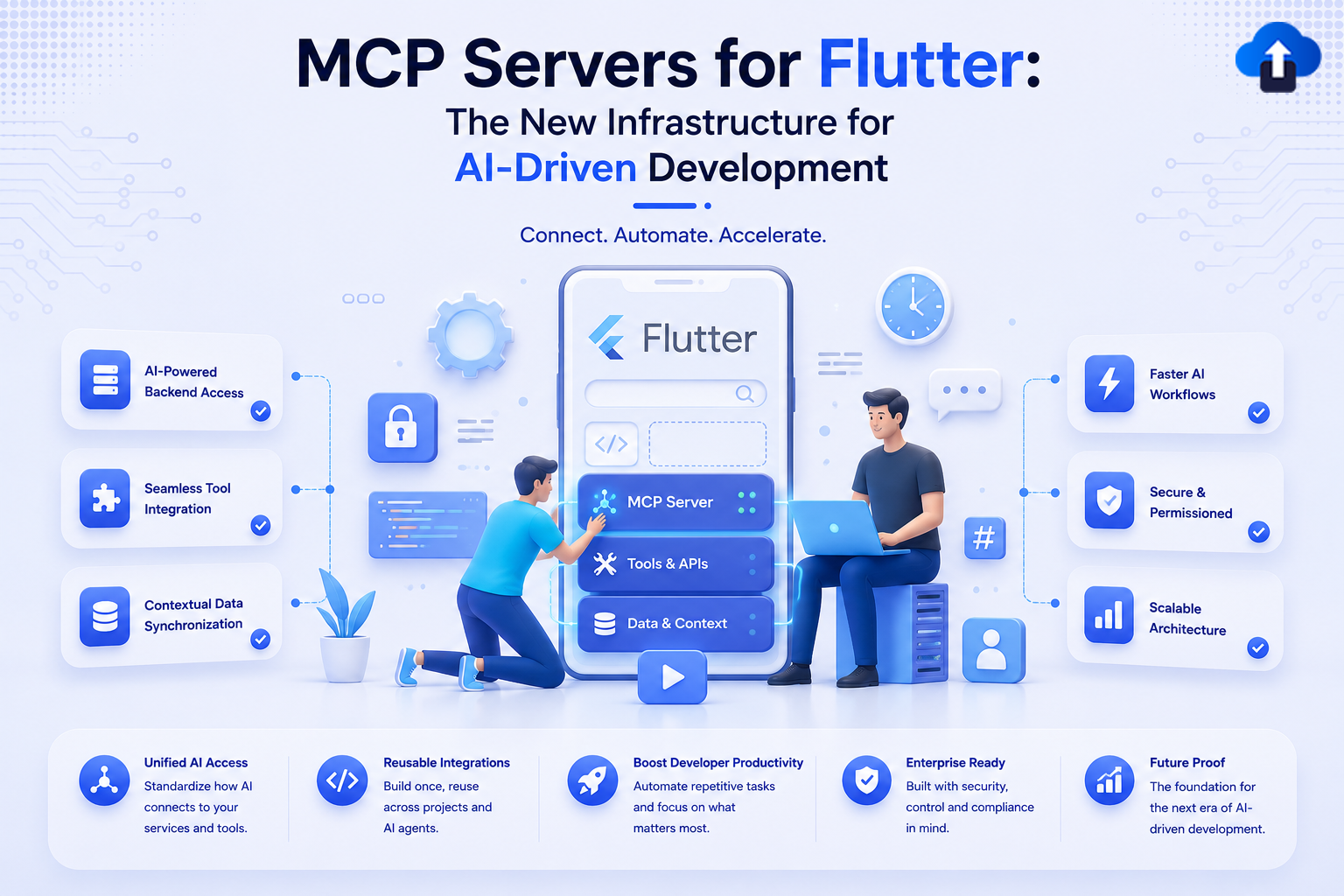
The way Flutter developers interact with AI tooling is changing faster than most teams have had time to adapt. For years, the promise of AI-assisted development meant autocomplete suggestions, documentation lookups, and the occasional code generation snippet. What's emerging now is something architecturally different — a protocol-level integration between Flutter's toolchain and large language models that allows AI agents to take real, structured actions inside your development environment. That protocol is called the Model Context Protocol, and the server infrastructure built around it is rapidly becoming the backbone of next-generation Flutter development workflows.
MCP, originally introduced by Anthropic, defines a standardized way for AI models to communicate with external tools and data sources through a lightweight server-client architecture. In a Flutter context, this means an LLM can now query your widget tree, read your pubspec dependencies, trigger Dart analysis, run tests, or even interact with platform channels — all through a structured, programmable interface rather than through natural language heuristics alone. This is not a minor quality-of-life improvement. It's a fundamental shift in how AI participates in your build pipeline.
This article is for Flutter engineers who want to understand MCP servers at a technical level — what they are, how they integrate with Flutter's ecosystem, how to set one up correctly, and what patterns make them genuinely useful versus superficially impressive. If you've been watching this space and waiting for the practical breakdown, this is it.
What MCP Servers Actually Are
The Model Context Protocol is a client-server specification that allows AI models to interact with tools in a structured, schema-defined way. An MCP server exposes a set of capabilities — called tools, resources, and prompts — that an AI agent can invoke during a conversation or autonomous task. The server handles all the real-world execution: running commands, querying filesystems, calling APIs, reading configuration files. The model handles reasoning. The protocol defines how they communicate.
In practice, an MCP server is a lightweight process — often a Node.js or Python executable, though Dart implementations are appearing — that runs alongside your development environment. It listens for structured requests from an MCP-compatible client (like Claude, Cursor, or a custom agent), executes the appropriate logic, and returns structured results. The key distinction from traditional tool use or IDE plugins is that MCP is model-agnostic and environment-agnostic by design. The same server can serve multiple AI clients, and the schema contract ensures predictable behavior.
For Flutter specifically, an MCP server can expose capabilities that span your entire development surface. Think of it less like a chatbot plugin and more like a programmable adapter layer between your Flutter project and whatever AI system you're using.
The core components of any MCP server relevant to Flutter include:
- Tools: Executable functions the AI can call — e.g., run_flutter_test, analyze_dart_file, get_widget_tree
- Resources: Readable data sources the AI can query — e.g., pubspec.yaml, Dart analysis results, device logs
- Prompts: Reusable prompt templates that encode domain knowledge — e.g., how to structure a BLoC pattern for a given feature
- Transport layer: Typically stdio or HTTP/SSE, defining how messages flow between client and server
- Schema definitions: JSON Schema-based type contracts ensuring AI requests are well-formed
Why This Matters for Flutter Teams
Flutter's multi-platform nature creates a uniquely complex development surface. A single codebase targets iOS, Android, web, macOS, Windows, and Linux — each with its own platform channel requirements, native plugin behaviors, and deployment configurations. When an AI agent operates without structured access to this context, its suggestions are necessarily generic. It doesn't know whether you're running on a Pixel 8 or a Simulator, whether your Gradle build is failing because of a dependency conflict or a signing issue, or whether your widget test is flaky because of an async timing problem or a missing mock.
MCP servers change this by giving the AI grounded, real-time access to your project's actual state. Instead of responding to "why is my build failing" with general Gradle advice, an MCP-equipped agent can call get_build_logs, parse the output, cross-reference it with your pubspec.yaml and Android manifest, and return a diagnosis based on what's actually happening in your project. That's the difference between AI as a search engine and AI as a capable collaborator.
The impact areas where this matters most for Flutter development:
- Developer experience: Eliminates the context-setting overhead of explaining your project structure to the AI on every query
- Build pipeline intelligence: AI agents can monitor, interpret, and act on CI/CD output in real time
- Cross-platform debugging: Structured access to platform-specific logs and configurations allows targeted, not generic, debugging suggestions
- Code quality automation: MCP tools can trigger dart analyze, run tests, and surface results in a format the AI can reason over
- Onboarding acceleration: New team members can use MCP-equipped agents to explore an unfamiliar codebase with guided, grounded answers
Architecture Breakdown
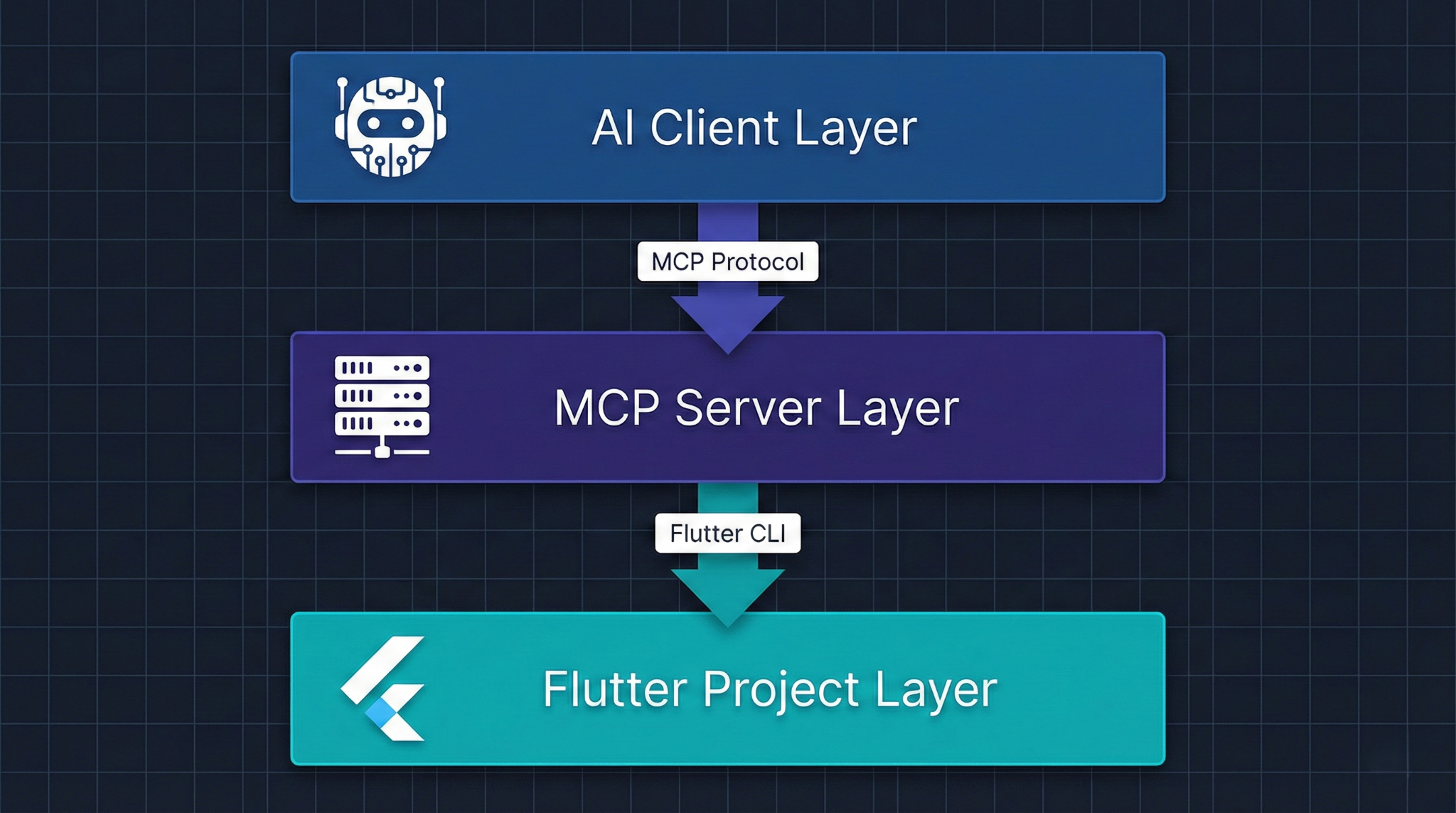
Understanding the architecture is essential before you start building. An MCP-powered Flutter development environment has three main layers: the AI client layer, the MCP server layer, and the Flutter project layer. These communicate in a defined sequence, and getting the data flow right determines whether your setup is genuinely useful or just theoretically sound.
The MCP server is the orchestration layer. It never communicates directly with the AI model's weights — it only responds to structured requests from the client that wraps the model. This separation is what makes the architecture composable. You can swap out the AI client, upgrade the model, or change the transport mechanism without rebuilding your tools.
Implementation Deep Dive
Building a functional MCP server for Flutter is more approachable than it sounds, but it requires deliberate decisions at each step. The reference implementation uses TypeScript with the official @modelcontextprotocol/sdk, which currently has the most mature tooling and documentation. A Dart-native implementation is possible and increasingly practical as the ecosystem matures, but for production use today, TypeScript gives you the most stability.
The following steps reflect a production-oriented setup, not a minimal proof of concept.
- Initialize the MCP server project — Create a new Node.js project, install @modelcontextprotocol/sdk, and configure your tsconfig.json for ESM output. Structure your source with separate modules for tools, resources, and process management from the start — retrofitting this later is painful.
- Define your tool schema — Each tool needs a name, description, and JSON Schema input definition. Be precise with your descriptions; the AI uses them to decide which tool to call. A tool named run_flutter_tests with a vague description will be misused. Include parameter constraints and document what failure looks like.
- Implement Flutter CLI process management — Build a reusable subprocess wrapper that handles stdout/stderr separation, timeout cancellation, and structured exit code interpretation. This is the most critical infrastructure piece in your server.
async function runFlutterCommand(
  args: string[],
  cwd: string,
  timeoutMs = 60000
): Promise<{ stdout: string; stderr: string; exitCode: number }> {
  return new Promise((resolve, reject) => {
    const proc = spawn('flutter', args, { cwd });
    let stdout = '', stderr = '';
    const timer = setTimeout(() => { proc.kill(); reject(new Error('Timeout')); }, timeoutMs);
    proc.stdout.on('data', (d) => (stdout += d.toString()));
    proc.stderr.on('data', (d) => (stderr += d.toString()));
    proc.on('close', (code) => { clearTimeout(timer); resolve({ stdout, stderr, exitCode: code ?? 1 }); });
  });
}
- Register tools with the MCP server instance — Use the SDK's server.tool() method to bind each tool definition to its handler. Keep handlers thin — they should validate inputs, delegate to your process management layer, and serialize results. Business logic does not belong in tool handlers.
- Add resource providers for project context — Tools are action-oriented; resources are read-oriented. Expose your pubspec.yaml, recent build logs, and Dart analysis output as MCP resources. This allows the AI to pull project context without you explicitly feeding it into every prompt.
- Connect and test with an MCP client — Use Claude Desktop or the MCP Inspector tool for initial validation. Verify that tool schemas are correctly introspected, that error cases return structured MCP errors (not unhandled exceptions), and that long-running commands like flutter build behave correctly under your timeout policy.
Advanced Patterns
Once your baseline MCP server is functional, the gap between a useful tool and a genuinely powerful development accelerator comes down to the patterns you build on top of the foundation. Most teams stop at basic CLI wrapping — which is functional but leaves significant capability on the table.
The most impactful advanced patterns for Flutter MCP servers involve giving the AI deeper semantic access to your codebase rather than just raw command output. Parsing Dart analysis JSON output, for example, gives the AI structured error data with file paths, line numbers, error codes, and severity levels — far more actionable than raw stderr text. Similarly, parsing flutter test --machine output gives structured test results rather than formatted terminal strings.
Key optimization patterns worth implementing:
- Semantic widget tree serialization: Use the Flutter DevTools protocol or a custom Dart script to serialize the live widget tree into a structured format the AI can reason over, not just read
- Dependency graph exposure: Parse pubspec.lock into a queryable dependency graph so the AI can reason about version conflicts and transitive dependencies
- Incremental analysis caching: Cache dart analyze results with file modification timestamps to avoid re-analyzing unchanged files on every AI query
- Platform-conditional tool routing: Detect whether the connected device is iOS, Android, or a simulator and route diagnostic tools accordingly — iOS and Android have fundamentally different debugging surfaces
- Golden test diff integration: Expose golden test failure diffs as MCP resources, allowing the AI to see exactly what changed visually and suggest targeted fixes
Real-World Use Cases
Automated Refactoring with Context Awareness
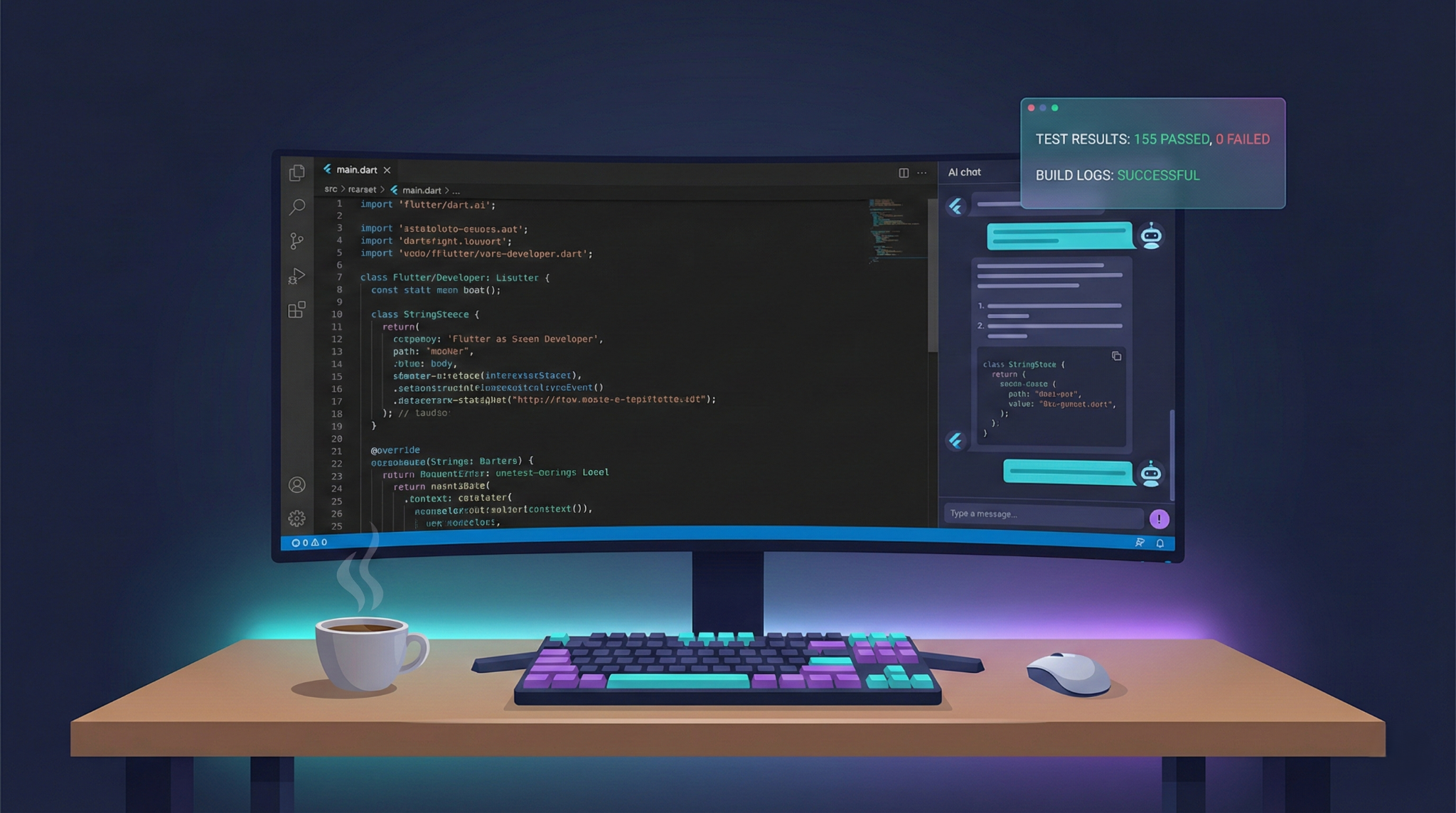
One of the highest-value applications is AI-driven refactoring that understands your actual project structure. When a developer asks an MCP-equipped agent to "migrate this widget to use Riverpod," the agent can call your get_file_content tool to read the current implementation, run_dart_analyze to understand existing dependencies, and get_pubspec to check the current Riverpod version before generating a migration. The result is a refactoring suggestion that accounts for your specific version constraints and coding patterns, not a generic Riverpod tutorial. The tradeoffs here are real: this kind of deep access requires careful permission scoping to ensure the AI can't inadvertently trigger destructive operations, and the quality of the output is still directly tied to the quality of your tool schemas and the AI's reasoning capability.
CI/CD Failure Triage
Flaky CI pipelines are one of the most time-consuming pain points in Flutter development. An MCP server integrated into your CI environment can expose build logs, test results, and device farm outputs as resources. When a build fails, an AI agent can be automatically invoked to triage the failure — distinguishing between a genuine regression, a flaky test, an infrastructure issue, or a dependency conflict — and generate a structured report with recommended next steps. Teams that have implemented this pattern report significant reductions in the time engineers spend manually interpreting CI output. The tradeoff is operational complexity: running an MCP server in CI requires careful process lifecycle management and adds latency to your pipeline feedback loop.
Interactive Codebase Onboarding
Large Flutter codebases with years of accumulated complexity are notoriously hard to onboard into. An MCP server that exposes your project's architecture, module boundaries, and key abstractions as queryable resources allows a new engineer to ask genuinely grounded questions: "What widgets handle authentication state?" or "Which services does the checkout flow depend on?" The AI can traverse your codebase through MCP tools and give accurate, project-specific answers rather than generic architecture patterns. The tradeoff is that the quality of these answers depends heavily on how well your project is organized and documented — an MCP server won't compensate for a codebase with poor module boundaries or inconsistent naming conventions.
Key trade-offs across use cases:
- Depth of integration vs. operational complexity of maintaining the server
- AI autonomy vs. risk of unintended file system or process side effects
- Real-time context accuracy vs. performance cost of frequent tool invocations
- Cross-platform coverage vs. platform-specific tool specialization
Common Mistakes
The most common failure mode when teams first build Flutter MCP servers is treating them as thin wrappers around shell commands and calling it done. Raw command output — especially from Flutter's CLI, which mixes structured data with human-readable progress indicators — is poorly suited for AI consumption. When your run_flutter_test tool returns the raw terminal output with ANSI escape codes and progress spinners mixed into the JSON results, the AI's ability to reason over it degrades significantly. Every tool should parse and normalize its output before returning it.
A second critical mistake is underestimating the importance of error handling. MCP servers that throw unhandled exceptions or return malformed responses cause AI clients to either crash, retry indefinitely, or silently fail. Every tool handler needs explicit error boundaries that return well-formed MCP error responses, not Node.js stack traces.
The five most consequential mistakes to avoid:
- Skipping schema documentation: Undocumented or vague tool descriptions cause the AI to misuse tools, call wrong tools, or fail to call tools it should use
- Synchronous Flutter CLI calls: Blocking the MCP server event loop with synchronous process execution causes timeouts and degrades all parallel tool calls
- Overly broad file system access: Exposing your entire project directory as a readable resource without scoping creates both performance problems and security surface
- Ignoring transport choice implications: Stdio transport is simpler for local development but breaks in CI and remote environments; HTTP+SSE requires more setup but generalizes better
- No version pinning for Flutter SDK: If your MCP server shells out to flutter without pinning the SDK version, behavior will drift as developers update their local Flutter installations
Best Practices
Building a production-quality Flutter MCP server requires the same engineering discipline you'd apply to any other piece of development infrastructure. The fact that it's an internal tool doesn't reduce the importance of reliability, observability, or maintainability. Teams that treat MCP servers as quick scripts tend to accumulate technical debt rapidly — especially as the number of tools grows and the AI client's usage patterns become harder to predict.
Start with a narrow, well-implemented tool set rather than a broad, shallow one. Five tools that work reliably and return well-structured data are worth more than twenty tools with edge case failures. As you expand, the Flutter testing documentation provides a solid foundation for understanding what test-related tools should expose — particularly around integration tests and golden file management, where AI assistance has significant leverage.
Key best practices for Flutter MCP servers:
- Schema-first development: Write your JSON Schema tool definitions before implementing handlers — they serve as both specification and documentation
- Structured logging with correlation IDs: Every tool invocation should be logged with a correlation ID so you can trace AI agent behavior during debugging sessions
- Graceful degradation for Flutter SDK version differences: Detect the active Flutter version at startup and adjust tool behavior or availability accordingly
- Separate read and write tool categories: Make it architecturally explicit which tools can modify the file system or trigger builds, and apply stricter validation to those
- Implement a health check resource: Expose a server://health resource that returns the Flutter SDK version, Dart version, and server configuration — invaluable for debugging client-server mismatches
- Rate limit expensive operations: Tools that trigger full builds or run test suites should have configurable rate limiting to prevent runaway AI agents from consuming all available compute
Conclusion
MCP servers are a major shift in Flutter development, enabling deeper AI integration rather than just improving existing tools.
The advantage comes from how well teams build the tool layer—clear schemas, reliable outputs, and strong error handling directly improve AI effectiveness.
The key isn’t waiting for ready-made solutions, but building modular, team-specific tools now that can evolve over time.
In short, early, disciplined investment in MCP infrastructure creates long-term advantages in AI-assisted development.








