


.png)


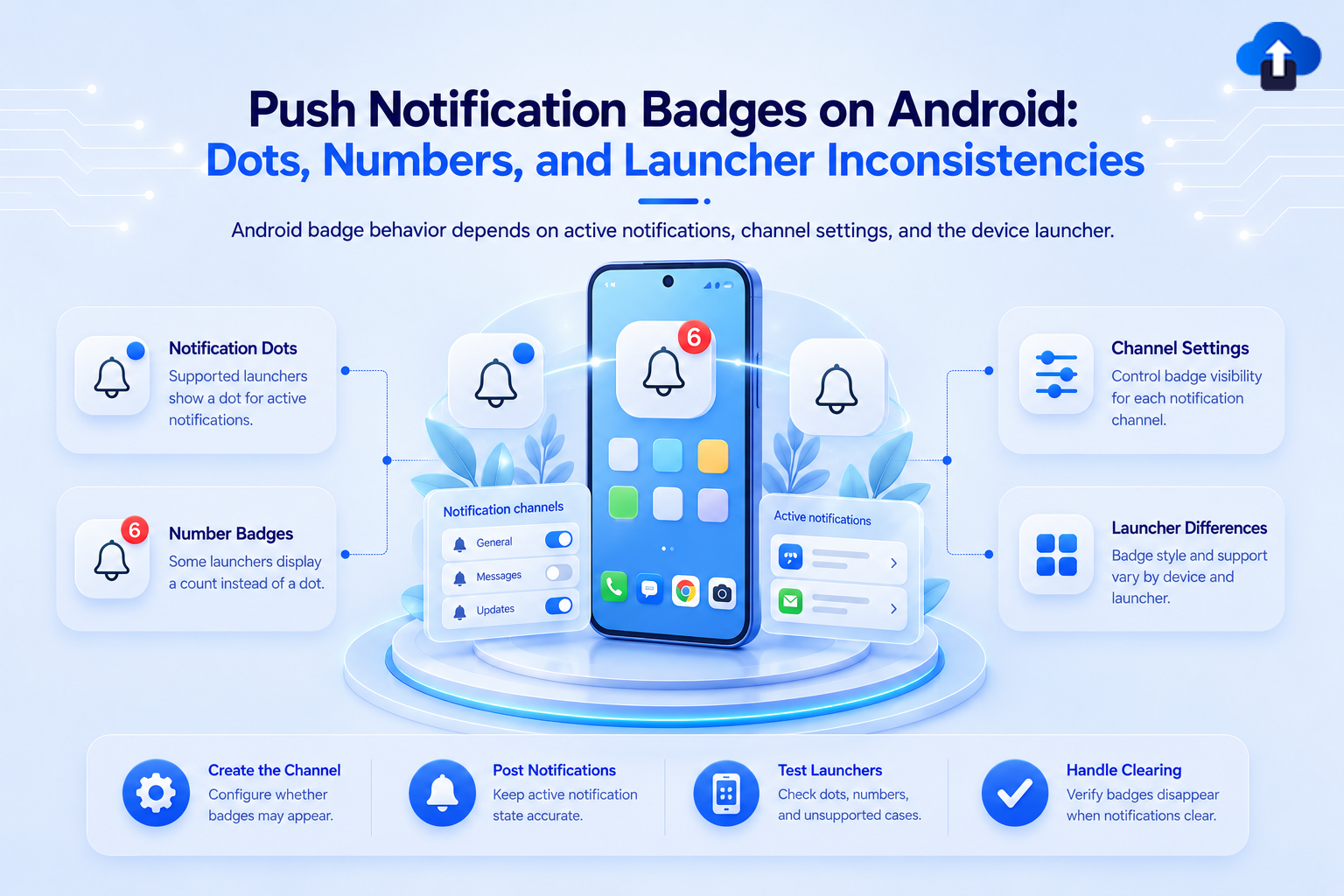
Android badges are not one thing. What your users see depends on their launcher — and most implementations get this wrong.
What Android Actually Renders
Android does not have a native badge system equivalent to iOS. Since API 26 (Android 8.0), the default behavior is a notification dot - a small colored circle on the app icon with no number. The dot indicates that one or more unread notifications exist. It appears automatically when a notification is posted and disappears when all notifications from the app are cleared.
Whether a numeric badge appears - the actual count - depends entirely on the device launcher. There is no unified Android API that guarantees a number on the icon across all devices:
- Stock Android (Pixel, Android One): Dot only. No number is displayed.
- Samsung One UI: Shows a numeric badge. Reads the `setNumber()` value from the notification.
- Xiaomi MIUI: Shows a number via its own badge system.
- Huawei EMUI / HarmonyOS: Shows a number, managed by the OS's own notification badge layer.
- OnePlus OxygenOS: Shows a number on most recent versions.
If your test device shows a badge number but user reports say others don't see it, the difference is the launcher - not your code.
Setting the Badge Count
The standard API for associating a number with a notification is NotificationCompat.Builder.setNumber(). Launchers that support numeric badges read this value and render it:
val notification = NotificationCompat.Builder(context, "builds")
    .setSmallIcon(R.drawable.ic_notification)
    .setContentTitle("New build ready")
    .setContentText("v2.5.0 is available for testing")
    .setNumber(3)
    .build()
NotificationManagerCompat.from(context).notify(NOTIFICATION_ID, notification)
Unlike iOS, there is no FCM payload key equivalent to `aps.badge`. You cannot set the badge number from the server payload alone. The server should send the desired count in the FCM data payload (not the notification object), and your app reads it in the notification display handler:
{
  "message": {
    "token": "DEVICE_FCM_TOKEN",
    "data": {
      "badge_count": "3",
      "title": "New build ready",
      "body": "v2.5.0 is available for testing"
    }
  }
}
Your app then reads badge_count from the data map and passes it to setNumber() when building the notification locally.
Notification Channel Badge Configuration
Badge display on Android is a per-channel setting. When creating a notification channel, set setShowBadge(true) explicitly - it defaults to true on most channels, but being explicit avoids launcher-specific behavior differences:
val channel = NotificationChannel(
    "builds",
    "Build Alerts",
    NotificationManager.IMPORTANCE_HIGH
).apply {
    description = "New build availability alerts"
    setShowBadge(true)
    enableVibration(true)
}
val notificationManager = getSystemService(NotificationManager::class.java)
notificationManager.createNotificationChannel(channel)
Once a channel is created on a user's device, setShowBadge cannot be changed programmatically - only the user can modify it from Settings → Apps → [Your App] → Notifications. Create channels with the correct badge setting from the start.
Clearing the Badge Count
On Android, the notification dot or badge number clears automatically when the associated notification is dismissed — either by the user swiping it away or your app cancelling it programmatically. There is no server-side equivalent to iOS's `badge: 0` silent push.
// Cancel a specific notification
NotificationManagerCompat.from(context).cancel(NOTIFICATION_ID)
// Cancel all notifications from your app
NotificationManagerCompat.from(context).cancelAll()
```
For grouped notifications, dismissing individual notifications does not clear the dot if a group summary notification remains active. Cancel the summary explicitly when the group is empty:
```kotlin
// Check if any notifications remain before cancelling the summary
val activeNotifications = notificationManager.activeNotifications
val groupNotifications = activeNotifications.filter { it.groupKey == GROUP_KEY }
if (groupNotifications.size <= 1) {
    NotificationManagerCompat.from(context).cancel(SUMMARY_NOTIFICATION_ID)
}
Common Issues
Porting iOS badge logic to Android: A common mistake when building cross-platform apps: developers include badge handling in the server payload and expect Android to behave like iOS. It does not. Android ignores any badge-related field in the FCM notification object. Badge count must be set in the app's local notification display code, using data from the FCM data payload - not the notification payload.
Badge numbers missing on some devices but showing on others: This is almost always a launcher difference, not a code bug. Pixel devices on stock Android will never show a number - only a dot. Samsung devices will. Your users are not experiencing a broken feature; they are experiencing fragmentation. Set user expectations accordingly in your app's onboarding if badge counts are important to your UX.
Channel badge setting misconfigured at creation: If setShowBadge(false) was set on a channel - either intentionally or by mistake — no badge dot will appear for that channel, regardless of how the notification is built. Since this cannot be changed after creation, the only fix is to create a new channel with a new ID and migrate users to it.
Notification dot persisting after app open: Unlike iOS (where the app can explicitly zero the badge), Android's dot only clears when the actual notification is cancelled. If your app marks content as read without cancelling the notification, the dot stays. Always call NotificationManager.cancel() when the user has viewed the relevant content, not just when the notification is tapped.
Conclusion
Android badge behavior is not a standard - it is a negotiation between your notification code, the device launcher, and the user's channel settings. Do not port iOS badge logic to Android expecting the same result. Design for the dot as the baseline, treat numeric badge counts as a progressive enhancement for launchers that support it, and handle clearing at the notification cancellation level rather than via a server payload.
When sending notifications via AppsOnAir Push Notifications, Android badge behavior depends on the device launcher and notification configuration. Unlike iOS, Android does not support a universal badge-count field in the FCM payload. AppsOnAir handles push delivery, while numeric badge counts must be managed by your app and backend using Android's notification APIs where supported. Exact badge display is launcher-dependent, and no numeric count is guaranteed across all Android devices.









