


.svg)



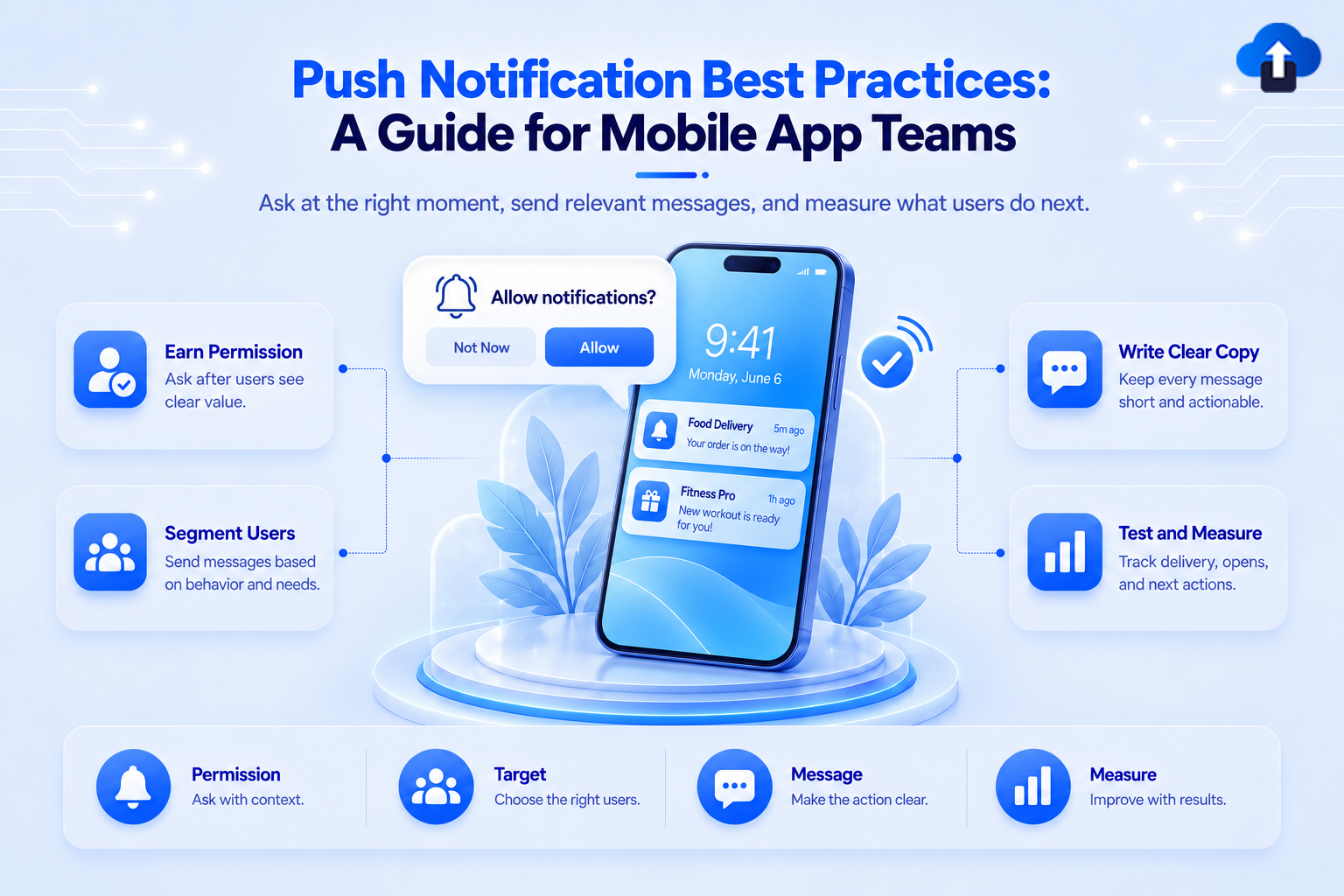
Push notifications give mobile apps a direct way to reach users outside the app. They can confirm an order, remind someone about an appointment, announce a product update, or bring an inactive user back.
That direct access also creates risk. An irrelevant notification can be dismissed in a second. Too many poorly timed messages can cause users to mute notifications or remove the app.
The push notification best practices in this guide will help product, marketing, and engineering teams send messages that are useful, timely, and easy to act on. They also provide a practical foundation for teams using AppsOnAir Push notifications to manage notifications across iOS and Android.
What makes a push notification effective?
An effective push notification gives the right user useful information at the right moment. It has a clear purpose and leads the user to a relevant place inside the app.
Good performance does not depend on clever copy alone. Permission timing, audience selection, delivery rules, app navigation, localization, and measurement all affect the result.
Before creating a notification, answer four questions:
- Who needs this message?
- Why do they need it now?
- What action should they take?
- What should happen after they tap it?
If the team cannot answer these questions clearly, the notification probably needs more work.
1. Set one goal for every notification
Start with the outcome, not the message. A notification might need to confirm a payment, recover an abandoned cart, remind a user about an appointment, or introduce a new feature.
Do not combine several goals in one notification. A message that announces a feature, promotes a discount, and asks for feedback gives the user too much to process on a small screen.
Give each notification one audience, one purpose, and one next step. This also makes campaign measurement more useful because the team knows which action defines success.
2. Ask for permission after showing the value
Notification permission is easier to understand when users know what they will receive. Asking immediately after the first app launch gives them little reason to approve the request.
Wait for a relevant moment. A shopping app can explain that notifications provide delivery updates. A finance app can connect them to account and security alerts. A productivity app can request permission when the user creates a reminder.
Both Apple and Android require teams to handle notification permission carefully. Apple recommends requesting authorization in a context that helps people understand why the app needs it. Android 13 and newer versions also require runtime notification permission.
Use a short in-app explanation before the system prompt. State the value plainly, then let the operating system handle the permission request.
3. Let users control what they receive
A single on-or-off choice gives users limited control. Someone may want order updates but not promotional offers. Another user may want security alerts but no weekly summaries.
Create notification preferences for important categories when the app supports several message types. Useful options may include transactional updates, reminders, recommendations, promotions, and product news.
Preference controls help preserve permission because users can turn off one category without blocking every notification from the app.
4. Segment users before sending
Broadcasting every notification to the full audience is rarely the best choice. Users have different interests, activity levels, locations, languages, and stages in the customer journey.
Build segments around information that changes the relevance of the message. For example, send a cart reminder only to users who left an item behind. Send an app feature announcement to users who can access that feature.
Useful segmentation criteria include:
- Recent actions or inactivity
- Subscription or account status
- App version and device platform
- Location and time zone
- Language and stated preferences
Keep segments understandable. If nobody can explain why a user belongs to a segment, targeting errors become harder to find.
5. Use behavior-based triggers when possible
Behavior-based notifications respond to a user action or a meaningful lack of action. They usually have more context than messages sent according to a general campaign calendar.
Examples include a payment confirmation after checkout, a reminder before an appointment, or a prompt to continue an unfinished setup. The user can connect the notification to something they recently did or expected to happen.
Define each trigger carefully. Add delay rules, eligibility conditions, and exit conditions so users do not receive an outdated message after completing the intended action.
6. Write for a small screen
A push notification has limited space and competes with other alerts. Put the most useful information first and remove words that do not help the user decide what to do.
Use the title to name the event or benefit. Use the body to add the detail needed for action. Avoid vague openings such as "Good news" when the message can say "Your order has shipped."
Compare these examples:
Vague: You do not want to miss this amazing opportunity.
Clear: Your saved item is back in stock. Order while it is available.
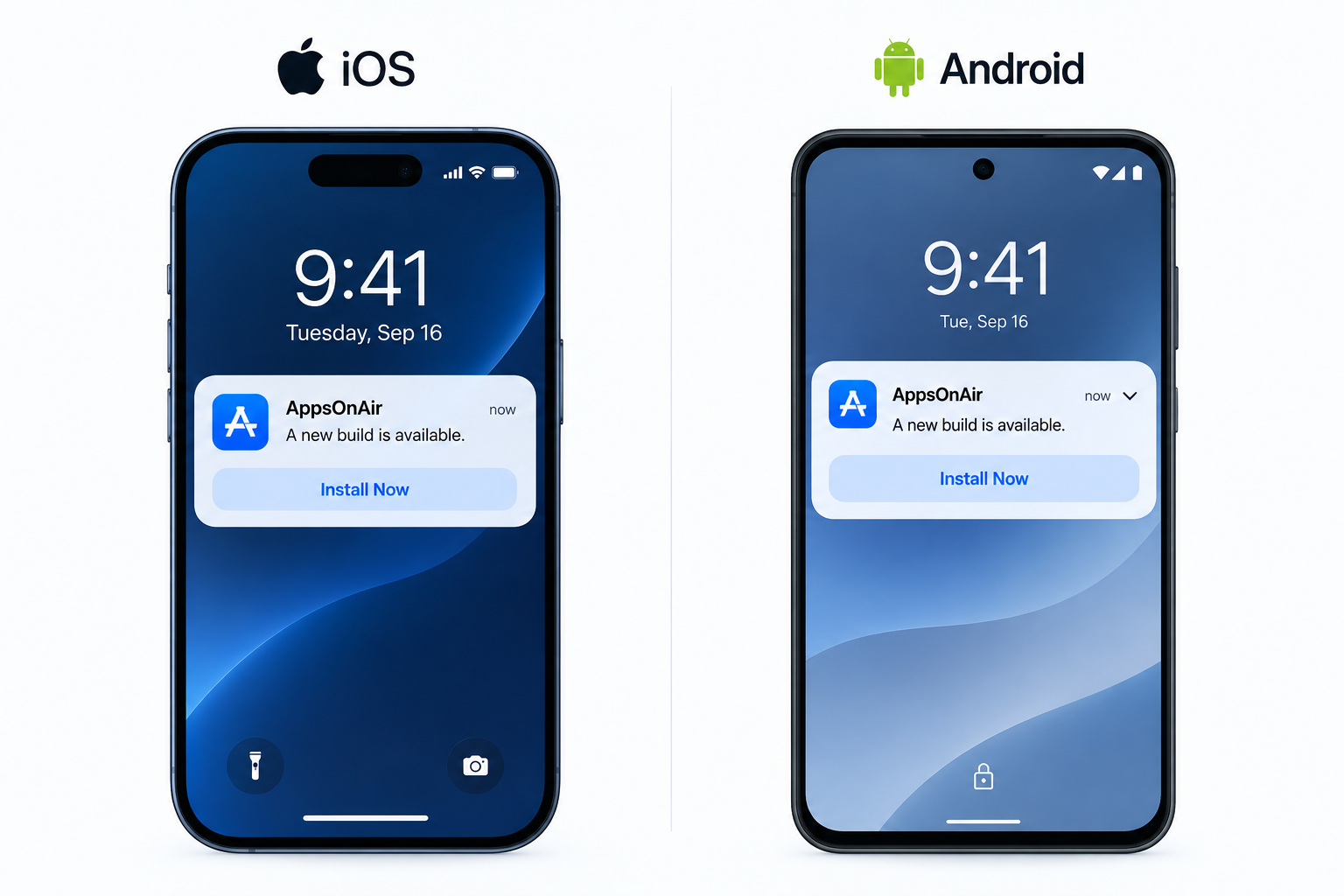
Always preview the notification on iOS and Android. Device settings, screen size, and operating system behavior can change how much text appears.
7. Make the next action clear
Users should understand what will happen when they tap the notification. The message and destination need to support the same action.
Use direct language such as "Track order", "Review sign-in", "Complete setup", or "View appointment". Avoid a generic CTA when a more specific one is available
The destination also matters. A notification about an order should open the relevant order screen, not the app homepage. Every extra step increases the chance that the user leaves before completing the action.
8. Personalize with useful context
Personalization should make the message more relevant. Adding a first name to an unrelated promotion does not achieve that.
Use information connected to the user's activity, such as an order status, saved item, selected language, subscription state, or upcoming booking. The message should still make sense if the personalization field is missing.
Review sensitive data before placing it on the lock screen. Health information, financial details, account data, and private messages may be visible to other people near the device.
9. Choose timing based on the message
There is no universal best time to send a push notification. The correct time depends on why the notification exists.
Transactional messages should usually follow the related event. A payment confirmation loses value if it arrives hours later. Promotional and educational messages require more testing because user routines vary by product and region.
Use the recipient's local time zone for scheduled campaigns. Review activity patterns by segment instead of selecting one send time for the entire audience.
10. Set frequency limits
Each notification may look reasonable on its own while the combined experience feels excessive. Separate teams may send product updates, campaigns, reminders, and account messages to the same user.
Create frequency rules across the full notification program. Decide which messages can bypass limits, such as security alerts or active delivery updates, and which messages should wait.
Monitor opt-outs and engagement by message category. A rising opt-out rate can show that frequency or relevance needs attention, even if opens remain stable.
11. Match urgency to real importance
Do not label every notification as urgent. High-priority delivery, prominent alerts, sounds, and interruption settings should reflect a genuine need for immediate attention.
A security warning or gate change may justify interruption. A weekly content recommendation usually does not. Overusing urgency trains users to ignore alerts and may conflict with platform expectations.
For Android delivery, choose message priority based on the use case. Firebase recommends normal priority for less time-sensitive messages because high priority is intended for content that requires immediate user attention.
12. Localize the complete message
Translation improves clarity only when the full experience is consistent. Localize the title, body, CTA, numbers, currency, dates, and destination content.
Do not rely on direct word-for-word translation. A short phrase in one language may become much longer in another and get cut off on the device.
Preview every language version and create a fallback for users without a known language preference. The fallback should be a deliberate choice, not an empty or partially translated notification.
13. Use rich content only when it helps
Images, action buttons, sounds, badges, and expanded layouts can add context. They can also distract from the message or behave differently across platforms.
Use an image when it helps users recognize the content, product, or event. Use action buttons for common decisions that users can complete safely, such as tracking an order or snoozing a reminder.
Always provide a useful text version. Network conditions, device support, and notification settings may prevent rich elements from appearing.
14. Test the complete notification flow
Proofreading the message is only one part of testing. Teams should test permission handling, delivery, rendering, tap behavior, deep links, fallback routes, and analytics events.
Test common app states, including foreground, background, closed, logged in, and logged out. Check what happens when the destination no longer exists or the user lacks access to it.
Use a small internal audience before a large campaign. Confirm the segment, language, platform, schedule, and links before approving the final send.
15. Measure actions beyond the open
An open or tap shows interest, but it does not confirm that the notification achieved its goal. Match measurement to the intended outcome.
Track delivery first so the team knows whether the notification reached the device. Then review opens or taps, the target in-app action, conversions, opt-outs, and failures where the data is available.
For example, measure completed checkouts for a cart reminder and confirmed attendance for an appointment reminder. A high open rate with a low completion rate may point to a weak destination or a mismatch between the message and the app experience.
Run controlled tests on one meaningful element at a time. Compare the message, timing, audience, or creative treatment while keeping the rest of the campaign consistent.
Apply these practices with AppsOnAir Push Notification
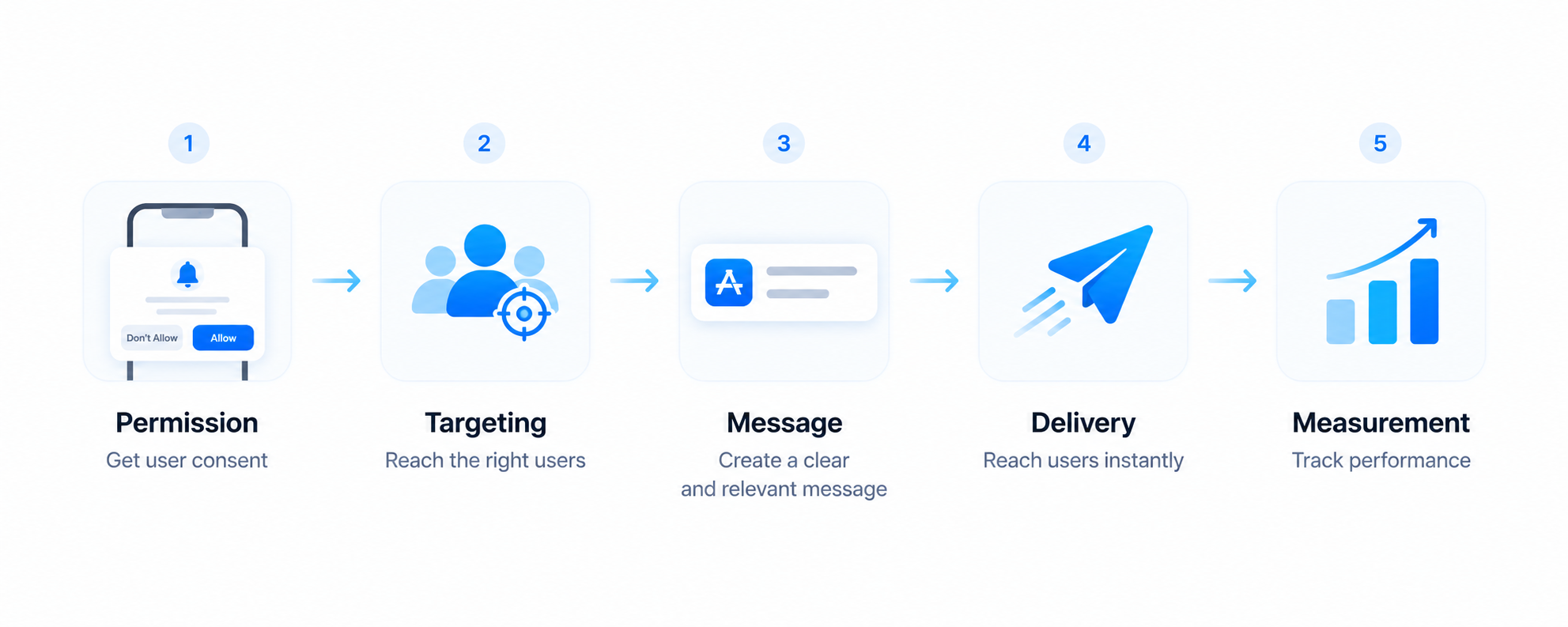
Strong notification programs need more than good copy. Teams also need a consistent way to define audiences, prepare message variants, deliver notifications, and review what happened after each send.
AppsOnAir Push Notification lets mobile teams create, send, and track push notifications from one place. Teams can target users by segment, language, platform, activity, or customer data. They can also prepare multiple language versions and track notifications that were sent, delivered, and opened.
AppsOnAir Push Notification supports iOS and Android, with options for React Native, Flutter, and REST API workflows. This gives product, marketing, and engineering teams a shared system for applying the practices covered in this guide.
Common push notification mistakes
Sending every message to everyone
Large audiences can produce more total opens, but they also expose more users to irrelevant messages. Use the smallest segment that matches the purpose of the notification.
Asking for permission without context
Users are more likely to understand the request after they see the value of notifications inside the app. Connect the prompt to a feature or action they already care about.
Treating opens as the only success metric
An attention-grabbing message can earn taps without creating value. Measure the in-app action connected to the campaign goal.
Ignoring the destination
A clear notification cannot fix a slow, broken, or unrelated destination. Test the entire journey after the tap.
Sending without a final audience check
An incorrect segment, time zone, or language can affect thousands of users. Add a final review step that confirms the audience and delivery settings before sending.
Frequently asked questions
What is the most important push notification best practice?
Send notifications only when they provide clear value to a relevant user. Good copy cannot compensate for poor targeting, unnecessary messages, or bad timing.
How often should a mobile app send push notifications?
There is no fixed frequency that works for every app. Base frequency on user expectations, message type, recent activity, and engagement data, then use limits to prevent overlapping campaigns.
What is the best time to send push notifications?
The best time depends on the notification's purpose and the user's local behavior. Send transactional alerts when the related event occurs and test scheduled campaigns by audience and time zone.
How long should a push notification be?
A push notification should be long enough to explain the value and next action without depending on expanded text. Preview it on iOS and Android because visible character space varies by device and settings.
Why is push notification segmentation important?
Segmentation helps teams send messages to users whose behavior, preferences, language, or account state matches the notification. This reduces irrelevant sends and makes campaign data easier to interpret.
Which push notification metrics should teams track?
Track sent, delivered, opened or tapped, target action completed, conversion, opt-out, and delivery failure data where available. Choose the main success metric according to the notification's goal.
Final thoughts
The best push notification strategy respects the user's attention. Every message should have a clear audience, a useful purpose, appropriate timing, and a destination that completes the experience.
Start with a small set of rules that every team follows. Review permission timing, targeting, frequency, testing, and measurement as one connected process. Then improve individual campaigns using reliable data instead of assumptions.
AppsOnAir Push Notification gives mobile teams one place to manage these workflows across iOS and Android. Explore AppsOnAir Push to create more relevant notifications and understand what happens after they are sent.








