


.png)


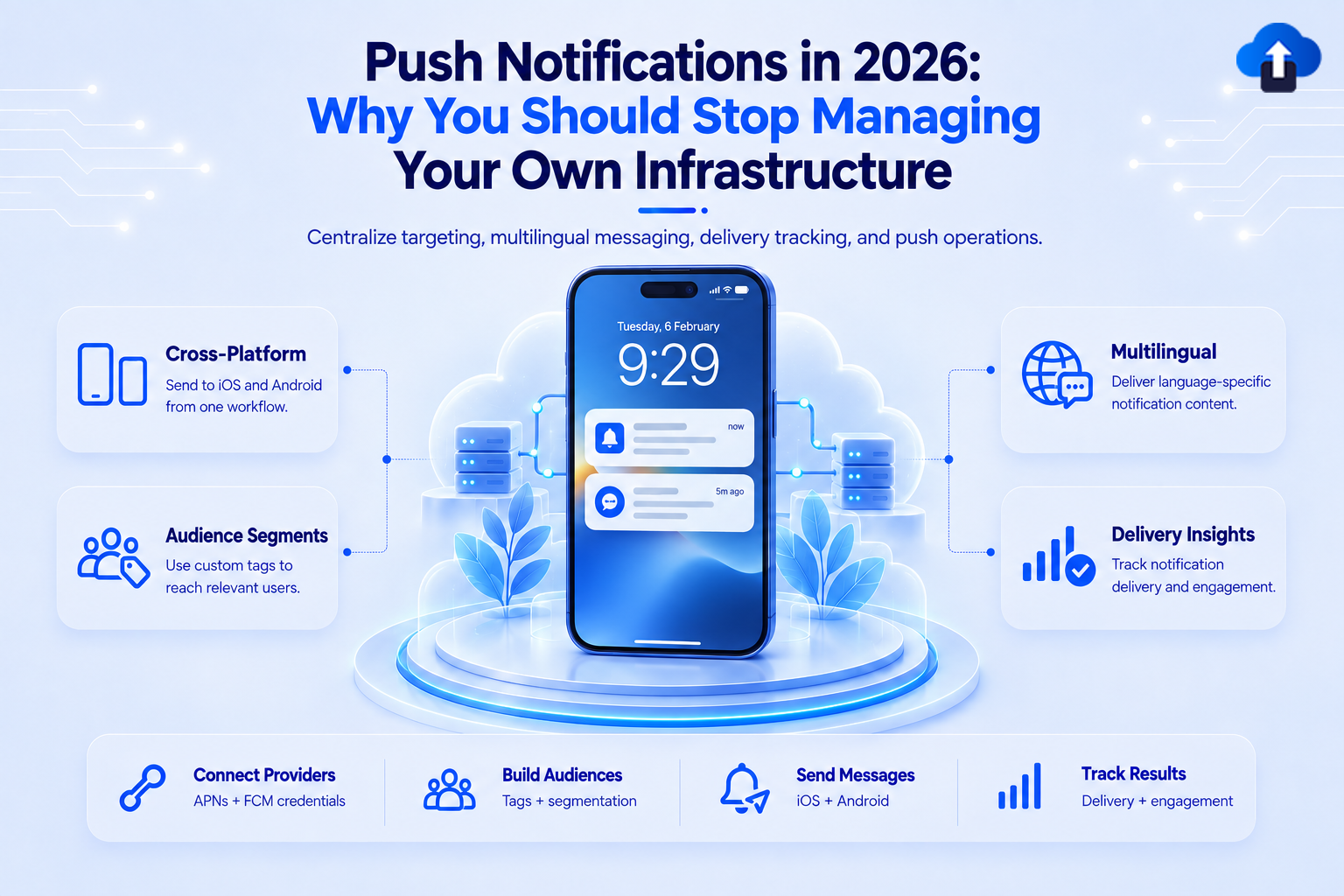
The ops burden of self-managed push has compounded quietly for years. Here's the honest accounting, and what a unified platform actually looks like
The Real Cost of Self-Managed Push
Push notifications look simple on paper: call an API, a message appears on a device. In production, teams running push at scale are quietly maintaining a second infrastructure layer with its own failure modes, credential lifecycle, and incident surface.
The operational costs that accumulate over time:
Credential management: Push credentials are long-lived secrets that live in secrets managers, CI pipelines, and occasionally in repositories where they should not be. Every new team member needs access. Every credential rotation requires updates across every service that sends notifications. When a credential expires or is revoked, every send silently fails.
Per-platform implementation: iOS and Android have different push APIs, different authentication mechanisms, different payload structures, different error codes, and different retry semantics. Every React Native, Flutter, or native version bump is a potential regression on either or both platforms. A team shipping to both platforms is maintaining two distinct push implementations.
Delivery analytics are DIY: Platform push APIs return delivery receipts only at the send layer - whether the message reached the provider's server, not whether it reached the device or was opened. Open rates, conversion tracking, and segment-level analytics require a separate pipeline that someone must build and maintain.
Retry and token hygiene: Push APIs return error codes requiring conditional retry logic - rate limits, invalid tokens, temporary unavailability. Tokens for uninstalled apps accumulate in databases and inflate send counts. Cleaning stale tokens is an ongoing maintenance task, not a one-time setup.
Incident response: When a push provider changes an API, deprecates a credential format, or experiences an outage, the on-call engineer is responsible for the response. The knowledge of how the system works concentrates on whoever set it up.
What Changed in 2024–2026
FCM Legacy API Shutdown - June 20, 2024
Google shut down the FCM Legacy HTTP API and FCM XMPP API on June 20, 2024. Teams that had not migrated to the FCM HTTP v1 API (OAuth 2.0) had push outages. The migration required:
- Replacing simple API keys with OAuth 2.0 service account credentials (a JSON key file)
- Updating server-side send code to the v1 payload format
- Handling OAuth token refresh (tokens expire every 60 minutes)
- Updating third-party push libraries that abstracted the legacy API
The v1 API uses per-request OAuth 2.0 tokens generated from the service account:
http
POST https://fcm.googleapis.com/v1/projects/PROJECT_ID/messages:send
Authorization: Bearer ACCESS_TOKEN
Content-Type: application/json
{
  "message": {
    "token": "DEVICE_FCM_TOKEN",
    "notification": {
      "title": "New build ready",
      "body": "v2.4.1 is available for testing"
    },
    "android": {
      "priority": "high"
    },
    "apns": {
      "headers": {
        "apns-priority": "10"
      }
    }
  }
}
APNs: Token-Based Authentication Is the Standard
Apple deprecated certificate-based APNs authentication (`.p12` files) years ago. Token-based authentication using `.p8` keys is the current standard and the only path forward.
How it works:
1. You generate a `.p8` private key in Apple Developer portal (one key can be used for all your apps)
2. Your server uses the `.p8` key to sign a JWT (JSON Web Token)
3. The JWT is sent with every APNs request in the `Authorization` header
4. JWTs expire after 60 minutes - your server must refresh them
The `.p8` key itself does not expire, but if it is ever compromised, you revoke it in the Apple Developer portal and all services using it immediately stop working until updated.
# APNs request structure
POST /3/device/DEVICE_TOKEN HTTP/2
Host: api.push.apple.com
Authorization: Bearer SIGNED_JWT
apns-topic: com.yourcompany.yourapp
apns-push-type: alert
apns-priority: 10
Content-Type: application/json
{
  "aps": {
    "alert": {
      "title": "New build ready",
      "body": "v2.4.1 is available for testing"
    },
    "sound": "default"
  }
}
Official source: Sending notification requests to APNs - Apple Developer Documentation
iOS 27: Live Activities Use Separate Push Tokens
iOS 27 Live Activities (Dynamic Island and Lock Screen real-time updates) use a distinct push token from the standard device push token. You cannot send a Live Activity update to a standard APNs device token. If your app plans to use Live Activities:
- Your app must request a Live Activity push token separately via ActivityKit
- Your server must store, refresh, and route two token types per device
- The Live Activity push endpoint uses `apns-push-type: liveactivity`
- Live Activity tokens expire when the activity ends - your server must handle this lifecycle
Official source: Starting and updating Live Activities with ActivityKit push notifications
Android 13+: POST_NOTIFICATIONS Runtime Permission
Android 13 (API 33) introduced `POST_NOTIFICATIONS` as a runtime permission. This changed push notification delivery fundamentally:
- Apps must request the permission at runtime - they cannot send notifications without it
- Users who deny twice cannot be re-prompted; the system suppresses all future permission dialogs from your app
- Users who deny can only re-enable from system Settings → App → Notifications
- targetSdkVersion 33+ makes the permission mandatory; apps targeting lower SDKs get a grace period on upgrade
The consequence: your onboarding flow must surface the value of notifications before the first prompt. A cold-open permission dialog with no context gets denied, permanently.
dart
// Flutter: request permission with permission_handler
import 'package:permission_handler/permission_handler.dart';
final status = await Permission.notification.request();
if (status.isPermanentlyDenied) {
  // Direct user to app settings -- cannot re-prompt
  openAppSettings();
}
Official source: Notification runtime permission - Android Developers
Rich Notifications and Background Delivery
Rich Notifications (iOS)
Rich notifications - notifications that display an image, GIF, video, or a fully custom UI - are implemented via a Notification Service Extension: a separate iOS app extension that the system invokes to intercept and mutate a notification payload before it is displayed to the user.
Key facts teams often miss:
The extension is a separate binary compiled into your app bundle. It has its own entitlements, its own `Info.plist`, and - since iOS 27 - its own `PrivacyInfo.xcprivacy` if it accesses any required-reason APIs (e.g., NSUserDefaults for badge count persistence).
- For the extension to be invoked, the APNs payload must include "mutable-content": 1 in the aps dictionary. A payload without this flag is delivered directly to the system notification UI - the extension is never called.
- The extension has a limited execution window (approximately 30 seconds) to download and attach media. If the download does not complete within this window, the system delivers the notification without the attachment - falling back to the plain text title and body.
- Notification attachments (images, GIF, video) are downloaded inside the extension using URLSession and provided to the system via `UNNotificationAttachment`. Video files must not exceed the system size limit (currently 50 MB for video, 10 MB for images, 5 MB for GIF).
// APNs payload -- mutable-content required for Notification Service Extension
{
  "aps": {
    "alert": {
      "title": "New build ready",
      "body": "v2.4.1 is available. Tap to install."
    },
    "mutable-content": 1,
    "sound": "default"
  },
  "attachment-url": "https://cdn.yourcompany.com/builds/v2.4.1-thumbnail.png"
}
Official source: UNNotificationServiceExtension - Apple Developer Documentation
Background Push (iOS)
Background pushes deliver a signal to the app without displaying a visible notification. They are used for silent data sync, content prefetch, and cache invalidation.
- The APNs payload must include "content-available": 1 in the `aps` dictionary and must not include alert, sound, or badge keys - a payload with both content-available and alert is treated as a regular notification, not a background push.
- The app must have Background Modes → Remote notifications enabled in Xcode (under Signing & Capabilities). Without this capability, background pushes wake the app but application(_:didReceiveRemoteNotification:fetchCompletionHandler:) is never called.
- iOS throttles background push delivery based on the app's background execution budget. The OS tracks how efficiently the app uses background time - apps that consume excessive CPU or return `.noData` frequently are deprioritized for future background pushes.
- Background pushes are not guaranteed. The OS may delay or drop them when the device is in Low Power Mode, when the device is on a cellular connection rather than Wi-Fi, or when the app has exceeded its background execution budget.
Official sources:
Android Notification Channels (API 26+)
Android 8.0 (API 26) introduced notification channels as a required routing layer for all notifications. Every notification must be assigned to a channel - notifications sent without a valid channel ID are silently dropped on API 26+ devices.
Design implications teams often get wrong:
Users can disable individual channels from Settings → Apps → [Your App] → Notifications. If your app uses a single channel for all notifications and the user disables it, all notifications stop. The app has no way to re-enable the channel - only the user can do so from Settings.
- Design at minimum two channels: one for transactional or critical notifications (account security, order confirmations, build alerts) and one for marketing or informational content (promotions, newsletters, tips). This lets users opt out of marketing noise without losing critical alerts.
- Channel configuration - sound, vibration pattern, importance level (`IMPORTANCE_HIGH`, `IMPORTANCE_DEFAULT`, etc.), and whether to show a badge - is set at channel creation time. Once a channel is created on a user's device, the app cannot change these values programmatically. Only the user can modify channel settings from the system UI. If you create a channel with the wrong importance level, the only fix is to create a new channel with a new ID.
// Android: create notification channels at app startup
val channelTransactional = NotificationChannel(
    "transactional",
    "Account & Order Alerts",
    NotificationManager.IMPORTANCE_HIGH
).apply {
    description = "Security alerts, order confirmations, and build notifications"
    enableVibration(true)
}
val channelMarketing = NotificationChannel(
    "marketing",
    "Promotions & Tips",
    NotificationManager.IMPORTANCE_DEFAULT
).apply {
    description = "Product updates, tips, and promotional content"
}
val notificationManager = getSystemService(NotificationManager::class.java)
notificationManager.createNotificationChannels(listOf(channelTransactional, channelMarketing))
Official source: Create and manage notification channels - Android Developers
The Operational Overhead: Self-Managed vs Unified Platform
AppsOnAir Push Notifications - Beta
AppsOnAir Push Notifications extends the OTA distribution platform with a unified push delivery layer, currently in beta.
What it covers:
- Delivery to iOS and Android from a single integration - no per-platform send logic on your server
- Targeting segments - send to specific app versions, device groups, or custom segments you define
- Open rate and delivery analytics out of the box - no custom pipeline required
- Advanced notification for mobile platforms.
Setup is required:
You can configure your platform push credentials once in the AppsOnAir portal, integrate the SDK into your app, and route sends through the API or portal UI. This is not a zero-configuration service - push delivery requires your APNs and FCM credentials. The difference is that you configure them once in one place, not once per service that sends notifications.
If you are already using AppsOnAir for OTA distribution, the same portal and SDK surface handles push. Same app, same team, same distribution groups - push targeting maps directly to your existing OTA segments.
Get started: AppsOnAir Push Notification
Migration Checklist:
For teams moving from self-managed push:
- Setup Push notification configuration on AppsOnAir portal (onetime setup).
- Export Notification data from existing platforms.
- Import Exported data on AppsOnAir web portal.
- Integrate SDK on your mobile applications.
Token Management in Production:
Token hygiene is one of the most consistently underbuilt parts of push infrastructure. The issues below are well-documented in platform documentation but rarely addressed until they cause production failures.
Token lifecycle facts teams often miss
iOS push token rotation: APNs device tokens are not permanent. A token can change after an app reinstall, after an iOS major version update, or at Apple's discretion as part of its security model. Your server must handle token updates: when the app launches an application(_:didRegisterForRemoteNotificationsWithDeviceToken:) fires, compare the new token against the stored value and update your server if it has changed. If a send request to APNs returns a `BadDeviceToken` or `Unregistered` error response, remove that token from your database immediately. Continued sends to invalid tokens are tracked by APNs and can result in rate limiting of your sending endpoint.
Android FCM token refresh: FCM device registration tokens are refreshed when the app is restored from a backup on a new device, when the app is uninstalled and reinstalled, or when the user clears app data from Settings. Implement `FirebaseMessaging.instance.onTokenRefresh` as a persistent listener in your app initialization path to capture new tokens and push them to your server. A token refresh that goes undelivered to your server means that device stops receiving notifications until the next app launch that triggers the token update.
Token deduplication: Internal builds, development builds, and production builds installed on the same device under the same user account each produce a distinct push token. Without deduplication scoped by appId and bundleIdentifier (iOS) or applicationId (Android), every notification sends to all installs simultaneously. Scope token storage by the combination of userId + appId + bundleIdentifier, not by userId alone.
Silent deactivation rate:
At scale, 2–5% of a registered token base becomes invalid monthly - from device replacements, uninstalls, and iOS token rotation. Sending to stale tokens wastes push provider capacity and inflates delivery and open rate metrics (a send to an invalid token is counted as a send but never reaches a device). Stale token cleanup must run on a schedule - reactive cleanup on error response alone is not sufficient at this rate. Implement a periodic sweep that removes tokens not refreshed within a defined window (commonly 60–90 days).
Official sources:
- Handling APNs error responses - Apple Developer Documentation
- Manage FCM registration tokens - Firebase Documentation
When Should You Use a Unified Push Platform?
Multiple platforms: You maintain both APNs and FCM infrastructure.
Growing user base: Token management, retries, and delivery analytics become operational concerns.
Multiple environments: Staging, production, and multiple apps require increasingly complex credential management.
Small mobile/DevOps teams: Reducing infrastructure ownership lets the team focus on product development.
Conclusion
Push notifications are no longer just an API integration. As mobile platforms evolve, teams must continuously manage credentials, platform changes, token lifecycles, retries, analytics, and production incidents across iOS and Android.
For teams that want to keep full control, self-managed infrastructure can still be the right choice. But for teams looking to reduce operational overhead and move faster, a unified push platform can centralize the complexity while providing the tooling needed for reliable delivery at scale.
The goal is not simply to send a notification. It is to build a push infrastructure that remains reliable, maintainable, and adaptable as mobile platforms change.
With AppsOnAir Push Notifications now in beta, teams can centralize push configuration, delivery, targeting, and analytics alongside their existing mobile distribution workflow.








