


.png)


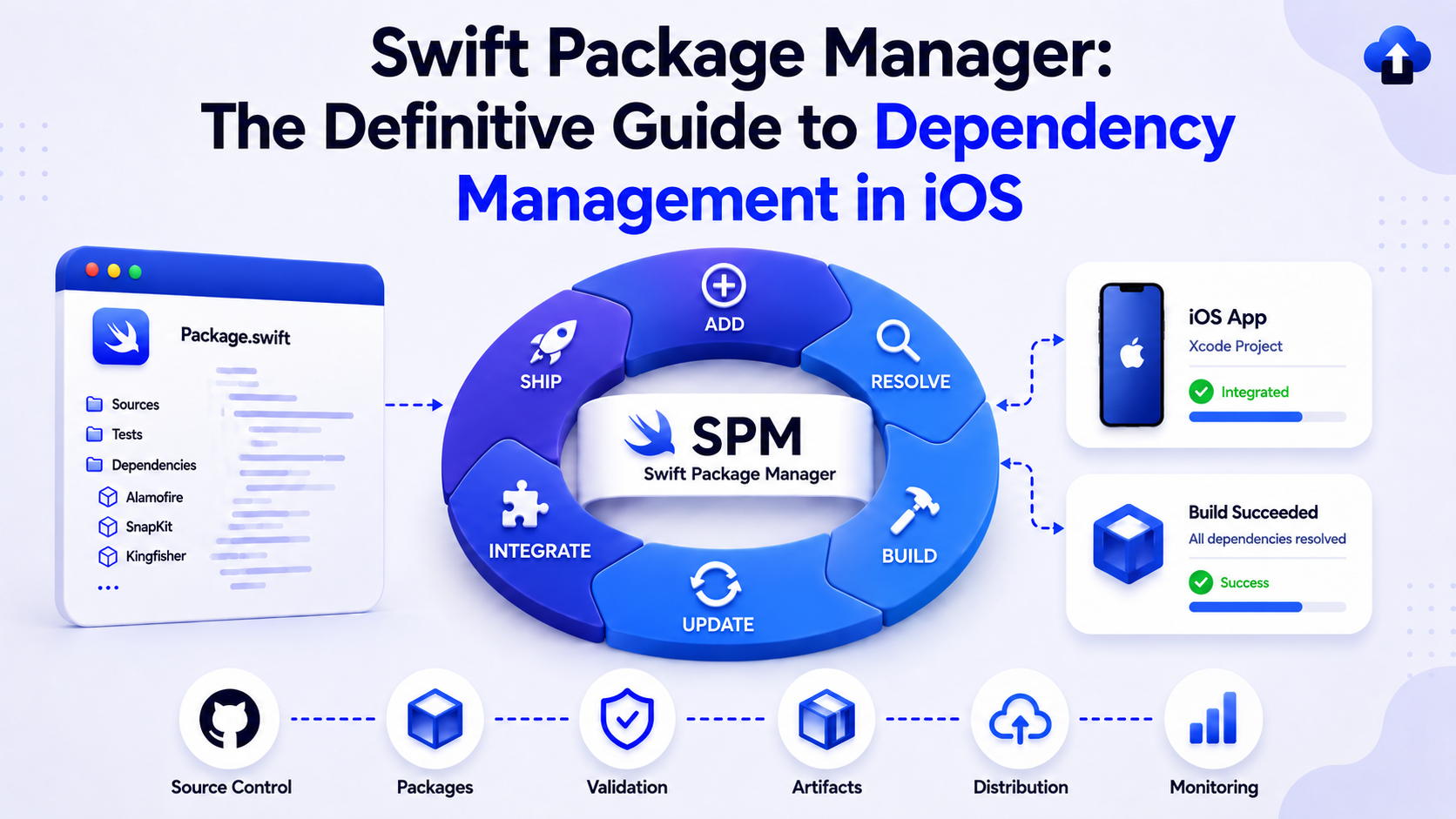
Executive Summary
Swift Package Manager (SPM) is Apple's official, standardized dependency management tool for Swift projects. As of Xcode 11 (2019), SPM is fully integrated into the Xcode ecosystem and serves as the recommended approach for managing code dependencies in iOS, macOS, watchOS, tvOS, and visionOS applications. This guide provides a comprehensive overview of SPM capabilities, implementation strategies, and enterprise best practices for organizations managing Swift-based development workflows.
Overview of Swift Package Manager
Definition and Architecture
Swift Package Manager is a declarative, open-source dependency management system developed and maintained by Apple. It enables developers and organizations to systematically define, publish, resolve, and integrate Swift packages discrete units of reusable code with full version control, integrity verification, and reproducibility guarantees.
Unlike third-party dependency managers (such as CocoaPods or Carthage), SPM operates as a native component of the Swift toolchain and Xcode ecosystem, ensuring direct compatibility with compiler releases, security updates, and platform evolution. SPM was introduced in Swift 3.0 (2016) and achieved production-ready status in Swift 5.1 (2019).
Core Components
A Swift package comprises the following structural elements:
- Package Manifest (Package.swift): A Swift-based declarative file that specifies the package name, supported platforms, product definitions, dependencies, and build targets.
- Products: Compiled outputs (libraries, executables, or plugins) that a package provides for consumption by other packages or applications.
- Targets: Logical build units within a package, containing source files, resources, and test suites. Each target may declare its own dependencies.
• Dependencies: External packages, identified by Git repository URL and version constraints, that are required by one or more targets.
• Package.resolved: An auto-generated lock file that records the exact versions of all transitive dependencies, ensuring reproducible builds across development environments and CI/CD pipelines.
Governance and Platform Support
SPM is owned and maintained by Apple Inc. as part of the official Swift open-source project (swift.org). Development occurs transparently on GitHub under the Xcode license, with community participation and input. SPM support is integrated into all current and supported versions of Xcode, ensuring long-term stability and compatibility.
Supported Platforms:
- Apple Platforms: iOS, macOS, watchOS, tvOS, visionOS
- Server-Side: Linux, Windows (via Swift toolchain)
- Minimum Deployment Targets: Varies by platform; iOS packages typically target iOS 13.0 or later.
Functional Capabilities and Features
Dependency Resolution
SPM implements a deterministic version resolution algorithm that selects compatible versions of all transitive dependencies while respecting version constraints specified in Package.swift. The resolver guarantees that the same Package.resolved file is generated across all environments, eliminating "works on my machine" issues.
Version Constraint Specifications
Build Configuration and Targets
SPM supports conditional compilation and platform-specific targets, enabling organizations to maintain a single codebase with platform-specific variants. Targets can be configured as source targets, test targets, or plugin targets, each with distinct dependencies and build settings.
Build Tool Plugins (Swift 5.6+)
SPM supports build tool plugins that integrate code generation, linting, and compilation tools directly into the build process. Common use cases include:
• SwiftGen: Code generation for resources (images, colors, fonts)
• SwiftLint: Code style enforcement and static analysis
• Sourcery: Template-driven code generation
Integration Strategies
New Project Setup
For newly initiated projects, implementing SPM from inception establishes clear dependency boundaries and enables modular architecture:
1. Create the Xcode project with Swift as the language
2. Navigate to Project > Package Dependencies tab in Xcode

3. Add all primary dependencies before application development begins
4. Commit the Package.resolved file to version control immediately
5. Establish module boundaries using local SPM packages within a Packages/ folder
For more information Read the How to integrate step by step in new/old projects.
Modular Architecture Pattern (Recommended for Enterprise)
Enterprise organizations benefit from a monorepo-based architecture where the application is decomposed into feature-specific SPM packages:
MyApp/
├── MyApp.xcodeproj
├── MyApp/ ← Application target (entry point only)
├── Packages/
│ ├── NetworkingKit/
│ │ ├── Package.swift
│ │ └── Sources/NetworkingKit/
│ ├── AuthenticationKit/
│ │ ├── Package.swift
│ │ └── Sources/AuthenticationKit/
│ └── DesignSystemKit/
│ ├── Package.swift
│ └── Sources/DesignSystemKit/
└── Tests/ ← Integration tests
1. Parallel development across teams
2. Clear API boundaries
3. Faster incremental builds
4. Package-level testing and validation
5. Reusability across projects.
Migration from CocoaPods
Organizations transitioning from CocoaPods to SPM should follow this procedure:
6. Audit all CocoaPods dependencies for SPM equivalents using Swift Package Index (swiftpackageindex.com)
7. Create a compatibility matrix documenting minimum deployment targets and platform support
8. Add SPM packages incrementally via Xcode's Package Dependencies interface
9. Execute comprehensive integration testing after each addition
10. Remove Podfile, Podfile.lock, and Pods/ directory only after all dependencies are migrated
11. Run pod deintegrate to clean up remaining CocoaPods artifacts
12. Commit Package.resolved to version control
13. Update CI/CD pipelines to use swift build and xcodebuild with package resolution flags
CI/CD Integration
SPM integrates seamlessly with Xcode Build System and command-line tools. CI/CD pipelines should be configured as follows:
- Pre-fetch dependencies: xcodebuild -resolvePackageDependencies -project MyApp.xcodeproj
- Build with explicit scheme: xcodebuild build -project MyApp.xcodeproj -scheme MyApp
- Cache derived data: export XCODE_DERIVED_DATA_PATH=/path/to/cache
- Cache SPM cache directory: ~/.swiftpm (approximately 500 MB – 2 GB per project)
Risk Assessment and Security Considerations
Supply Chain Security
SPM introduces dependencies that may originate from external sources. Organizations should implement the following controls:
- Review upstream project governance, maintenance status, and update frequency
- Audit source code or require security attestation for critical packages
- Establish approved internal package repositories for proprietary or vetted libraries
Integrity Verification
SPM validates package integrity through Git commit hashing. Organizations requiring additional guarantees may:
- Maintain internal package mirrors using Git server infrastructure
- Implement static code analysis on SPM packages before approval
- Enforce code signing for packages sourced from internal repositories
Licensing Compliance
Each SPM package carries an open-source license. Organizations must:
- Document all dependencies and their associated licenses
- Ensure license compatibility with organizational policies and product distribution models
- Maintain a Software Bill of Materials (SBOM) for regulatory and audit purposes
Comparison with Alternative Approaches
The following table provides a comprehensive comparison between SPM and other popular dependency management approaches:
Best Practices and Governance
Dependency Strategy
- Minimize Dependencies: Fewer external dependencies reduce build time, maintenance burden, and supply chain risk. Prefer standard library or Foundation features when adequate.
- Regular Audits: Execute swift package show-dependencies monthly to review the dependency graph. Remove unused or orphaned packages.
- Version Pinning in Production: Use exact versions or narrow ranges for production builds. Use Package.resolved for reproducibility.
- Dependency Documentation: Maintain a DEPENDENCIES.md file listing all packages, their purposes, maintenance status, and license details.
Code Organization
- Modularize with Local Packages: Break large applications into feature-specific SPM packages.
- One Target Per Module: Avoid monolithic targets; establish clear module boundaries.
- Co-locate Tests: Keep unit tests adjacent to their source targets using .testTarget().
- Use Conditional Dependencies: Exclude debug or test-only dependencies from production builds.
Team and Organizational Policies
- Approved Package Registry: Maintain a curated list of approved SPM packages for use across the organization.
- Code Review Standards: Require peer review of any new dependency addition with documented justification.
- Xcode Version Alignment: Establish organizational standards for minimum Xcode versions to ensure consistent SPM behavior.
- Documentation Requirements: Every package must include a comprehensive README detailing purpose, usage, and maintenance status.
Command-Line Reference
Essential Swift Package Manager commands for common development workflows:
Recommended SPM Packages for iOS Development
A curated selection of production-ready packages for iOS development across various categories:
Next Blog: How to Integrate SPM in Your iOS Project
Our next guide provides step-by-step instructions for integrating SPM in your iOS project.
Sources & References
- Official Apple Documentation
- Swift Package Manager Repository
- Swift Package Index (Community Registry)
- WWDC Sessions on SPM
Implementation Checklist
- Audit all current dependencies (CocoaPods, Carthage, or manual)
- Identify SPM equivalents for existing packages
- Establish dependency approval process and governance policy
- Create approved packages list (internal and external)
- Configure CI/CD pipelines with SPM resolution flags
- Set up Package.resolved version control workflow
- Define modular architecture if adopting SPM-first approach
- Document all packages and licensing in SBOM
- Conduct team training on SPM workflows and best practices
- Establish monitoring and auditing schedule for dependencies
Conclusion
Swift Package Manager is no longer just an alternative to CocoaPods — it's the standard. Native Xcode integration, deterministic builds, modular architecture support, and Apple's long-term commitment make it the right choice for any iOS project, from solo apps to enterprise codebases.
The path is straightforward: minimize dependencies, version-pin for production, commit Package.resolved, and modularize as your codebase grows. Pair that with a solid CI/CD setup and a governance policy, and SPM becomes a genuine competitive advantage for your team.
Adopt it fully, manage it intentionally, and let your architecture scale with confidence.








