


.png)


Deep linking has become a critical part of modern mobile app experiences. Users expect links to open directly inside apps rather than landing on websites and navigating manually. Whether a user clicks a product recommendation, marketing campaign, password reset link, or referral invitation, the experience should be fast and seamless.
For cross-platform teams building applications for both iOS and Android, understanding how deep linking works is essential. Two technologies dominate the mobile deep linking landscape: Universal Links for iOS and App Links for Android.
Although both technologies serve a similar purpose, they work differently behind the scenes and require separate implementation approaches. Understanding their differences helps teams create consistent user experiences across platforms while improving engagement, retention, and conversion rates.
In this guide, we'll explore Universal Links vs App Links, how they work, their key differences, and best practices for implementing them in 2026.
What Are Universal Links?
Universal Links are Apple's official deep linking technology for iOS applications.
They allow standard HTTPS web links to open directly inside a mobile app when the app is installed on a user's device.
How Universal Links Work
When a user taps a Universal Link, iOS checks whether an associated application has been configured to handle that domain.
If the app is installed, the link opens directly within the application. If the app is not installed, the link opens in the browser.
This creates a seamless user experience without requiring special URL schemes.
Benefits of Universal Links
Universal Links offer several advantages for iOS developers and marketers.
Key benefits include:
- Better user experience
- Improved security
- Higher user trust
- Consistent link behavior
- Better app engagement
Because they use standard HTTPS URLs, users are more likely to trust and interact with them.
What Are App Links?
App Links are Google's Android equivalent of Universal Links. They allow web URLs to open directly inside Android applications when properly configured.
Like Universal Links, App Links use verified domains rather than custom URL schemes.
How App Links Work
When a user clicks an App Link, Android verifies that the app is associated with the specified domain.
If verification succeeds and the application is installed, the content opens directly inside the app.
If the application is unavailable, users are redirected to the website instead.
This fallback behavior ensures users can still access content even without the app installed.
Benefits of App Links
App Links help Android teams create smoother user journeys.
Major advantages include:
- Reduced friction
- Better conversion rates
- Stronger engagement
- Improved retention
- Reliable deep linking behavior
For many businesses, App Links play an important role in user acquisition and re-engagement campaigns.
Universal Links vs App Links: Key Differences
Although both technologies provide deep linking functionality, they differ significantly in their underlying implementation, security verification, and platform-specific requirements.
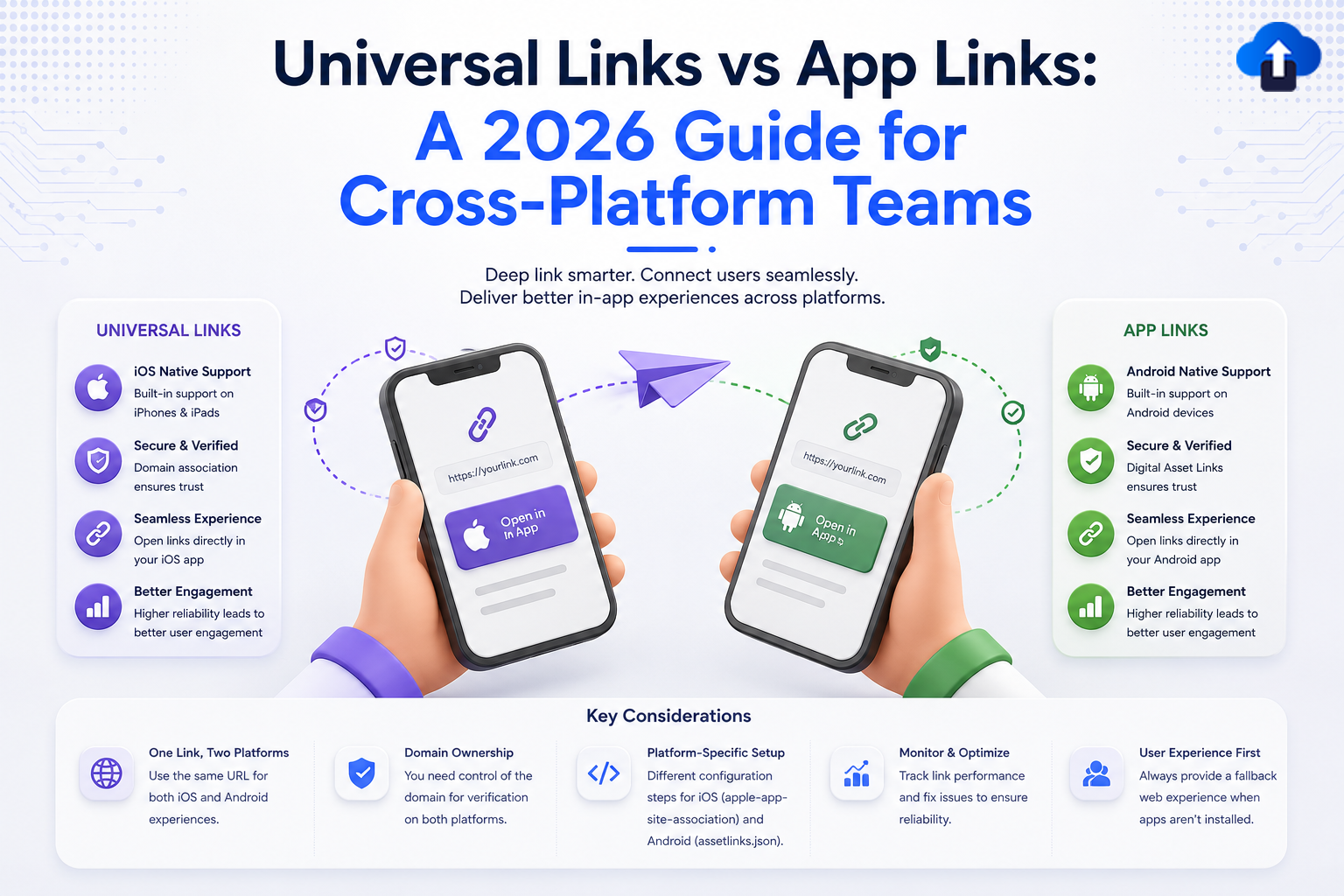
Universal Links serving Apple's iOS ecosystem and App Links acting as the standard for Google's Android platform.
Platform Support
The most obvious difference is platform compatibility.
Universal Links are designed specifically for iOS devices.
App Links are built for Android devices.
Cross-platform teams typically need to implement both technologies to ensure a consistent experience across all users.
Verification Process
Both systems require domain verification, but they use different files.
Universal Links rely on the Apple App Site Association (AASA) file.
App Links use the Digital Asset Links file.
These verification files prove ownership of the domain and establish trust between the website and application.
User Experience Behavior
Both technologies prioritize opening content directly inside the app.
However, platform-specific behaviors can differ slightly based on device settings, browser interactions, and operating system updates.
Testing across multiple environments remains essential.
Development Complexity
The overall implementation process is similar, but configuration details differ between iOS and Android.
Development teams must manage:
- Domain verification
- Application association
- Routing logic
- Content mapping
- Testing procedures
A cross-platform deep linking strategy should account for both ecosystems.
Why Deep Linking Matters in 2026
Deep linking is no longer just a convenience feature; it is a critical growth driver that directly impacts business performance, user retention, and conversion rates across increasingly fragmented mobile ecosystems.
Improved User Acquisition
Marketing campaigns often direct users to specific content.
Deep links reduce friction by sending users exactly where they need to go inside the application.
This can improve onboarding and increase conversion rates.
Better User Retention
Returning users expect fast access to relevant content.
Deep links eliminate unnecessary navigation and help users complete actions more efficiently.
A smoother experience often leads to stronger retention.
Higher Conversion Rates
Every extra step in a user journey creates an opportunity for drop-off.
Deep links reduce these barriers and help users move directly toward purchases, registrations, subscriptions, or other key actions.
Enhanced Marketing Performance
Email campaigns, SMS campaigns, social media promotions, referral programs, and advertising campaigns all benefit from deep linking.
Marketers gain more control over user journeys while improving engagement outcomes.
Best Practices for Universal Links and App Links
Implementing deep links correctly requires more than basic configuration; it demands seamless fallback handling, secure domain verification, and continuous testing to prevent broken user journeys and maximize conversion rates.
Use Consistent URL Structures
Maintaining consistent URLs across platforms simplifies management and improves scalability.
Users should experience the same destination regardless of whether they use iOS or Android.
Create Reliable Fallback Experiences
Not every user will have the application installed.
Always ensure links redirect users to a useful web page when app access is unavailable.
Poor fallback experiences can reduce campaign effectiveness.
Test Across Devices
Deep linking behavior can vary depending on:
- Operating system versions
- Browsers
- Device manufacturers
- App versions
Comprehensive testing helps identify edge cases before deployment.
Monitor Link Performance
Tracking link performance helps teams understand user behavior.
Important metrics include:
- Open rates
- Conversion rates
- App launches
- Install attribution
- User engagement
Analytics provide valuable insights for optimizing campaigns and user experiences.
Common Challenges Cross-Platform Teams Face
Deep linking can become complex as applications grow, forcing cross-platform teams to navigate fragmented OS updates, inconsistent routing logic, and the technical friction of maintaining separate domain verification files for both iOS and Android.
Broken Routing Paths
Changes to app navigation can break existing links if routing is not properly maintained.
Regular testing helps prevent these issues.
Domain Verification Errors
Incorrect configuration files are a common cause of implementation failures.
Even small formatting mistakes can prevent links from functioning correctly.
Inconsistent User Experiences
Different teams may implement iOS and Android deep links separately.
Without proper coordination, users may encounter inconsistent behavior across platforms.
A unified deep linking strategy helps maintain consistency.
How AppsOnAir Helps Manage Deep Linking
Managing deep links across multiple platforms can quickly become challenging.
AppsOnAir provides deep linking solutions that help teams create, manage, and monitor links across mobile ecosystems. Instead of maintaining separate workflows for iOS and Android, organizations can streamline deep link management while improving user journeys.
By simplifying deep link creation, routing, and tracking, AppsOnAir helps businesses deliver more consistent mobile experiences and improve engagement outcomes.
Frequently Asked Questions
What is the difference between Universal Links and App Links?
Universal Links are Apple's deep linking technology for iOS, while App Links are Google's deep linking technology for Android. Both allow web URLs to open directly inside mobile applications.
Do I need both Universal Links and App Links?
Yes. If your application supports both iOS and Android, implementing both technologies ensures a consistent user experience across platforms.
Are Universal Links more secure than custom URL schemes?
Yes. Universal Links use verified domains, making them more secure and less vulnerable to hijacking compared to custom URL schemes.
Can deep links improve app conversions?
Yes. Deep links reduce friction in user journeys and help users reach relevant content faster, often leading to higher conversion rates.
What happens if the app is not installed?
In most cases, users are redirected to the associated website, ensuring they can still access the intended content.
Final Thoughts
Universal Links and App Links serve the same goal: creating seamless pathways between web content and mobile applications. While their implementations differ, both technologies are essential for delivering modern mobile experiences.
For cross-platform teams in 2026, deep linking is no longer optional. It plays a direct role in user acquisition, engagement, retention, and conversion optimization. Businesses that invest in a reliable deep linking strategy can create smoother customer journeys and improve the overall effectiveness of their mobile ecosystem.
By implementing Universal Links and App Links correctly, testing thoroughly, and monitoring performance, development teams can ensure users always reach the right destination with minimal friction.








