


.png)


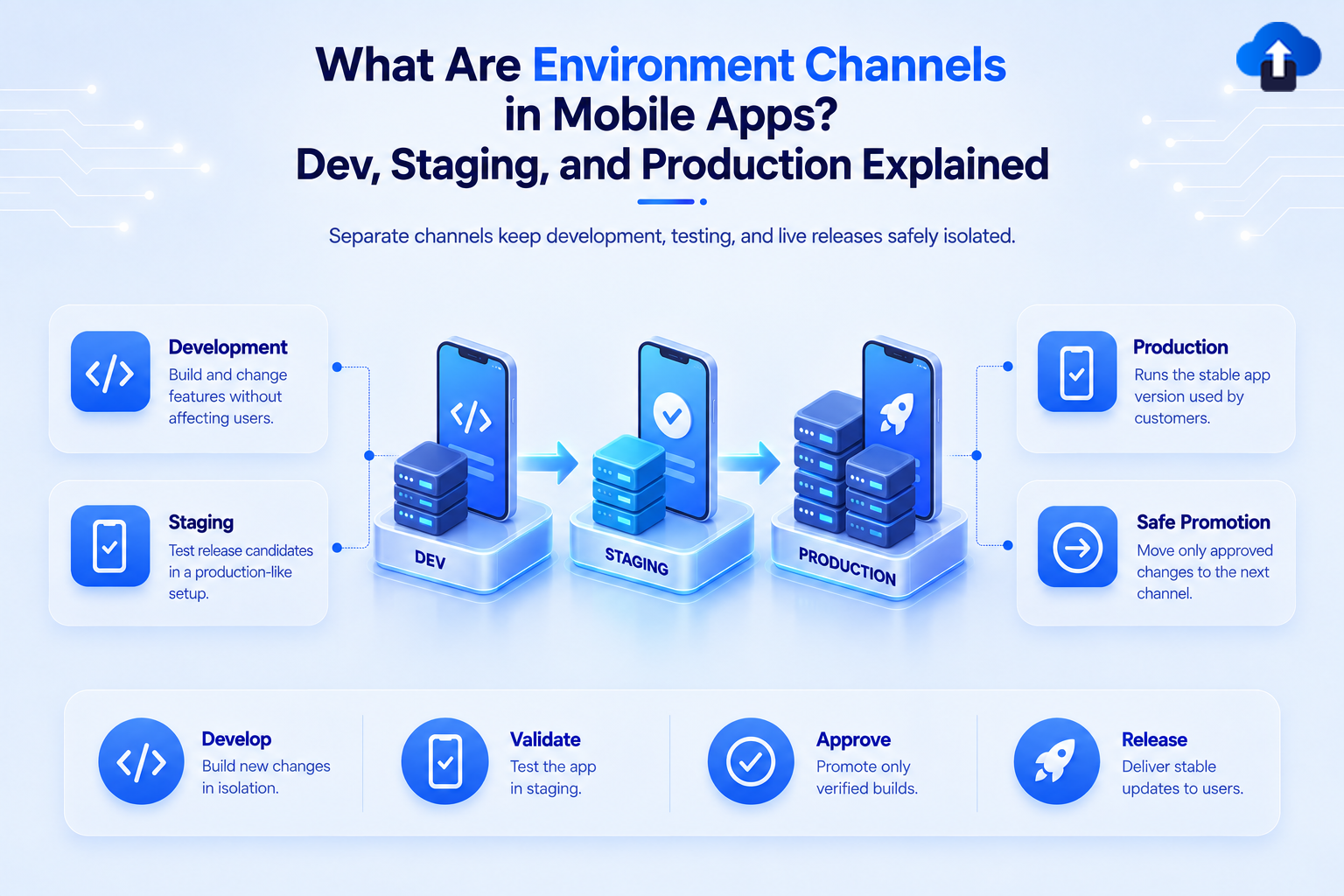
A mobile app usually does not move directly from a developer's laptop to real users. Before a release reaches production, it passes through controlled environments where developers can build features, QA teams can test them, and release teams can verify that everything is ready.
These environments are commonly called development, staging, and production. Each environment represents a different stage of the mobile release lifecycle and should have its own configuration, backend services, testing rules, and update targets.
At AppsOnAir, we also use this separation in mobile update workflows. For example, CodePush deployments can be separated so an update is tested away from production before it is released to real users.
What Are Mobile App Environments?
Mobile app environments are separate configurations of an application used for development, testing, and real-world production. They allow teams to work on the same app without sending unfinished changes, test data, or experimental features to actual customers.
The three most common environments are:
- Development (Dev): where developers build and test new changes.
- Staging or QA: where release candidates are tested in conditions close to production.
- Production (Prod): the live environment used by real customers.
The application may look nearly identical across these environments, but the systems behind it can be completely different.
Dev vs. Staging vs. Production
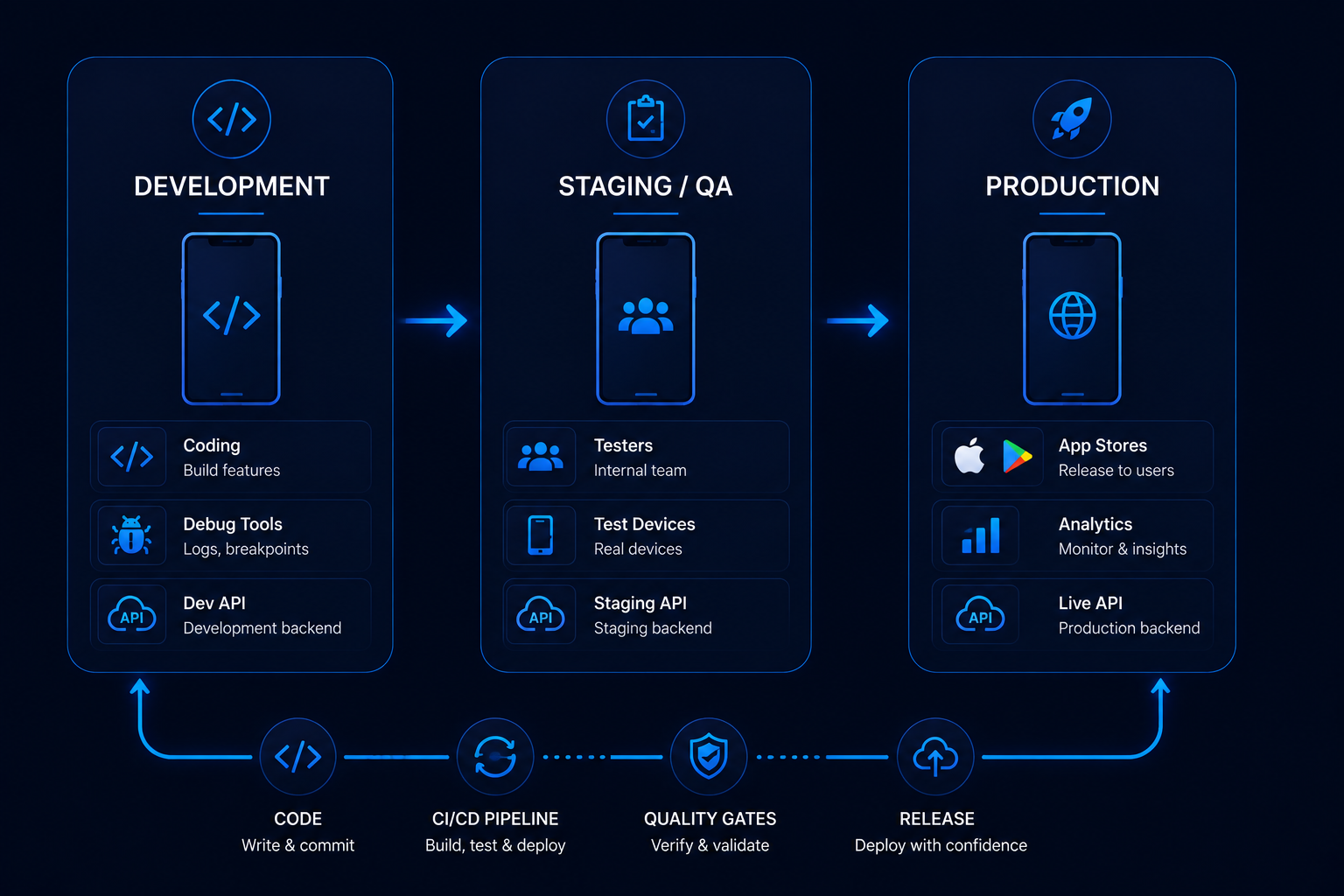
Each environment exists for a different reason. Keeping them separate prevents development work and testing activity from affecting the live application.
This separation gives teams a controlled path from writing code to releasing it.
What Is the Development Environment?
The development environment is where engineers actively build and debug the mobile application.
It usually connects to development APIs and test services rather than production systems. Developers may enable verbose logging, debugging tools, experimental features, mock data, or other capabilities that should never appear in the public application.
Why Dev Needs Its Own Configuration
Suppose a developer is testing a new checkout workflow. If the development app connects directly to the production payment system, test transactions could interfere with real customer data.
A separate development configuration prevents that problem.
Android supports build types and product flavors that teams can combine into different build variants. This can be used to create app variants with different configuration values and resources.
On iOS, Xcode supports separate build configurations, schemes, and environment settings that can be used to control how different versions of an application are built and run.
What Is the Staging Environment?
The staging environment sits between active development and production.
Its purpose is to give QA teams and internal testers a stable version of the app that behaves as closely as possible to the production application without using the real production environment.
Staging Should Resemble Production
A useful staging environment should mirror production wherever practical.
For example, the staging build may use:
- A staging API instead of the live API
- A separate database
- Test payment accounts
- Separate analytics
- Separate crash reporting
- Production-like feature configuration
The closer staging is to production, the more useful it becomes for detecting problems before release.
Why Not Test Everything in Dev?
Development environments change frequently. One developer may be working on authentication while another changes the checkout flow.
That makes Dev unsuitable as the final release-testing environment.
Staging provides a more stable release candidate that QA can evaluate before anything reaches real users.
What Is the Production Environment?
The production environment is the live version of the application used by customers.
It connects to real APIs, databases, analytics platforms, notification services, payment systems, and other production infrastructure.
Because production contains real users and real data, changes should reach it only after they have passed the appropriate development and testing stages.
Production Should Have Strict Controls
Debug logging, experimental configuration, test credentials, and development services should not accidentally appear in production.
This is one reason environment configuration should be part of the release process rather than something developers manually change just before publishing.
What Are Environment Channels?
Teams sometimes use the words environment and channel together, but they are not always exactly the same thing.
An environment describes the broader system in which the app operates. A channel usually describes the destination to which a particular build or update is released.
Environment vs. Update Channel
Imagine a React Native app with three environments:
Dev → Staging → Production
The team may also configure OTA update destinations such as:
dev → staging → production
An update released to the staging channel should reach staging testers rather than production users.
This lets the team verify the update before promoting the same change to production.
Keeping these destinations separate is especially important for OTA updates because an incorrect target could send unfinished code to real users.
Why Separate Mobile Environments Matter
Environment separation reduces the risk of development activity affecting production.
It also makes mobile testing more reliable because everyone knows which systems and configurations a particular build is using.
Safer Testing
QA can test payments, authentication, notifications, or API behavior without modifying real customer records.
This gives testers more freedom to explore edge cases and intentionally trigger failures.
Clearer Bug Reports
When a bug is reported, the environment becomes an important context.
A developer needs to know whether the problem appeared in Dev, Staging, or Production because each environment may use different APIs, feature settings, or backend versions.
A report saying "login fails in staging build 2.4.0" is much more useful than simply saying "login fails."
Lower Risk of Accidental Production Releases
Separate environments create another layer of protection between active development and customers.
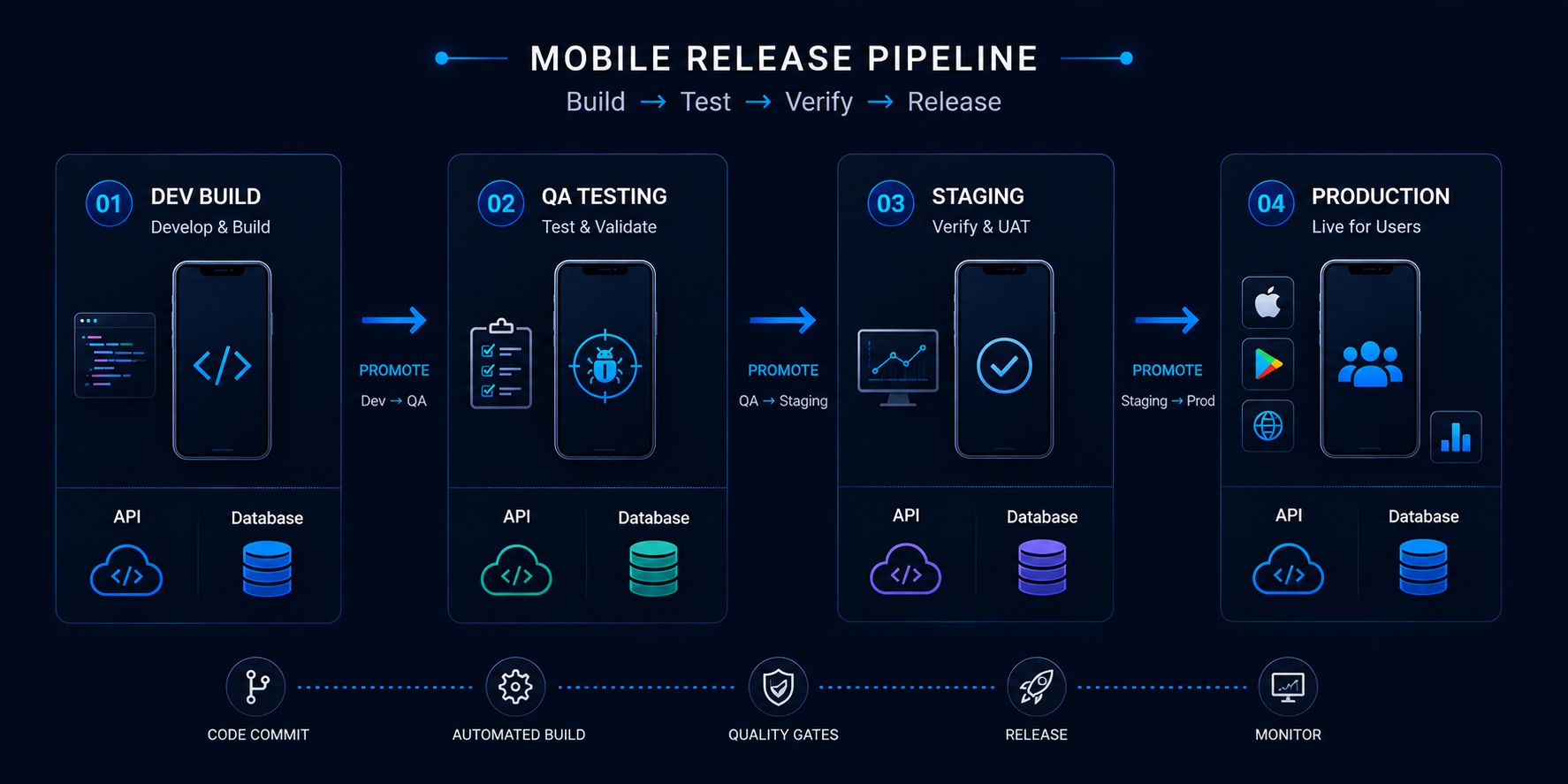
Instead of sending a newly created change directly to production, teams can move it through a flow such as:
Development → QA → Staging validation → Production
That gives the team several opportunities to identify problems before the release becomes public.
What Should Change Between Environments?
Some parts of the application remain the same across all environments, while others need separate configuration.
Teams should decide this structure before creating release pipelines.
API and Backend URLs
Each environment should normally connect to the matching backend environment.
For example:
dev.api.example.com

staging.api.example.com

api.example.com
This prevents development or QA activity from affecting production data.
Analytics and Crash Reporting
Test activity can distort real product analytics.
If hundreds of QA test sessions are sent into the same production analytics account, it becomes harder to understand how real customers behave.
Separate configurations can also prevent test crashes from making the production stability dashboard appear worse than it actually is.
App Identity
Teams may give internal builds different app names, icons, or application identifiers so several environments can exist on the same tester's device.
For example:
MyApp Dev

MyApp QA

MyApp
This also reduces the risk of someone confusing a QA build with the production application.
How AppsOnAir CodePush Supports Multiple Environments
For React Native OTA updates, separating staging and production is especially important because different users should receive different update streams.
In our AppsOnAir CodePush workflow, an app acts as a scope for deployments, and deployments are the targets used when developers release updates and users synchronize them.
Separate Staging and Production
For multiple environments, we recommend keeping staging and production separated rather than sending every update directly to the production app.
A staging app can use its own deployment key while the production app uses a separate production deployment key. This allows an OTA update to be tested internally before it is released to customers.
Promote Updates Through a Controlled Flow
A practical workflow can look like this:
Develop change → Release to staging → QA verifies update → Release stable update to production
This separation reduces the risk of an unfinished or incorrectly configured update reaching production users.
Additional environments such as QA or Beta can also be introduced when the release process requires more stages.
Common Mistakes With Mobile App Environments
One common mistake is connecting development builds to production services. This can mix test activity with real customer data and makes testing unnecessarily risky.
Another mistake is using the same application identity for every environment. If a staging build replaces the production application on a tester's device, it becomes much easier to test or distribute the wrong build accidentally.
Teams should also avoid storing environment configuration as scattered manual changes. API URLs, analytics keys, feature flags, and update destinations should follow a predictable configuration strategy that can be reproduced by the build pipeline.
Frequently Asked Questions
What are Dev, Staging, and Production in mobile apps?
Dev is used to build and debug features, Staging is used to test release candidates in a production-like environment, and Production is the live application used by real customers.
Is staging the same as QA?
They are often used together, but not always. QA describes the testing process or team, while staging is the environment where a stable release candidate is commonly tested before production.
Why should mobile apps have separate environments?
Separate environments prevent development and testing activity from affecting real users, production data, analytics, payments, and other live services.
What is an environment channel in mobile development?
An environment channel is a controlled destination for builds or updates associated with a particular environment, such as development, staging, or production.
Should staging use the production API?
Usually no. Staging should typically use a production-like staging API so teams can test realistic workflows without affecting live customer data.
Can mobile apps have more than three environments?
Yes. Teams can add environments such as QA, Beta, UAT, Demo, or Preview when their testing and release process requires additional stages.
Final Thoughts
Mobile app environments create a safe path between writing code and releasing it to customers. Development gives engineers space to build, staging gives QA a stable place to validate releases, and production remains protected for real users.
The same separation becomes important when teams deliver OTA updates. A change should be tested against the correct environment before it becomes part of the production update stream.
With AppsOnAir CodePush, we support this approach by allowing React Native teams to separate their update targets and keep staging releases away from production users until they are ready. A clear Dev → Staging → Production workflow makes mobile releases easier to test, understand, and control.









