


.png)


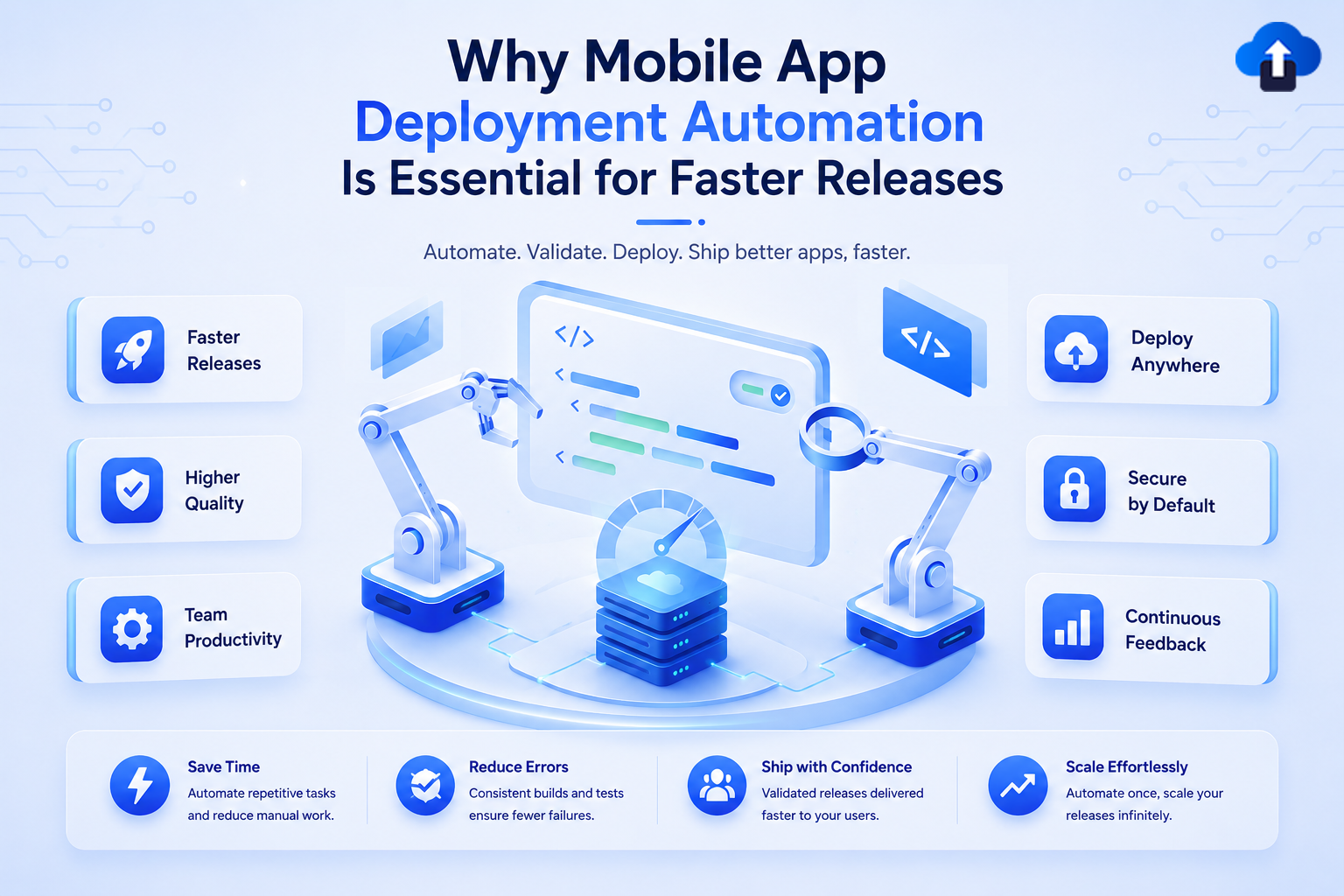
Launching a new mobile app feature is often the exciting part. Getting that feature into users' hands, however, is where many development teams face unexpected delays.
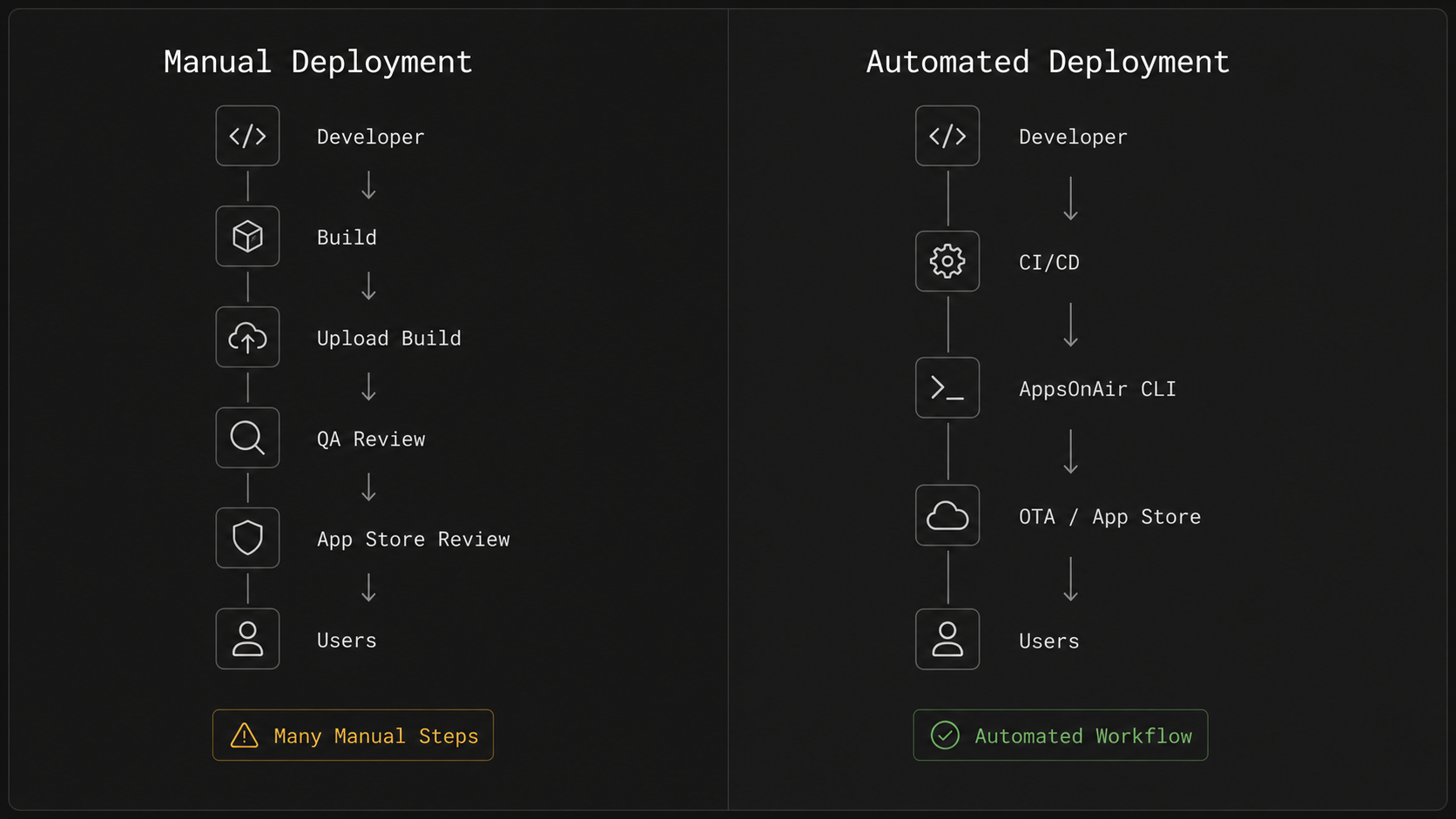
A release usually involves much more than generating a build and publishing it. Developers often need to create production builds, upload them to different platforms, manage multiple environments, coordinate with QA teams, update version numbers, and wait for app store approvals. As the product grows, these tasks become more frequent and increasingly difficult to manage manually.
For small projects with occasional updates, this process may seem manageable. But as release frequency increases and teams expand, manual deployment quickly turns into a repetitive routine that consumes valuable engineering time. Every additional step creates another opportunity for delays, inconsistencies, or simple human error.
This is one of the biggest reasons why mobile app deployment automation has become a priority for modern engineering teams. Rather than spending hours repeating the same release tasks, developers are looking for ways to automate workflows, improve consistency, and deliver updates faster without sacrificing quality.
In this guide, we'll explore what mobile app deployment involves, why manual release processes slow teams down, how automation improves developer productivity, and where command-line tools and OTA updates fit into a modern mobile release workflow.
What Is Mobile App Deployment?
Mobile app deployment is the process of delivering an application from the development environment to end users. It includes everything required to prepare, distribute, and release an app, whether that's through the Apple App Store, Google Play Store, internal testing platforms, or over-the-air (OTA) update services.
Deployment is often confused with development, but the two serve different purposes. Development focuses on building features and fixing bugs, while deployment ensures those changes are packaged correctly and delivered safely to users.
A typical deployment workflow may include:
- Creating a production-ready build
- Testing the application across different environments
- Managing version numbers
- Preparing release notes
- Uploading builds to distribution platforms
- Publishing updates for users
Although these steps may sound straightforward, each one requires careful coordination. Missing a version update, uploading the wrong build, or releasing to the wrong environment can delay an entire release cycle.
Modern mobile applications also support different deployment methods depending on the type of update being released. Some changes require a traditional app store submission, while others can be delivered much faster using over-the-air updates. Choosing the right deployment approach depends on the nature of the update and the technology stack being used.
As applications grow and release schedules become more frequent, deployment evolves from a simple publishing task into a critical part of the software delivery process. Teams begin to look beyond simply releasing an app—they focus on creating repeatable, reliable workflows that make every deployment predictable.
That shift is exactly where automation starts becoming valuable.
Why Manual App Releases Become a Bottleneck
Shipping an update manually might feel manageable when your team releases once every few months. But for teams working in agile environments, where improvements, bug fixes, and new features are delivered continuously, the same manual process can quickly become a bottleneck.
The challenge isn't usually one large task. It's the accumulation of many small, repetitive steps that must be completed correctly every single time.
Too Many Repetitive Tasks
Imagine a developer finishes a feature on Friday afternoon. Before users ever see that update, someone still needs to generate the correct build, verify the version number, upload the package, select the appropriate deployment environment, notify QA, prepare release notes, and publish the release.
None of these tasks are particularly difficult on their own. The problem is that they are repeated for every release, regardless of whether it's a major feature or a minor bug fix.
Over time, developers spend more time managing releases than actually building the product. As release frequency increases, this manual effort becomes harder to justify.
Human Errors Are Easy to Make
Manual workflows also introduce unnecessary risk.
Uploading the wrong build, deploying to the wrong environment, forgetting to update configuration files, or skipping a release step can create problems that take hours—or even days—to resolve.
These mistakes rarely happen because teams lack expertise. They happen because humans are asked to repeat the same sequence of tasks over and over again. Even experienced developers can overlook a small detail when working under tight deadlines.
Reducing manual intervention doesn't just save time—it also improves consistency across every deployment.
Scaling Makes Everything More Complex
As products mature, deployment workflows become more sophisticated.
Instead of managing a single production environment, teams often maintain separate environments for development, testing, staging, and production. Different team members may be responsible for approvals, QA, or release management. Some organizations even support multiple mobile applications or different versions of the same app.
Suddenly, what once felt like a simple release process involves coordination across several people and systems.
Without a standardized deployment workflow, releases become slower, communication gaps increase, and maintaining consistency across environments becomes increasingly difficult.
Frequent Releases Need Better Workflows
Modern mobile users expect regular improvements. Whether it's bug fixes, performance enhancements, or new features, development teams are under constant pressure to release updates more frequently.
Meeting those expectations with a completely manual process is difficult. Every additional release repeats the same cycle of uploads, checks, approvals, and deployment tasks.
Instead of enabling faster development, the release process becomes the factor that slows everything down.
Fortunately, engineering teams don't have to choose between releasing quickly and maintaining quality. The next evolution of mobile development focuses on automating repetitive deployment tasks, allowing developers to spend less time managing releases and more time building great products.
Why More Teams Are Automating Mobile Deployments
The way mobile apps are built has changed dramatically over the last few years. Development teams are shipping smaller updates more frequently, collaborating across multiple environments, and adopting agile workflows to respond to user feedback faster than ever before.
While development practices have evolved, many release processes have remained surprisingly manual. This mismatch is one of the biggest reasons why mobile app deployment automation has become an important part of modern mobile development.
Automation isn't about replacing developers. It's about removing repetitive tasks so teams can focus on building better software instead of managing deployments.
Faster Releases Without Cutting Corners
Every manual step in a deployment workflow adds time to the release cycle. Preparing builds, selecting deployment environments, uploading files, and verifying release details may only take a few minutes individually, but together they can significantly delay every release.
Automation reduces these repetitive tasks by creating standardized workflows that can be executed consistently. Instead of repeating the same process from memory, teams rely on predefined deployment steps that produce predictable results.
This becomes especially valuable for teams releasing updates weekly—or even multiple times a week—where saving a few minutes on each deployment adds up over time.
Consistent Release Workflows
No two developers work in exactly the same way.
One developer may follow every release checklist carefully, while another might complete the same task using a slightly different process. Although both approaches may work, inconsistent workflows increase the likelihood of mistakes as teams grow.
Automation helps establish a shared deployment process that everyone follows. Whether a release is handled by a senior engineer or a new team member, the same sequence of steps is performed every time.
This consistency improves reliability and makes deployments easier to manage across the entire team.
Better Collaboration Across Teams
Releasing a mobile app isn't solely the responsibility of developers.
Quality assurance engineers, product managers, designers, and release managers often play a role before an update reaches users. When deployment relies heavily on manual coordination, communication gaps can slow progress.
Automated deployment workflows create a more predictable release process. Team members know when builds are available, which environment they're deployed to, and what stage of the release pipeline they're currently in.
Instead of chasing updates through chat messages or spreadsheets, everyone works from a more structured workflow.
Easier to Scale as Products Grow
The deployment process for a new startup app looks very different from that of an established product serving thousands—or even millions—of users.
Growing teams often need to manage:
- Multiple deployment environments
- Frequent feature releases
- Hotfixes and emergency updates
- Parallel development across different branches
- Multiple developers contributing simultaneously
Without automation, these workflows become increasingly difficult to coordinate.
By introducing automation early, teams create a foundation that scales alongside their product instead of constantly redesigning their release process as complexity increases.
A Natural Fit for Modern CI/CD Pipelines
Many engineering teams already use Continuous Integration and Continuous Deployment (CI/CD) to automate testing and build generation.
Extending automation to the deployment stage is a natural next step.
Instead of treating deployment as a separate manual task, automated workflows integrate smoothly into existing pipelines. Once a build passes testing, it can move through the release process with minimal manual intervention.
This creates a faster and more reliable software delivery cycle while giving developers greater confidence in every release.
The growing adoption of automation has also increased the popularity of developer-friendly tools that make these workflows easier to manage. One of the most common examples is the Command-Line Interface, or CLI.
What Is a Command-Line Interface (CLI)?
For developers who are new to deployment automation, the term Command-Line Interface (CLI) can sound intimidating. In reality, it's simply another way of interacting with software—one that's often faster and more efficient than using a graphical interface.
Instead of navigating through multiple screens and clicking different buttons, a CLI allows developers to perform tasks by typing commands into a terminal.
For example, imagine you want to publish an update.
Using a traditional dashboard, you might need to:
- Log in to the platform
- Navigate to the correct project
- Select the application
- Upload the Android APK or iOS IPA build
- Configure release details
- Share the build with testers
With a CLI, much of that workflow can be simplified into a few commands. Set up the CLI once for your project, and then upload all your builds directly to the AppsOnAir dashboard whenever you generate a new release.
# Initialize your project for OTA Distribution
appsonair init ota

# Upload both Android and iOS builds
appsonair-ota upload

# Upload an Android build only
appsonair-ota upload --android
For developers who perform these tasks regularly, this approach is not only faster but also easier to repeat consistently.
Why Developers Prefer CLI Tools
One of the biggest advantages of CLI tools is repeatability.
Once a command is known, it can be executed again whenever needed. There is no need to remember where a particular button is located or worry that a dashboard has changed after an update.
CLI tools also work exceptionally well with scripts and automation platforms. Teams can include deployment commands within their existing workflows, allowing releases to happen with fewer manual actions.
This makes the CLI particularly valuable for engineering teams that release frequently or manage multiple deployment environments.
CLI Is About Efficiency, Not Complexity
There's a common misconception that CLI tools are only for advanced developers.
In practice, many CLI commands are straightforward and intentionally designed to simplify repetitive tasks. Once developers become familiar with a few basic commands, they often find them quicker than navigating web interfaces for everyday operations.
The goal isn't to make deployment more technical—it's to make it more efficient, predictable, and easier to automate.
That efficiency becomes even more valuable when combined with another technology that's transforming mobile releases: Over-the-Air (OTA) updates.
How AppsOnAir CLI Simplifies Internal Mobile Releases
By the time teams adopt deployment automation, they usually aren't looking for more tools—they're looking for fewer repetitive tasks.
Whether it's publishing OTA updates, managing multiple deployment environments, or integrating releases into a CI/CD pipeline, the goal is the same: make deployments predictable, repeatable, and easier to manage.
This is where a CLI designed specifically for mobile releases can make a meaningful difference.
AppsOnAir CLI provides developers with a command-line interface that helps automate common deployment tasks, allowing teams to spend less time managing releases and more time building their applications.
Rather than replacing your existing development workflow, it fits naturally into the tools and processes your team already uses.
Upload App Builds with Confidence
Uploading app builds manually often involves several repetitive steps. Developers may need to open a dashboard, select the correct application, upload the Android APK or iOS IPA build, add release details, and share the build with testers.
While each step is straightforward, repeating them throughout the week can become time-consuming, especially for teams that release builds frequently.
AppsOnAir CLI simplifies this process by allowing developers to upload builds directly from the terminal. Set up the CLI once for your project, and upload all your Android and iOS builds to the AppsOnAir dashboard using simple commands. This creates a faster and more consistent workflow for teams that regularly distribute new app versions.
# Initialize your project for OTA Distribution
appsonair init ota

# Upload both Android and iOS builds
appsonair-ota upload

# Upload an Android build only
appsonair-ota upload --android
Instead of switching between multiple interfaces, developers can stay within their development environment and execute build uploads using familiar terminal commands
Manage Multiple Deployment Environments
As mobile applications grow, a single deployment environment is rarely enough.
Most teams work with environments such as:
- Development
- QA
- Staging
- Production
Each environment serves a different purpose and often requires separate deployments throughout the development cycle.
Managing these environments manually increases the chances of releasing an update to the wrong destination or using incorrect configurations.
AppsOnAir CLI helps organize deployments across environments, making it easier to target the right release without adding unnecessary complexity to the workflow.
For engineering teams managing multiple applications or collaborating across larger organizations, this structured approach becomes increasingly valuable.
Automate Release Workflows
Automation isn't only about running commands faster. It's about creating workflows that developers can trust.
Because AppsOnAir CLI operates through the command line, repetitive deployment steps can become part of a larger automated process.
For example, a release workflow might look like this:
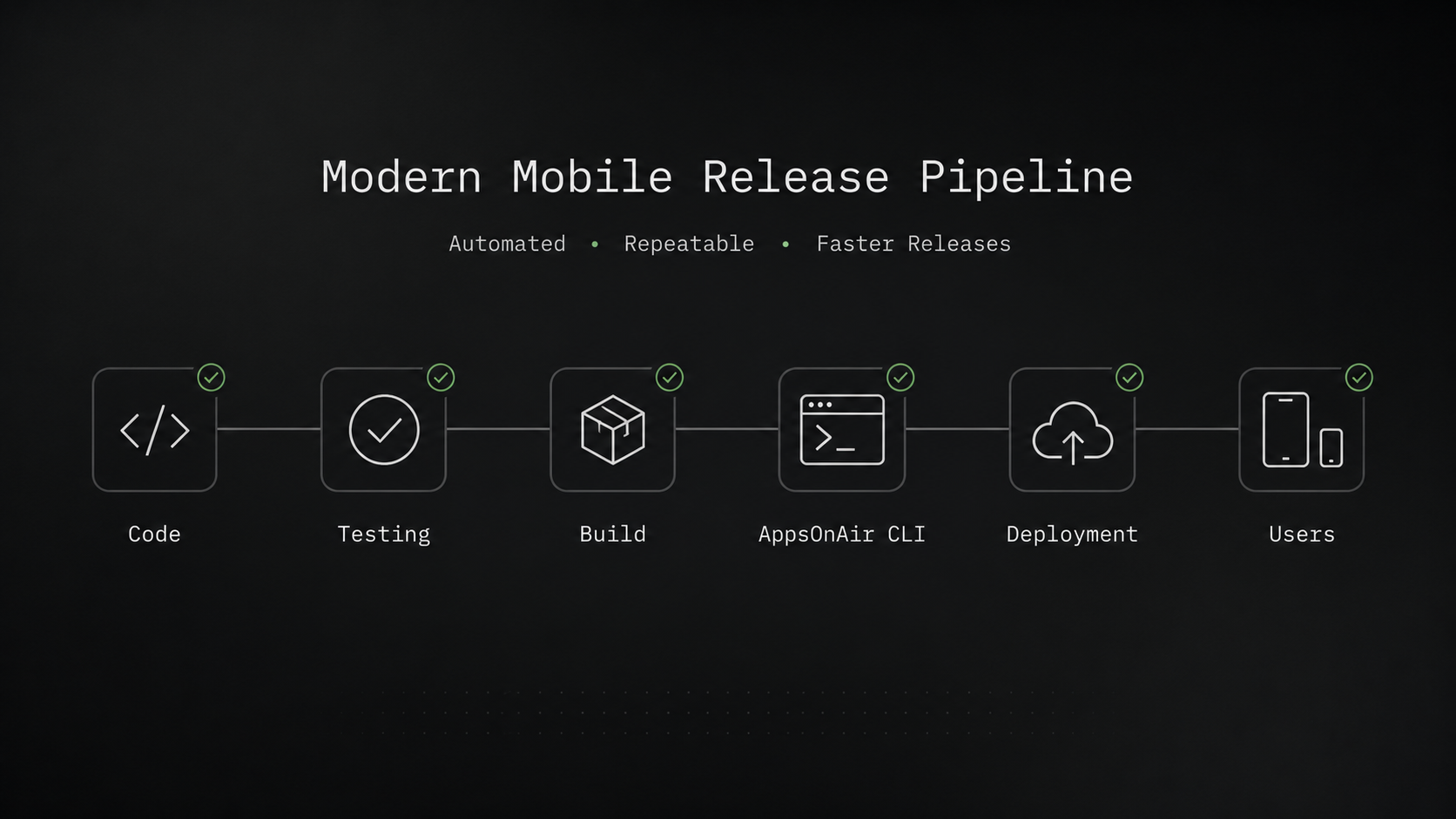
- A developer merges code into the main branch.
- A CI/CD pipeline builds and tests the application.
- After successful validation, AppsOnAir CLI uploads the appropriate OTA update and enables internal sharing.
- The deployment is completed using the same repeatable workflow every time.
Instead of relying on manual checklists, teams can create standardized deployment pipelines that reduce errors and improve consistency across releases.
Support for React Native CodePush Workflows
Many React Native teams rely on OTA updates to deliver JavaScript changes quickly without waiting for app store approval.
Managing these updates efficiently becomes increasingly important as release frequency grows.
AppsOnAir CLI supports CodePush commands making it easier to publish updates, manage releases, and maintain a structured deployment process.
Rather than treating every release as a separate manual task, developers can integrate CodePush deployments into their existing workflows, creating a smoother release experience for both development teams and end users.
Built for Modern Development Practices
Today's engineering teams rarely work in isolation.
Developers collaborate through version control systems, automated testing platforms, and CI/CD pipelines. Deployment tools should complement these practices instead of introducing additional manual work.
AppsOnAir CLI is designed with this mindset. Whether your team is releasing weekly, deploying multiple times a day, or maintaining separate staging and production environments, a CLI-driven workflow helps keep releases organized and repeatable.
The objective isn't simply to deploy faster. It's to build a release process that remains reliable as your product, team, and deployment frequency continue to grow.
When Should Teams Consider CLI-Based Deployment?
Not every mobile project requires deployment automation from day one.
A simple application with infrequent releases and a single developer may function well with a mostly manual workflow. However, as products evolve, deployment requirements often become more demanding.
If your team is beginning to experience friction during releases, it may be time to consider a CLI-based deployment approach.
Your Team Releases Frequently
Releasing updates every few months is very different from releasing every week—or multiple times each week.
Frequent deployments increase the number of repetitive tasks developers perform. Even small inefficiencies become noticeable when multiplied across dozens of releases each month.
Automating these workflows helps maintain release speed without increasing operational overhead.
You're Managing Multiple Environments
Development, QA, staging, and production environments are standard in modern software development.
As more environments are introduced, deployment becomes more than simply publishing an update. Teams need confidence that each release reaches the correct destination using the appropriate configuration.
A CLI-based workflow provides a more structured and repeatable way to manage these deployments.
Your Team Is Growing
Deployment complexity often grows alongside the engineering team.
New developers join the project, responsibilities become shared, and multiple people may contribute to the same release cycle.
Without a standardized process, every developer may handle deployments slightly differently, leading to inconsistencies and unnecessary confusion.
CLI-based automation encourages everyone to follow the same release workflow, making collaboration easier and reducing the learning curve for new team members.
You're Adopting CI/CD
Many organizations begin automating testing long before they automate deployments.
Eventually, however, manually publishing releases becomes the slowest step in the pipeline.
CLI tools integrate naturally with CI/CD platforms, allowing deployment to become part of an end-to-end automated workflow instead of a separate manual activity.
jobs:
  deploy:
    steps:
      - run: npm install
      - run: npm test
      - run: aoa codepush release --deployment Production
For teams investing in modern Mobile DevOps practices, this is often the logical next step.
You Want More Time Building Features
Perhaps the strongest reason to automate deployments is also the simplest.
Developers are most valuable when they're solving problems, building new features, and improving the product—not repeating the same deployment steps every release.
By reducing manual work, CLI-based deployment allows engineering teams to focus more of their time on development and less on release administration.
Frequently Asked Questions
What is mobile app deployment?
Mobile app deployment is the process of making a mobile application available to users. It includes preparing production builds, testing them, managing versions, and distributing updates through platforms like the Apple App Store, Google Play Store, or OTA (Over-the-Air) update services. A well-defined deployment process helps ensure users receive reliable and stable app updates.
What is mobile app deployment automation?
Mobile app deployment automation is the practice of using tools and workflows to automate repetitive release tasks such as creating deployments, publishing updates, managing environments, and integrating releases into CI/CD pipelines. Automation reduces manual effort, improves consistency, and helps engineering teams release updates more efficiently.
What are OTA updates?
OTA (Over-the-Air) updates allow developers to deliver eligible application changes directly to users without requiring a new app store download. For React Native applications, OTA updates are commonly used to distribute JavaScript changes, UI improvements, bug fixes, and other non-native updates more quickly.
Can OTA updates replace App Store releases?
No. OTA updates are designed for changes that don't modify the native Android or iOS application. Updates involving native code, SDK upgrades, new permissions, or platform-specific functionality still require submission through the Apple App Store or Google Play Store. Many teams use both approaches together to create a faster and more flexible release strategy.
What is a Command-Line Interface (CLI)?
A Command-Line Interface (CLI) is a tool that allows developers to interact with software by entering commands in a terminal instead of using a graphical dashboard. CLI tools simplify repetitive tasks, support automation, and integrate easily with scripts and CI/CD workflows, making them a popular choice for development teams.
Why do developers prefer CLI tools?
Developers often prefer CLI tools because they are fast, repeatable, and easy to automate. Instead of navigating through multiple screens, developers can execute common tasks using simple commands. CLI-based workflows also integrate well with CI/CD pipelines, reducing manual work and improving deployment consistency.
Is deployment automation useful for small teams?
Yes. While larger organizations often benefit the most from automation, small teams can also save time by reducing repetitive deployment tasks. Implementing automation early helps establish consistent workflows that continue to scale as the product and engineering team grow.
Does AppsOnAir CLI support React Native?
Yes. AppsOnAir CLI is designed to support React Native deployment workflows, including OTA updates and CodePush-based releases. It enables developers to manage deployments, automate release tasks, and integrate mobile releases into existing CI/CD pipelines.
Final Thoughts
Modern mobile development is about much more than writing great code. It's also about delivering that code to users quickly, reliably, and consistently.
As applications become more sophisticated and release cycles accelerate, manual deployment processes often struggle to keep pace. Repetitive tasks, inconsistent workflows, and growing operational overhead can slow down even the most experienced engineering teams.
This is why mobile app deployment automation has become an essential part of modern software delivery. By automating routine deployment tasks, teams can reduce manual effort, improve release consistency, and create workflows that scale alongside their products.
Command-line tools and OTA updates play an important role in this transformation. Together, they help developers simplify release management while integrating naturally with existing development practices and CI/CD pipelines.
For teams building React Native applications, AppsOnAir CLI offers a practical way to automate deployment workflows, manage OTA updates, and streamline release operations without adding unnecessary complexity. Rather than changing how your team develops software, it helps improve how your team delivers it.
As your application grows, the release process shouldn't become a bottleneck. Investing in automation today can help your team spend less time managing deployments and more time building experiences that users love.
Explore AppsOnAir CLI
If you're looking to simplify your mobile release workflow, explore the AppsOnAir CLI documentation to learn how it can help automate deployments, manage OTA updates, and integrate seamlessly into your existing development pipeline. It offers a practical starting point for teams that want faster, more consistent mobile app releases without unnecessary manual effort.









