

Every major Android release introduces platform changes that can affect existing applications.
For development teams maintaining applications across multiple Android versions, upgrading the operating system is not simply a matter of installing a new SDK and rebuilding the application.
A change in platform behavior can affect:
- Application lifecycle management.
- Background execution.
- Bluetooth communication.
- Large-screen layouts.
- Application widgets.
- Reflection-based libraries.
- Third-party SDK integrations.
Consider an application that has been running reliably on Android 15 and Android 16.
After users upgrade to Android 17, the application might experience unexpected behavior on tablets, Bluetooth disconnections, widget update failures, or compatibility issues with libraries that rely on internal Android APIs.
These issues can be difficult to identify if testing happens only on the latest development build.
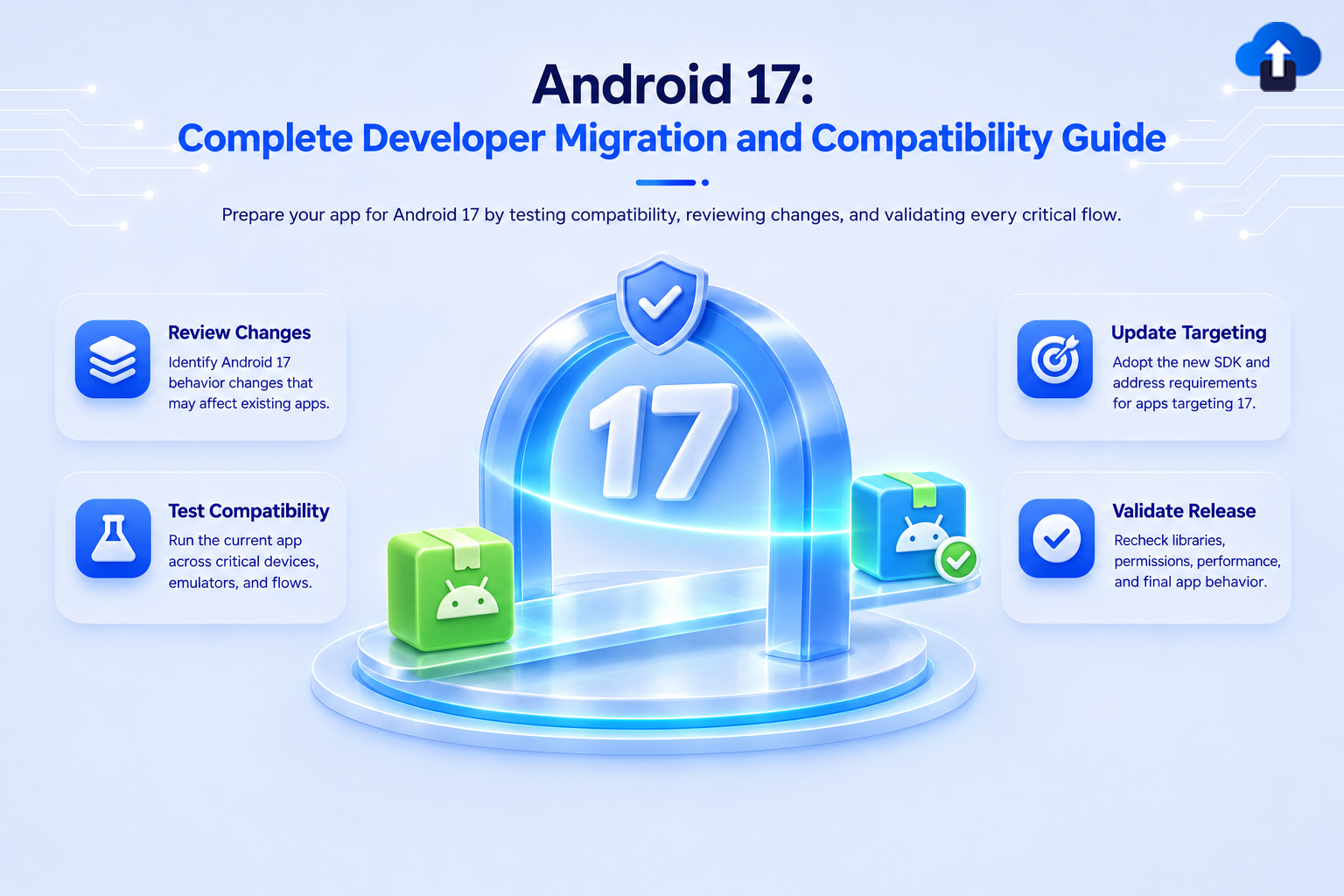
The objective of an Android 17 migration should therefore be to identify behavior changes, validate application compatibility, and update affected implementations before releasing the new version.
Solution
1. Understand Android 17 and API Level 37
Android 17 introduces API level 37.
Google's migration guidance recommends separating migration into two phases:
- Compatibility: Ensure the existing application continues to work correctly on Android 17.
- Platform adoption: Update the target SDK and adopt new platform capabilities.
These phases do not need to happen simultaneously.
An application can first be tested and updated for compatibility without immediately changing its target SDK.
This distinction is important for production teams because it allows compatibility fixes to be released independently from larger platform migrations.
2. Set Up the Android 17 Development Environment
Before modifying application code, configure the development environment.
You will need:
- A compatible Android Studio version.
- Android 17 SDK.
- Android 17 emulator or physical test device.
- Updated Gradle and Android Gradle Plugin versions where required.
- Compatible Kotlin and Android dependencies.
Check your current SDK configuration.
In a typical Android project:
android {
    compileSdk = 37
    defaultConfig {
        minSdk = 23
        targetSdk = 37
    }
}
The example uses API 37 for both compilation and targeting.
Do not blindly change these values in an existing application. Check the current Android Gradle Plugin, dependency compatibility, and Google Play target API requirements first.
Also, changing compileSdk and targetSdk serves different purposes:
- compileSdk determines which Android APIs are available during compilation.
- targetSdk opts the application into platform behavior associated with that API level.
3. Prepare for Large-Screen Compatibility
One of the most important migration areas is large-screen support.
Android 16 introduced changes that ignore several orientation, aspect-ratio, and resizability restrictions on devices with a smallest width of at least 600dp.
Android 17 removes the developer opt-out for applications targeting API 37 or higher.
This means applications targeting Android 17 must be prepared to run in different window sizes and orientations on large-screen devices.
For example, the following manifest declaration should not be treated as a guarantee that an application will remain portrait-only on supported large screens:
<activity
    android:name=".MainActivity"
    android:screenOrientation="portrait"
    android:exported="true" />
Similarly, runtime calls such as:
requestedOrientation = ActivityInfo.SCREEN_ORIENTATION_PORTRAIT
cannot be relied upon to enforce the same restrictions on affected large screens.
What should developers do?
Instead of locking the interface to a particular orientation, build adaptive layouts.
For Jetpack Compose, use window size information to organize the interface.
A simplified example:
@Composable
fun ResponsiveDashboard(
    isExpanded: Boolean
) {
    if (isExpanded) {
        Row {
            NavigationPanel()
            DashboardContent()
        }
    } else {
        Column {
            DashboardContent()
        }
    }
}
The actual breakpoint should be based on available window width rather than a device model name.
Testing considerations
Test the application on:
- Standard Android phones.
- Tablets.
- Foldable devices.
- Resizable emulator windows.
- Landscape orientation.
- Split-screen mode.
Check whether dialogs, navigation, forms, and multi-column layouts remain usable.
4. Review Background Audio Behavior
Android 17 includes additional restrictions around background audio.
Applications cannot play audio or use other disruptive audio APIs unless they are visible or running an appropriate foreground service.
This can affect:
- Music applications.
- Podcast applications.
- Navigation applications.
- Voice communication tools.
- Applications with audio playback during background operations.
Review your existing audio architecture.
For legitimate background playback, use the appropriate media playback architecture and foreground service configuration.
A simplified manifest declaration for a media playback foreground service looks like:
<service
    android:name=".PlaybackService"
    android:exported="false"
    android:foregroundServiceType="mediaPlayback" />
The application must also comply with the applicable foreground service permissions, lifecycle requirements, and notification requirements.
Do not use a foreground service simply to keep arbitrary background activity alive.
5. Update Bluetooth Communication Logic
Android 17 changes the behavior of Bluetooth RFCOMM socket reads for applications targeting API 37 or higher.
Previously, some applications relied on an exception to detect a disconnected socket.
With the updated behavior, InputStream.read() returns -1 when the socket is closed or the connection is dropped.
This matters because -1 indicates the end of the input stream.
Problematic implementation
while (true) {
    try {
        val bytesRead = inputStream.read(buffer)
        processData(buffer, bytesRead)
    } catch (exception: IOException) {
        break
    }
}
This implementation does not correctly handle a -1 return value.
Recommended implementation
while (true) {
    try {
        val bytesRead = inputStream.read(buffer)
        if (bytesRead == -1) {
            break
        }
        if (bytesRead > 0) {
            processData(
                buffer.copyOf(bytesRead)
            )
        }
    } catch (exception: IOException) {
        break
    }
}
Also handle socket cancellation, connection state, and resource cleanup.
This is particularly important for applications communicating with external devices such as printers, scanners, medical equipment, and IoT hardware.
6. Review Reflection and Internal API Usage
Android 17 introduces changes that can affect applications using reflection to modify internal Android implementation details.
For applications targeting API 37 or higher, static final fields cannot be modified through reflection.
Attempts can result in IllegalAccessException.
JNI-based attempts to modify these fields can also cause application crashes.
For example, libraries that depend on changing internal framework fields to customize behavior should be reviewed.
Avoid relying on private framework implementation details.
Instead:
- Use public Android SDK APIs.
- Replace outdated libraries.
- Remove unnecessary reflection-based workarounds.
- Check third-party dependencies for Android 17 compatibility.
The same principle applies to reflection against private MessageQueue implementation details, as Android 17 introduces a new lock-free implementation for applications targeting API 37 or higher.
7. Review AppWidget Memory Usage
Android 17 introduces stricter memory enforcement for RemoteViews updates in applications targeting API 37 or higher.
This is particularly relevant for applications that display large images inside home-screen widgets.
If the total bitmap memory exceeds the system limit, an update can fail with an IllegalArgumentException.
For a practical implementation, calculate the available widget image budget using the current window dimensions.
fun calculateWidgetMemoryCapBytes(
    context: Context
): Long {
    if (Build.VERSION.SDK_INT >=
        Build.VERSION_CODES.R
    ) {
        val windowManager =
            context.getSystemService(
                WindowManager::class.java
            ) ?: return 15_000_000L
        val bounds =
            windowManager.currentWindowMetrics.bounds
        return 6L *
            bounds.width().toLong() *
            bounds.height().toLong()
    }
    val metrics =
        context.resources.displayMetrics
    return 6L *
        metrics.widthPixels.toLong() *
        metrics.heightPixels.toLong()
}
Use the calculated value as a planning budget, not as permission to allocate the entire amount to one image.
Widget optimization recommendations
- Downsample images before passing them to widgets.
- Avoid duplicate bitmap instances.
- Reuse bitmap resources where appropriate.
- Avoid unnecessarily large images.
- Test all supported widget sizes.
- Implement a fallback layout when widget updates fail.
For applications using Jetpack Glance, review bitmap loading and responsive size handling.
8. Review Other Android 17 Changes
Beyond the main migration areas, review the complete behavior change documentation.
Important areas include:
Accessibility: Applications using custom text input implementations should validate accessibility behavior for complex physical keyboard and IME interactions.
Connectivity: Verify Bluetooth reconnection and communication logic.
Graphics: Review new WebGPU capabilities if your application uses advanced graphics or GPU computation.
Memory: Review application memory behavior and multi-process communication.
Privacy: Review the updated platform permissions and privacy-related APIs before adopting new capabilities.
Not every application will need changes in every area. Focus on APIs and behaviors your application actually uses.
9. Create an Android 17 Compatibility Test Plan
Testing should be based on application functionality rather than only checking whether the application launches.
A useful migration checklist includes:
Test compatibility without immediately changing targetSdk
Android compatibility testing should begin before the final target SDK migration.
Install the currently published application on an Android 17 emulator or device.
Then:
- Execute the existing application flows.
- Review Android 17 behavior changes.
- Enable relevant compatibility changes individually.
- Identify regressions.
- Fix affected application or library code.
- Repeat the tests.
This approach helps isolate problems before several behavior changes are enabled simultaneously.
10. Prepare the Production Release
Before releasing the Android 17-compatible build:
- Update required dependencies.
- Verify Gradle and Kotlin compatibility.
- Run unit and instrumentation tests.
- Validate third-party SDK behavior.
- Test the signed release APK or AAB.
- Check crash and ANR reports.
- Validate tablet and foldable layouts.
- Review Play Console target API requirements.
A successful local debug build is not sufficient evidence of production compatibility.
Best Practices
Migrate incrementally: Separate compatibility fixes from feature adoption.
Use public APIs: Avoid internal framework dependencies.
Build adaptive interfaces: Do not assume that mobile applications always run in fixed portrait layouts.
Test real hardware: Emulators are useful, but Bluetooth, camera, and device-specific behavior should also be tested on physical devices.
Validate SDK dependencies: An application can be affected by a third-party SDK even when its own source code does not use the changed API directly.
Automate regression testing: Run critical workflows against Android 17 as part of the release pipeline.
Common Pitfalls to Avoid
- Changing targetSdk without reviewing behavior changes.
- Assuming orientation restrictions will always work.
- Ignoring Bluetooth stream termination through -1.
- Using foreground services for unrelated background operations.
- Depending on reflection to modify Android internals.
- Passing oversized bitmaps to widgets.
- Testing only on a phone emulator.
- Assuming that all third-party SDKs are compatible.
Conclusion
Android 17 migration is primarily about validating how an existing application behaves under updated platform rules.
The most important areas to review include large-screen adaptability, background audio, Bluetooth communication, reflection-based dependencies, and RemoteViews memory management.
For production applications, the safest approach is to begin compatibility testing early, fix affected functionality, and adopt API 37 features as a separate step.
A structured migration process reduces unexpected regressions and helps teams deliver a consistent experience across Android phones, tablets, and foldable devices.