


.svg)




Flutter is fast and beautiful. But if your APK is 45MB for a “Hello World” with three screens… users will bounce before your splash screen fades out. In mobile ecosystems—especially Android emerging markets—app size directly impacts installs, retention, and conversion rates. Even on iOS, large binaries slow down updates and hurt user trust.
In this guide, you’ll learn:
- Why Flutter app size grows quickly
- How to analyze what’s bloating your build
- Concrete techniques to reduce APK / AAB / IPA size
- Real code examples and configuration tweaks
- Production-grade best practices
- Common mistakes to avoid
Let’s optimize like engineers who ship at scale.
Why Flutter App Size Matters in Mobile Tech
🚀 1. Install Conversion
- Larger APK → higher drop-off during download
- Particularly critical in markets with limited bandwidth
⚡ 2. App Updates
- Smaller builds = faster updates
- Better CI/CD performance
- Lower Play Store delta patch size
💰 3. Storage-Sensitive Devices
Budget Android phones often have:
- 32GB or less storage
- Aggressive uninstall behavior
Understanding What Makes Flutter Apps Big
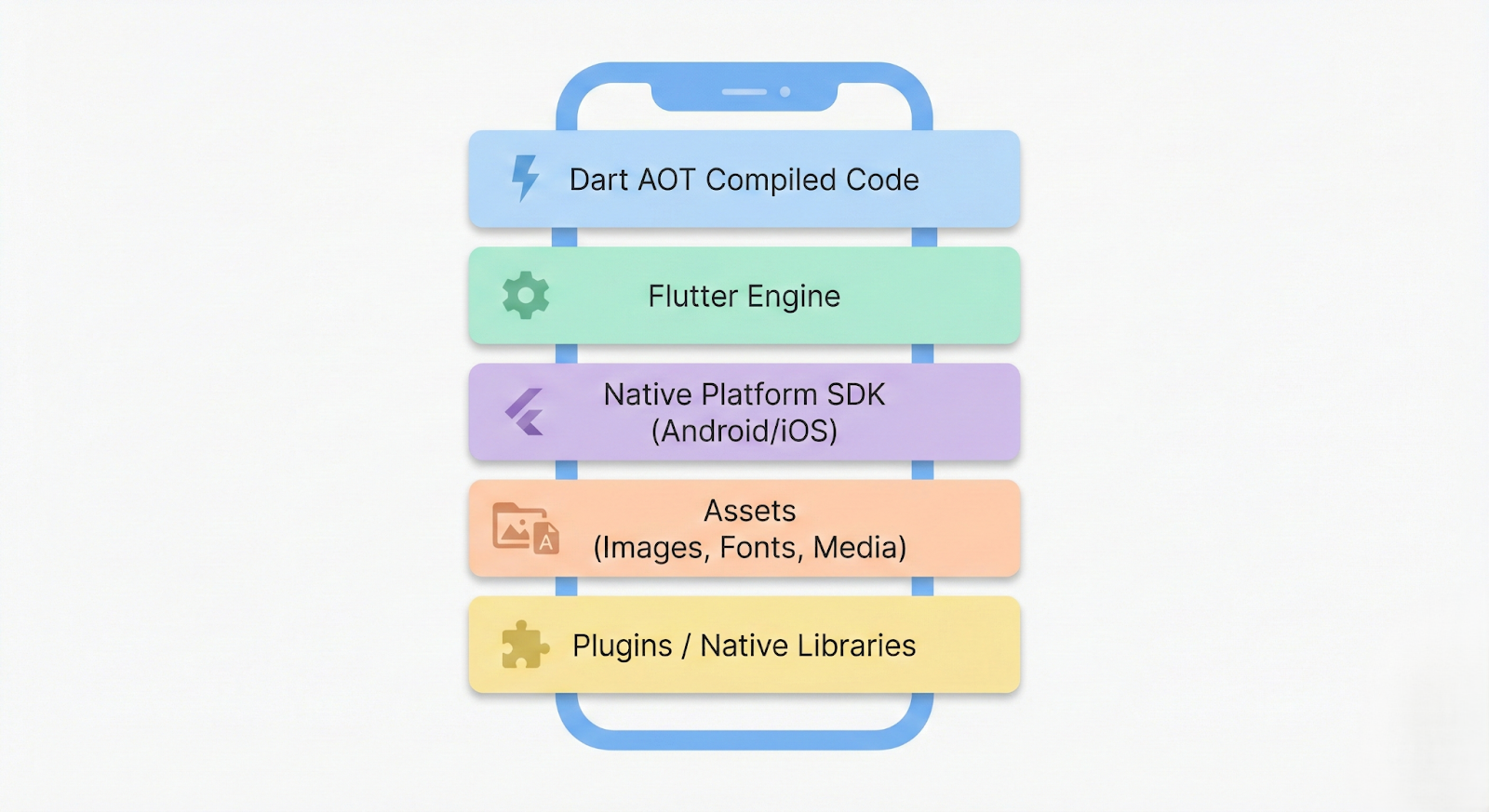
A Flutter app includes:
A Flutter application package (APK/AAB or IPA) fundamentally includes the following components:
- Dart AOT compiled code
- Flutter Engine
- Native platform SDK
- Assets (images, fonts, etc.)
- Plugins / native libs
Key culprits:
- Debug symbols
- Unoptimized assets
- Unused plugins
- Multiple ABIs bundled
- Heavy fonts
- Incorrect build modes
Let’s fix them.
Step 1: Always Build in Release Mode
Sounds obvious. Still commonly ignored.
❌ Wrong:
flutter build apk
✅ Correct:
flutter build apk --release
Or for Android App Bundle:
flutter build appbundle --release
Release mode:
- Enables tree shaking
- Removes debug code
- Optimizes Dart compilation
You can learn more about Flutter build modes in the official Flutter documentation.
Step 2: Split APK by ABI (Huge Size Drop)
By default, Flutter bundles all CPU architectures:
- armeabi-v7a
- arm64-v8a
- x86_64
That means unnecessary native binaries.
Enable ABI split:
flutter build apk --split-per-abi
This alone can cut size by 50%+.
If you're publishing to Play Store, prefer:
flutter build appbundle
Google Play automatically serves device-specific binaries.
For detailed guidance on Android App Bundles, refer to the official Android developer documentation.
Step 3: Enable Code Shrinking (Android)
Open:
android/app/build.gradle and add Inside release:
release {
    minifyEnabled true
    shrinkResources true
    proguardFiles getDefaultProguardFile('proguard-android-optimize.txt'), 'proguard-rules.pro'
}
What This Does:
- Removes unused Java/Kotlin code
- Shrinks resources
- Obfuscates bytecode
⚠️ Be careful with reflection-based plugins.
Step 4: Use Dart Tree Shaking Properly
Flutter automatically tree-shakes unused Dart code in release builds.
But it fails when:
- You use dart:mirrors
- Dynamic code patterns
- Overuse of global imports
Best Practice:
Instead of:
import 'package:my_app/screens/screens.dart';
Prefer:
import 'package:my_app/screens/home_screen.dart';
Be explicit. Avoid barrel files in massive apps.
Step 5: Optimize Assets (Most Overlooked)
Assets are silent killers.
Common Mistakes:
- Adding 4K images
- Including unused SVGs
- Shipping full Google Fonts
Optimize Images
Use:
- WebP instead of PNG/JPEG
- Proper compression
Convert images:
cwebp input.png -o output.webp -q 80
Example in pubspec.yaml:
flutter:
  assets:
    - assets/images/
Only include what you use.
Use Font Subsetting
Instead of:
fonts:
  - family: Poppins
    fonts:
      - asset: fonts/Poppins-Regular.ttf
Use google_fonts package:
Text(
  'Hello',
  style: GoogleFonts.poppins(),
)
Flutter will subset fonts in release.
Step 6: Analyze Build Size (Advanced)
Run:
flutter build apk --analyze-size
Then open the JSON in DevTools.
If you’re building production-ready Flutter apps, you should also read our detailed guide on handling permissions correctly in Flutter production apps.
You’ll see:
- Package breakdown
- Asset usage
- Native libraries
- Symbol size
Step 7: Remove Unused Dependencies
Every plugin adds native code.
Run:
flutter pub deps
Audit:
- Do you really need <package or dependency>?
- Are you using <package or dependency> on only one screen?
- Any duplicated packages?
Step 8: Use Deferred / Lazy Loading (Advanced)
Flutter supports deferred loading (especially on web, but limited on mobile).
For large feature modules, consider:
- Feature-based architecture
- If you're working with native integrations, check our deep dive on Flutter platform channels
- Splitting heavy SDK integrations
Example architecture:
lib/
 ├── core/
 ├── features/
 │    ├── chat/
 │    ├── payments/
 │    └── onboarding/
Load features only when required.
Real-World Case Study
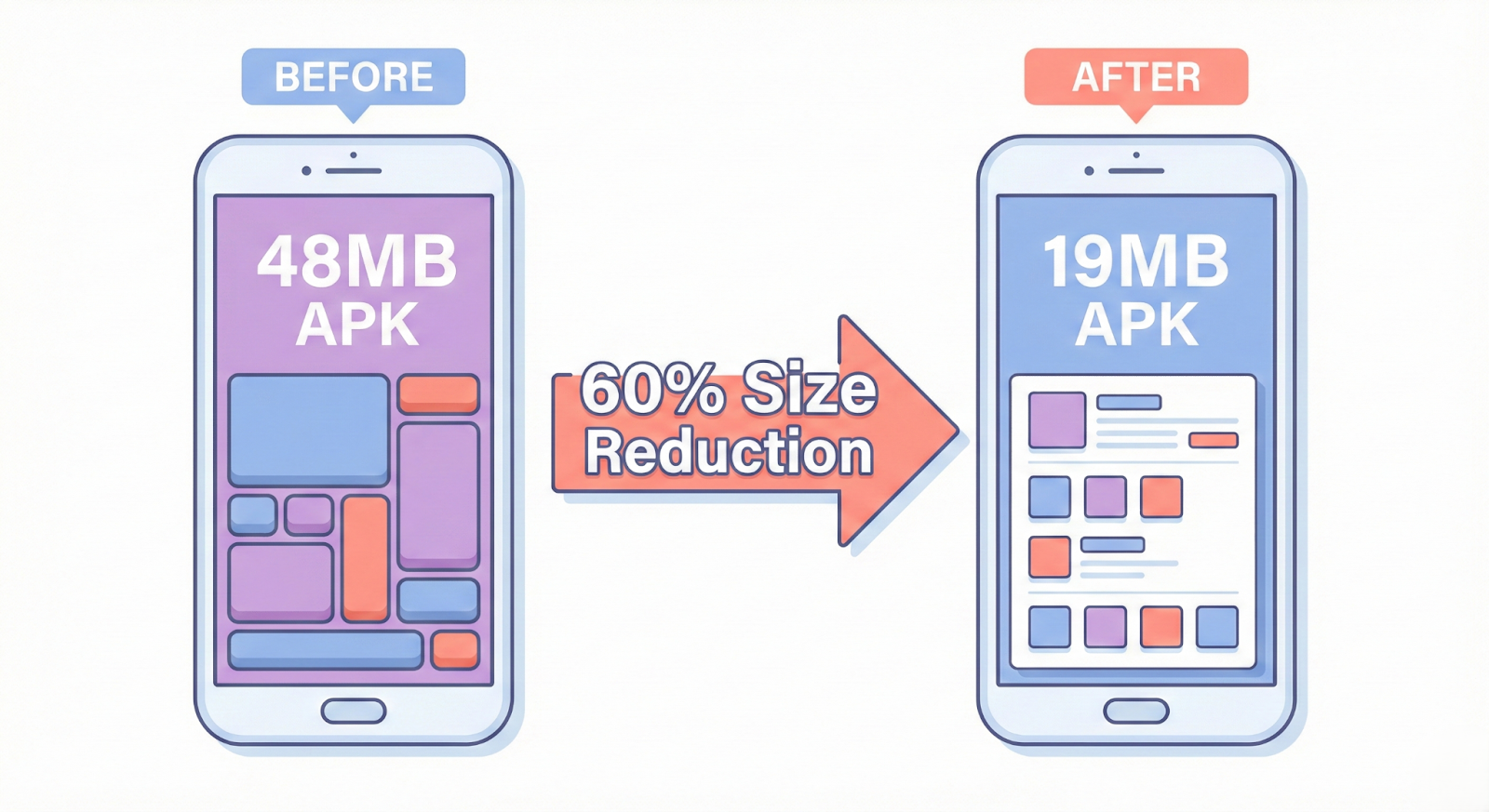
Initial State:
- APK: 48MB
- Assets: 18MB
- Native libs: 20MB
After Optimization:
- Split per ABI
- WebP conversion
- Removed unused analytics
- Enabled shrinkResources
Final:
- APK per ABI: 19MB
- 60% size reduction
No feature loss.
Common Pitfalls
Conclusion
Reducing Flutter app size is not optional — it directly impacts installs, updates, and retention.
By using release builds, App Bundles, ABI splitting, code shrinking, asset optimization, and dependency audits, you can cut your Flutter APK size significantly without removing features.
Make size analysis part of every release cycle.
Smaller app = faster installs = better growth.








