


.png)


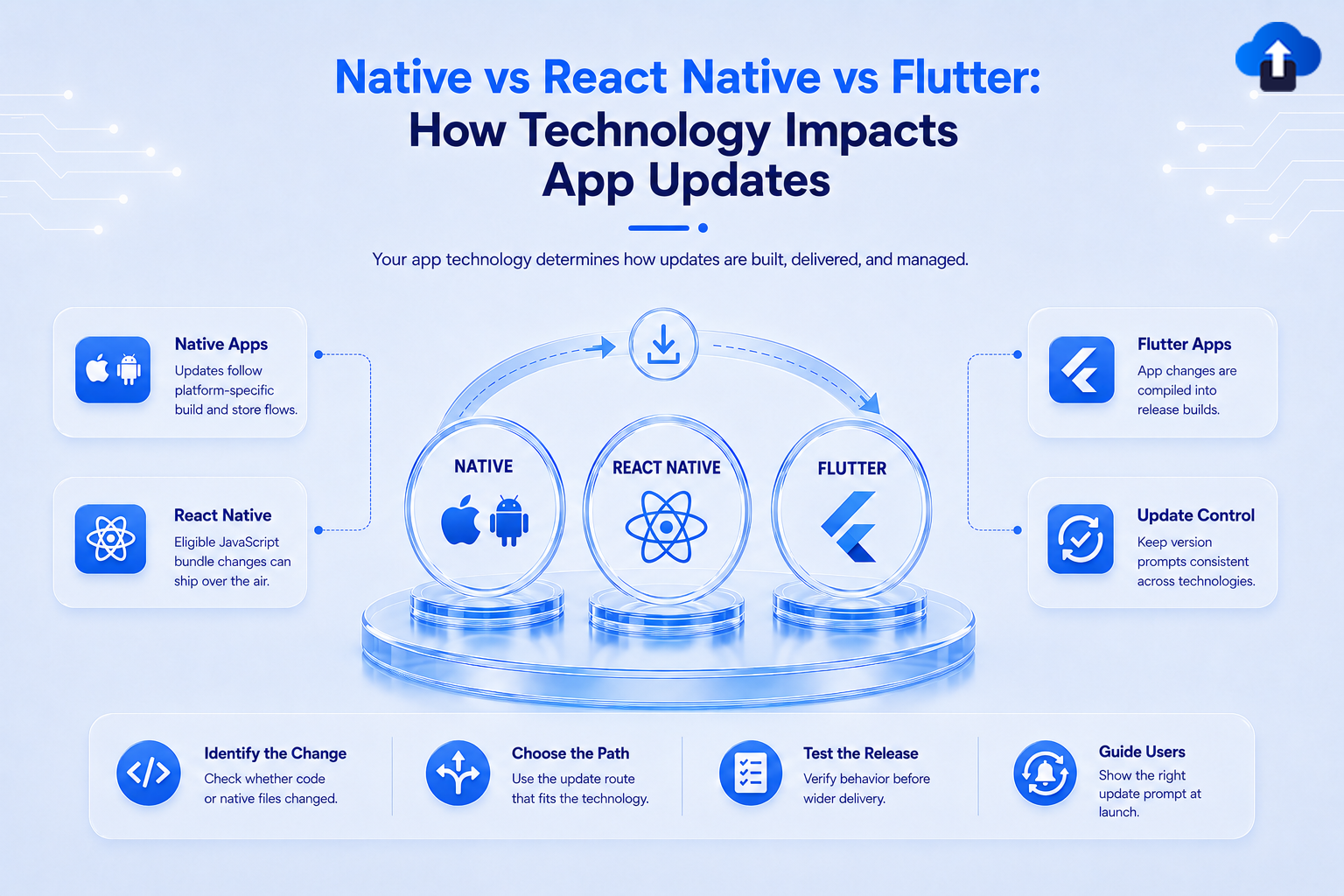
Choosing between native development, React Native, and Flutter affects more than development speed or code sharing. It also changes how your team can deliver updates after the app reaches users.
A small production bug may require a complete App Store or Google Play release in one technology, while another setup may allow certain changes to reach users through an over-the-air update. Understanding these differences helps teams build a better mobile app update strategy before a critical fix is needed.
At AppsOnAir, we work with mobile teams across native, React Native, and Flutter applications. AppSync supports update management across these stacks, while CodePush adds over-the-air delivery specifically for eligible React Native JavaScript and asset changes.
Why Your Technology Stack Affects App Updates
Mobile apps eventually need bug fixes, security patches, UI changes, new features, and compatibility updates. The development framework determines how those changes are packaged and which delivery options are available.
The biggest difference is whether the change modifies the installed application binary or can be delivered separately from it.
Store Updates vs. Over-the-Air Updates
A traditional store update requires the team to build a new application version, upload it to the relevant store, complete the publishing process, and then wait for users to install it.
Google Play requires an updated Android App Bundle to use the same package name and signing identity while increasing the version code. Once the update is published, it begins reaching existing users. Apple similarly requires developers to create a new app version, upload a new build, and submit that version to App Review.
An over-the-air, or OTA, update works differently. Eligible application content can be delivered to the installed app without replacing the complete binary.
Whether that is possible depends heavily on how the app is built.
How Updates Work in Native Mobile Apps
Native apps are built directly for their target platform, typically using Swift or Objective-C for iOS and Kotlin or Java for Android.
When developers change compiled application code, add native dependencies, modify platform integrations, or make other binary-level changes, they generally create a new build and distribute it through the appropriate app store.
Native iOS App Updates
For an iOS application, a normal production update involves creating a new version in App Store Connect, uploading a new build, selecting that build, and submitting the version for App Review.
Apple also limits applications from downloading and executing code that introduces or changes app functionality outside the approved application bundle. That makes store release planning particularly important when native executable behavior changes.
Native Android App Updates
Android production updates also normally involve producing a new signed build and publishing it through Google Play.
Google Play supports staged rollouts, allowing teams to release an update to a percentage of users before expanding distribution. This can reduce risk when a new binary contains significant changes.
For native teams, the main consideration is therefore release readiness. Critical code fixes generally need a new binary, so testing, signing, store submission, rollout, and version adoption all become part of the response process.
How React Native Changes the Update Model
React Native applications combine JavaScript application logic with native Android and iOS components.
React Native's architecture allows JavaScript to communicate with native platform functionality. Production builds also package the JavaScript needed by the application into the release binary when following the standard store deployment process.
This separation between JavaScript and native code creates an important update opportunity.
React Native Can Support OTA Updates
With an OTA system such as CodePush, eligible JavaScript bundle changes and assets can be delivered without requiring users to download an entirely new binary from the app store.
This can be useful for JavaScript-based bug fixes, interface changes, text corrections, and asset updates that remain compatible with the native binary already installed.
AppsOnAir CodePush, for example, supports JavaScript bundle and asset updates for React Native applications on Android and iOS.
Native React Native Changes Still Need Store Releases
OTA does not mean every React Native change can bypass a normal release.
If an update modifies Swift, Objective-C, Kotlin, Java, native modules, or another part of the compiled native layer, a new binary is still required.
For example, adding a new native SDK or changing a dependency that requires CocoaPods or Gradle configuration would normally need another store build.
This distinction is one of the most important parts of a React Native update strategy: teams need to know whether a fix belongs to the JavaScript layer or the native layer before deciding how it can be released.
How Updates Work in Flutter Apps
Flutter uses Dart and compiles production mobile applications into release builds for Android and iOS.
For Android, Flutter's official deployment workflow creates an app bundle or APK for release. For iOS, teams create and upload an IPA before distributing through TestFlight or the App Store.
Flutter Hot Reload Is a Development Feature
Flutter is well known for hot reload, but hot reload should not be confused with production OTA updates.
Flutter's documentation states that hot reload works only in debug mode. It is designed to speed up development by applying code changes while developers are building and testing the app.
Once an application is running as a production release, that development workflow is no longer the mechanism used to update users.
Flutter Does Not Directly Support Code Push
Flutter's official FAQ states that code push is not directly supported by Flutter. Production Dart changes therefore follow the release and distribution approach used by the target platform unless a separate update technology is introduced.
This is an important difference from React Native, where JavaScript bundle architecture creates a well-established OTA path for compatible changes.
Native vs React Native vs Flutter App Updates
The three technologies can all produce high-quality mobile applications, but their update flexibility differs.
The difference does not mean one technology is automatically better. It means teams should account for update requirements when selecting their development and release architecture.
Choosing the Right Mobile App Update Strategy
Your framework determines what is technically possible, but your release strategy determines how those options should be used.
Fast delivery is useful only when the update is safe, compatible, and properly tested.
Separate Critical Fixes From Normal Releases
Not every change needs the fastest possible delivery method.
Normal feature releases can follow a planned store release cycle. A small production bug affecting a React Native JavaScript layer, however, may be a good candidate for an OTA patch when the change falls within the supported boundary.
Keeping these paths separate prevents teams from treating every update as an emergency.
Know Where the Change Lives
Before deciding how to ship a fix, ask whether it changes the installed native binary.
For React Native, changing JavaScript or compatible assets may allow an OTA release. Changing native modules or platform code requires a store release.
For native and standard Flutter production updates, teams should generally plan around new application builds when application code changes.
Plan for Users Who Stay on Older Versions
Publishing an update does not guarantee that every user installs it immediately. Some users disable automatic updates or delay installing new versions.
That means update management also needs to consider minimum supported versions, optional prompts, forced updates, and backend compatibility.
The problem is not only getting a new version into the store. It is deciding what should happen when users continue running the old one.
How AppsOnAir Supports Different App Update Strategies
Our update tools solve two different parts of this problem: managing installed app versions and delivering eligible React Native OTA changes.
AppSync for Native, Flutter, and React Native
AppSync supports iOS, Android, Flutter, and React Native applications. Once integrated, it checks update rules when the app launches and can show optional updates, force updates, or maintenance experiences.
The actual new binary still needs to be published through the App Store or Google Play for a regular or forced store update. AppSync controls how users are prompted and which versions should continue, rather than replacing the store binary itself.
CodePush for React Native OTA Updates
For React Native applications, CodePush handles a different use case.
It can distribute eligible JavaScript bundle and asset changes over the air to Android and iOS applications. Native code changes remain outside that boundary and still require a full store release.
Using these approaches separately helps teams choose between managing a store version and delivering a compatible React Native patch rather than treating every update as the same type of release.
Common Mistakes When Planning App Updates
One common mistake is assuming that React Native OTA updates can change anything in the application. Once a change enters the native layer, a new binary may still be necessary.
Another mistake is treating Flutter hot reload as a production deployment feature. Hot reload is intended for debug-mode development, not as the normal way to update installed production apps.
Teams should also avoid focusing only on publishing the latest version. A complete strategy needs to consider testing, rollout risk, update adoption, older supported versions, and what happens when a critical fix must reach users.
Frequently Asked Questions
Can native mobile apps receive updates without the App Store or Google Play?
Native executable changes normally require a new application binary and the appropriate distribution process.
Remote configuration and server-controlled content can change some app behavior, but they are different from replacing the app's native executable code.
Can React Native apps receive OTA updates?
Yes. React Native applications can use an OTA system to deliver eligible JavaScript bundle and asset changes.
Changes involving native code still require a new binary and store release.
Does Flutter hot reload update production apps?
No. Flutter hot reload is a development feature available in debug mode. It helps developers see code changes quickly while building an application but does not act as the standard production update mechanism.
Does Flutter officially support code push?
Flutter's official documentation states that code push is not directly supported by Flutter.
Production Flutter applications normally follow the deployment requirements of Android and iOS when releasing updated builds.
Is React Native better for delivering urgent bug fixes?
React Native can provide additional flexibility when the urgent fix is entirely within the JavaScript bundle or supported assets and an OTA solution has already been integrated.
If the bug involves native code, the team still needs a traditional store release.
Final Thoughts
Native, React Native, and Flutter all follow the App Store and Google Play release process when a new application binary is required. The important difference is that React Native's JavaScript layer can provide an additional OTA path for compatible changes.
That makes technology choice an important part of your mobile app update strategy. Teams should understand which changes require a store release, which can potentially be delivered remotely, and how older installed versions will be managed afterward.
With AppsOnAir, we address both sides of that workflow. AppSync helps native, Flutter, and React Native teams control version prompts, forced updates, optional updates, and maintenance behavior, while CodePush gives React Native teams an OTA path for eligible JavaScript and asset changes. The right approach depends on what changed, where that change lives, and how quickly it needs to reach users.









