


.png)


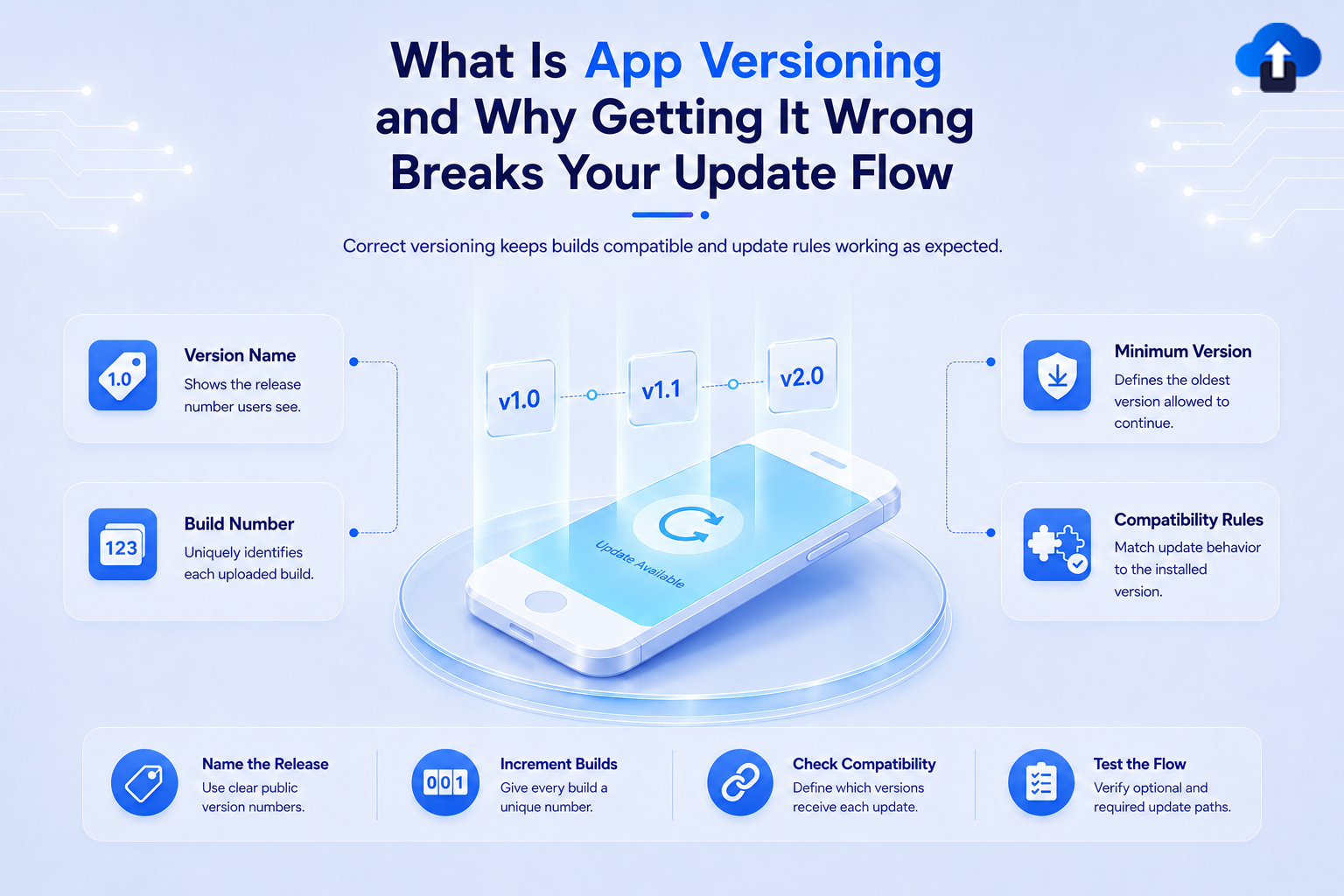
Every mobile app release needs a way to identify which version users have installed. That number may look simple, such as 2.4.1, but it plays an important role in publishing updates, tracking builds, supporting older releases, and deciding when users need to upgrade.
App versioning is the system used to identify and organize different releases of an application. When version numbers, build numbers, or version rules are handled incorrectly, teams can run into rejected uploads, incorrect update prompts, compatibility problems, and confusion about which build users are actually running.
At AppsOnAir, we see version information as an important part of the mobile update lifecycle. AppSync uses app-version rules to help teams control optional updates, force updates, and minimum supported versions after new builds have been released.
What Is App Versioning?
App versioning is the practice of assigning identifiers to different releases of a mobile application. These identifiers help developers, app stores, backend systems, QA teams, and users distinguish one release from another.
A version might appear as 1.0.0, 2.5.1, or another format chosen by the development team. Mobile platforms also maintain internal build identifiers that help determine which uploaded build is newer.
Version Number vs. Build Number
The user-visible version and the internal build identifier serve different purposes.
On iOS, Apple uses CFBundleShortVersionString as the user-visible version number. Apple defines it using three period-separated integers in a Major.Minor.Patch format. A separate CFBundleVersion identifies a particular build of that version.
Android follows a similar idea with different terminology. versionName is the version shown to users, while versionCode is a positive integer used internally to determine which release is newer. Each successive Android release should use a higher versionCode.
This means two builds can belong to the same visible release while still having different internal build identifiers during development and testing.
How Semantic Versioning Works
Many software teams use Semantic Versioning, commonly called SemVer, as a foundation for naming releases.
The standard uses a three-part structure:
MAJOR.MINOR.PATCHFor example, version 3.4.2 contains a major version of 3, a minor version of 4, and a patch version of 2.
Major Versions
A major version normally indicates a significant change that may introduce incompatibility with previous behavior.
Under Semantic Versioning, incompatible API changes increase the major number. For example, 2.8.4 could become 3.0.0 after a breaking change.
Mobile teams do not have to follow SemVer for every product decision, but a consistent versioning convention makes releases easier to understand.
Minor Versions
A minor version commonly represents new functionality that remains compatible with the existing release.
For example, an app might move from 4.2.0 to 4.3.0 after adding a new feature while keeping existing behavior compatible. Semantic Versioning uses this approach for backward-compatible functionality.
Patch Versions
Patch numbers are typically increased for backward-compatible bug fixes.
A release such as 5.1.2 might therefore become 5.1.3 after correcting a production issue without introducing major new functionality.
The exact convention matters less than consistency. Everyone involved in releasing the app should understand what each part of the version means.
Why App Versioning Matters for Mobile Updates
Versioning is not only useful for organizing release notes. Mobile platforms and update systems use version information to decide which builds are newer and how updates should behave.
A mistake can therefore affect the actual release process.
App Stores Need to Identify Newer Builds
Google Play uses Android's versionCode to determine whether one build is newer than another. The value must increase for successive releases, and a previously used versionCode cannot simply be reused for another Play Store upload.
Apple also uses version and build information to associate uploaded builds with the correct App Store Connect version. When creating a new release, the App Store version number must increase, and the build string must be incremented before a new build is uploaded.
A wrong version identifier can therefore interrupt the publishing process before users ever receive the update.
Backend Compatibility May Depend on App Versions
Mobile apps often communicate with APIs that continue changing after the app has been installed.
Suppose version 2.0 uses an older authentication flow while version 3.0 uses a new one. The backend may temporarily need to support both versions while users gradually update.
Knowing which app versions are active helps teams decide when old API behavior can safely be removed.
Version information can also be used to determine when an outdated app should receive an update prompt rather than continuing into a workflow that is no longer compatible.
QA Teams Need to Know Which Build Contains a Fix
Imagine that QA reports a checkout bug in version 4.2.0. The development team fixes it and creates another build but does not clearly track the build identifier.
Testers may then struggle to confirm whether they are testing the original build or the corrected one.
Clear version and build management creates traceability between reported issues, fixes, test builds, and production releases.
How Incorrect Versioning Breaks Your Update Flow
Versioning problems often appear during the exact moment when a team needs to ship an update quickly.
A critical production bug is already stressful. Discovering that the new build cannot be uploaded or that update rules are targeting the wrong release makes the situation much worse.
Reusing or Decreasing Android Version Codes
Android requires newer releases to use higher versionCode values. The Android system also uses this value to prevent downgrades by blocking an APK whose versionCode is lower than the version already installed.
If your CI/CD pipeline produces the wrong number, your release may not behave as expected.
Teams should therefore automate version-code increments or include them as part of their release checklist rather than relying entirely on manual edits.
Confusing User Versions With Internal Builds
A user-visible release and an internal build are not always the same thing.
For example, QA might test several builds of version 2.5.0 before one becomes the production build. Treating each internal build as a completely different public version can create unnecessary confusion.
The better approach is to maintain a clear distinction between the release version and the build identifier used to track iterations of that release.
Comparing Version Numbers Incorrectly
Version numbers should be compared by their individual numeric components rather than as ordinary text.
For example, version 2.10.0 is newer than 2.9.0. A poorly designed text comparison could interpret that order incorrectly because the characters are being compared instead of the numeric version components.
Semantic Versioning also specifies numeric comparison for major, minor, and patch values.
Incorrect comparison logic can become especially dangerous when it controls minimum-version rules or mandatory updates.
A Better App Versioning Strategy
A reliable versioning system should be predictable for developers, QA, release managers, and automated tools.
The goal is to make every production build easy to identify and every update rule easy to understand.
Define One Versioning Convention
Choose a consistent release format and document what each part means.
For example, your team may use:
- Major for large or incompatible changes
- Minor for new features
- Patch for fixes
The exact policy can vary, but it should not change unpredictably between releases.
Automate Build Numbers
Internal build identifiers are good candidates for automation.
Your CI/CD system can increment build numbers whenever a new release artifact is created. This reduces the chance of developers accidentally reusing identifiers during a busy release.
Automation becomes particularly useful when several builds are generated in the same day.
Track Minimum Supported Versions
Publishing version 5.0 does not mean every user immediately leaves version 4.0.
Your update strategy should define how long older releases remain supported and what should happen when they become incompatible.
Teams can start with an optional update and later require an update when an older version is no longer safe or compatible.
How AppsOnAir AppSync Helps Manage App Versions
With AppSync, we move update rules outside hardcoded app logic so mobile teams can manage version behavior remotely after the SDK has been integrated.
Control Optional and Forced Updates
AppSync supports optional updates when users can safely remain on their existing version and force updates when an older version should no longer be used.
The new application build must still be published through the App Store or Google Play. AppSync then controls which users receive the update prompt when the app starts.
Target Specific App Versions
AppSync allows update rules to target specific versions on a platform-wise basis. This is useful when Android and iOS releases follow different timelines or when only certain versions need to be upgraded.
Teams can also enforce minimum supported versions without hardcoding every future version rule directly into the application.
Change Version Rules Without Another Code Release
Once AppSync is integrated, changing an update rule does not require another code change just to modify the minimum-version logic.
For example, a release can initially remain optional and later become mandatory after the team confirms that the new version is stable.
Common Mistakes With App Versioning
One common mistake is treating version numbers as labels that have no technical impact. In reality, app stores, update systems, QA processes, and backend compatibility rules may all depend on them.
Another mistake is manually managing every build number without a reliable release process. This increases the chance of duplicated or incorrect identifiers.
Teams should also avoid forcing every new version immediately. A clear versioning system should support gradual adoption while still giving the team a way to retire releases that are no longer compatible.
Frequently Asked Questions
What is app versioning?
App versioning is the process of assigning identifiers to different releases and builds of an application.
These identifiers help users, developers, app stores, QA teams, and update systems determine which version is installed and whether a newer release exists.
What is the difference between a version number and a build number?
A version number normally identifies a public release, while a build number identifies a particular build or iteration of that release.
On Android, these concepts are represented by versionName and versionCode. On iOS, Apple uses the version number and CFBundleVersion build string.
What does 1.2.3 mean in app versioning?
When Semantic Versioning is used, 1 represents the major version, 2 represents the minor version, and 3 represents the patch version.
Major changes represent incompatible changes, minor updates introduce backward-compatible functionality, and patch updates contain backward-compatible fixes.
Why does Android require a higher versionCode?
Android uses versionCode as an internal number to determine which release is newer.
Higher values represent newer releases, and Google Play does not allow developers to reuse a version code that has already been used for a previous Play Store release.
Can app versioning affect force updates?
Yes. Force-update systems need to determine which installed versions should continue and which versions should be required to upgrade.
Incorrect version comparisons or poorly managed minimum-version rules can therefore cause the wrong users to receive an update requirement.
Final Thoughts
App versioning may look like a small part of mobile development, but it sits at the center of the update process. Version numbers identify releases, build identifiers distinguish individual builds, and version rules help teams decide how older apps should behave.
Getting those details wrong can delay store uploads, confuse QA, complicate backend compatibility, and cause incorrect update behavior. A consistent versioning convention, automated build numbering, and a clear minimum-version policy can prevent many of these problems.
With AppsOnAir AppSync, we help teams turn those version identifiers into practical update rules. Once a new store build is available, teams can manage optional updates, force updates, and minimum supported versions remotely, making versioning part of a controlled mobile app update strategy rather than just a number attached to each release.









