App Optimization

An Android development infographic titled "Fixing Out Of Memory Errors in Android to build stable, high-performance apps." The central graphic features a smartphone screen simulating an Android Recovery crash with an "Out Of Memory" installation aborted error message next to a fallen Android robot mascot. The left card details Common Causes: Memory Leaks (holding references too long), Large Bitmaps (loading high-resolution images unnecessarily), Unclosed Resources (cursors, streams, and unreleased listeners), and Too Many Objects (excessive loop object creation). The right section shows a gauge indicating "High Usage." A bottom horizontal banner outlines a 6-step troubleshooting workflow: 1. Profile Memory, 2. Fix Memory Leaks, 3. Optimize Images, 4. Release Resources, 5. Reduce Object Overhead, and 6. Test on Real Devices.
Developer Tutorials
All
Fixing OutOfMemory Errors in Android
Is your Android app crashing due to OutOfMemory errors? Discover the core causes of runtime memory issues and explore proven fixes to stabilize your app.
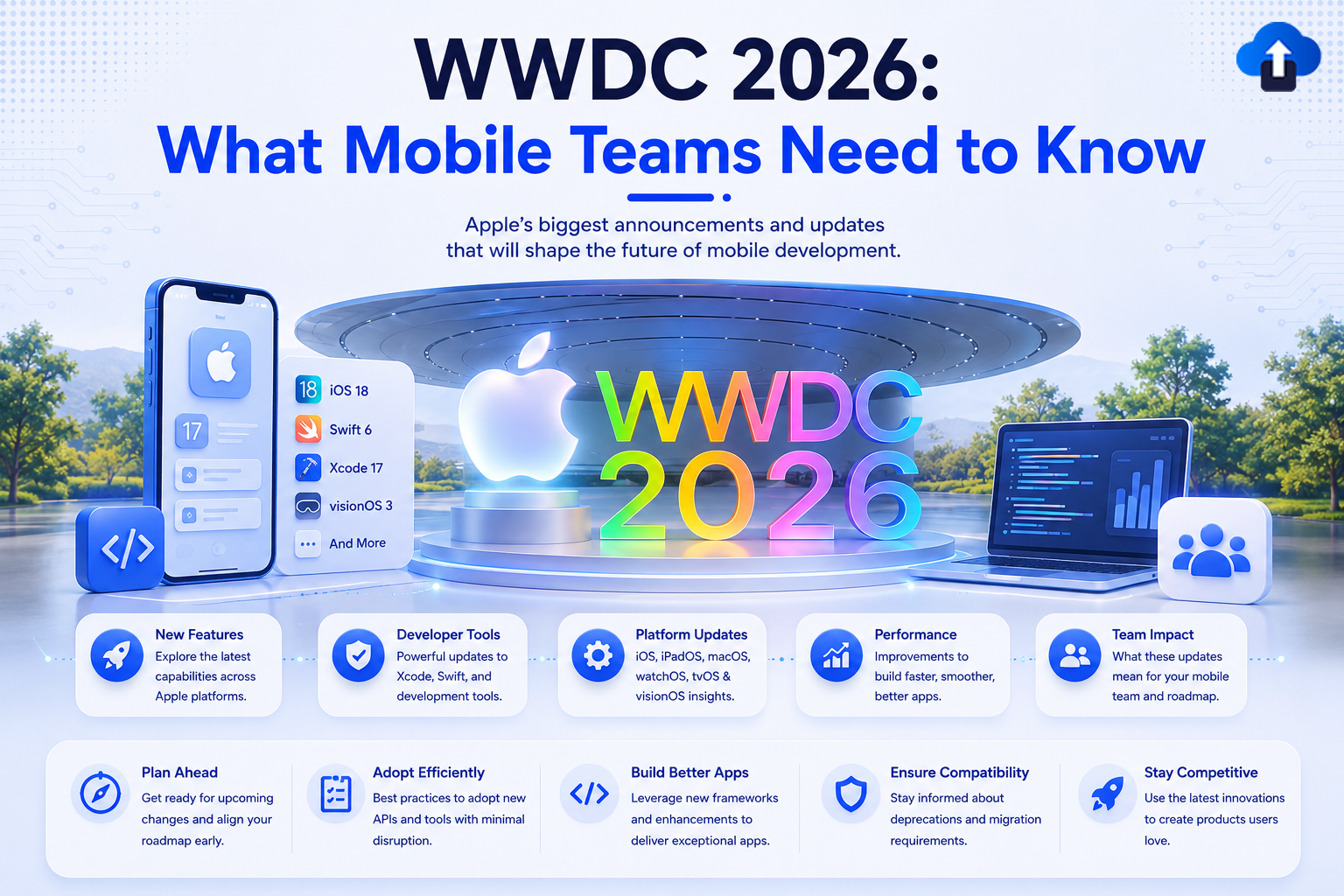
An educational web banner titled "WWDC 2026: What Mobile Teams Need to Know" with the subtitle "Apple’s biggest announcements and updates that will shape the future of mobile development." In the center, a large glowing Apple logo sits next to 3D colorful text reading "WWDC 2026" on a circular stage. To the left, a smartphone mockup stands next to a list highlighting iOS 18, Swift 6, Xcode 17, and visionOS 3. To the right, a laptop displays lines of code next to a user community icon. A row of benefit boxes sits at the bottom outlining New Features, Developer Tools, Platform Updates, Performance, and Team Impact, above a final footer highlighting project roadmap goals like Plan Ahead and Adopt Efficiently.
Mobile App Strategy
All
WWDC 2026: What Mobile Teams Need to Know
Prepare your mobile team for iOS 26. Discover the major updates from WWDC 2026, including Liquid Glass and new Apple Intelligence features.

An educational tech banner titled "How Phased Rollouts Prevent the Next Bad Release From Reaching All Users" with the subtitle "Ship updates with confidence by rolling out gradually, monitoring real-world impact, and scaling safely." The central graphic uses a 3D blue and white design showing a timeline connected by blue energy bands. It starts with a smartphone labeled "New Release v2.5.0", followed by four progressive rollout stages labeled: Stage 1 (5% Users / Small % Rollout), Stage 2 (25% Users / Increase Exposure), Stage 3 (50% Users / Continuous Monitoring), and Stage 4 (100% Users / Full Rollout). The timeline ends at a desktop monitor displaying a "Release Health" dashboard with a blue warning triangle icon for real-time monitoring. A bottom white bar highlights five key benefits: Safe Deployment, Real-time Monitoring, Gradual Scaling, User Protection, and Better Quality.
Mobile App Strategy
All
How Phased Rollouts Prevent the Next Bad Release From Reaching All Users
Protect your app from critical bugs. Learn how phased rollouts help you deploy updates gradually, monitor real-world performance, and stop bad releases before they impact all users.
Educational banner titled "Mastering Flutter’s Expansible Widget: Build Custom Expandable UIs with Ease." The design features a futuristic blue and white theme. In the center, a 3D smartphone mock-up and a separate UI panel demonstrate expandable UI elements opening to reveal images and text. To the right is Dash, the fluffy blue Flutter bird mascot, next to a floating Flutter logo. A bottom banner highlights five key benefits: Expandable Containers, Custom UIs, Dynamic Content, Flutter Best Practices, and Better UX.
Flutter Development
All
Mastering Flutter’s Expansible Widget: Build Custom Expandable UIs with Ease
Discover Flutter 3.32's new Expansible widget. Learn how to break free from ExpansionTile limitations and build highly customized, smooth expandable UIs with ease.
API key security architecture for mobile applications featuring secure storage, backend proxy, API gateway, cloud services, TLS/SSL encryption, certificate pinning, access control, and app attestation.
Mobile App Development
All
Securing API Keys in Mobile Apps
Learn how to secure API keys in mobile apps using backend proxies, Keychain, Android Keystore, TLS, app attestation, and API restrictions.
Encrypting API requests in mobile applications with TLS 1.2+, certificate pinning, payload encryption, JWT authentication, and secure token storage for Android and iOS security.
Mobile App Development
All
Encrypting API Requests in Mobile Applications
Learn how to encrypt API requests in mobile apps using TLS 1.3, certificate pinning, AES-256-GCM encryption, JWT authentication, and secure token storage.
Secure API Communication in iOS Apps with HTTPS TLS, Keychain Storage, SSL Certificate Pinning, OAuth 2.0 Authentication, JWT Tokens, Secure Enclave, and Protected API Servers.
Mobile App Development
All
Secure API Communication in iOS Apps
Learn how to secure API communication in iOS apps using HTTPS, Keychain, SSL pinning, OAuth, App Attest, and token protection best practices.
Flutter 3.41 iOS migration guide infographic showing safe app upgrade from Flutter 3.40 to 3.41 with improved performance, stability, zero downtime, testing, and production-ready deployment.
Mobile App Strategy
All
Flutter 3.41 iOS Migration Guide: Upgrade Your App Without Breaking Production
Learn how to migrate your iOS app to Flutter 3.41 safely. Explore Xcode 26 support, Dart 3.9 updates, iOS build fixes, Impeller blur improvements, signing changes, and step-by-step upgrade best practices.
Modern cybersecurity-themed illustration showing an Android smartphone protected by a glowing shield, surrounded by hacker threat icons, secure coding checklists, encryption and cloud security elements, with the headline “Your Android App Isn’t Safe in 2026 (Fix It Now)” on a light gradient background.
Mobile App Development
All
Your Android App Isn’t Safe in 2026 (Fix It Now)
Learn why Android app security risks are rising in 2026 and how to protect your APK from sideloading malware, repackaging, tampering, data leaks, and insecure installs.